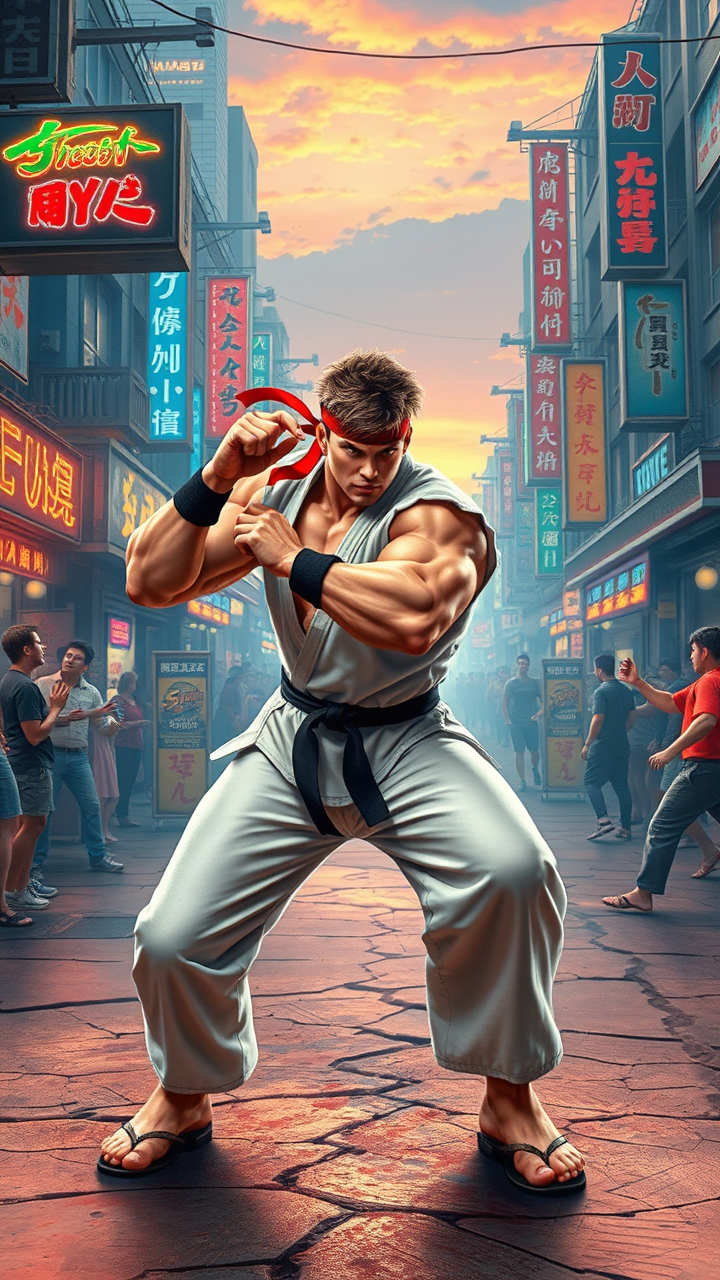
Ryu's Urban Showdown: Unleash! - Flux.1 schnell
prompt
Create an electrifying scene from the iconic fighting game "Street Fighter II," showcasing the legendary character Ryu. Capture Ryu in his classic white gi, adorned with a red headband and black belt, muscles tensed in a powerful stance, ready to unleash his Hadouken. His fierce expression conveys determination and focus. Surround him with a vibrant, dynamic backdrop of a bustling urban street, filled with neon signs and cheering crowds, evoking the essence of an intense street brawl. Incorporate elements like a cracked pavement, graffiti art, and a distant sunset casting dramatic shadows. The atmosphere should be charged with energy, highlighting the thrill of combat, as Ryu prepares for his next move, embodying the spirit of martial arts and the fight for honor.
Detailed Analysis of the Flux AI Image Prompt
Analyze the detailed prompt used to generate the image with Flux AI Image Generator.
Explore Flux Prompts for the Flux AI Image Generator
How to generate image by Flux.1 schnell
Follow these four simple steps to create your desired image.
Step 1: Enter Your Text (Feel free to refine your prompt for better results)
Step 2: Choose Image Aspect Ratio
Step 3: Select Your Flux Model:
Step 4: Click the Generate Button and Wait a Few Seconds for Your Image
Related Flux AI tools for prompts about Flux.1 schnell
Discover advanced tools from Flux AI to boost your creative workflow.