Flux.2 Flex AI Image Generatror
Flux.2 Flex AI is Blackforestlabs' latest Flux AI image generation model—offering highly flexible image editing with the Flux.2 Flex keyword. Delivers multi-reference output, precise control, and is ideal for workflows that require consistent style at manageable cost.
Explore more Flux AI Models for image generator
Production-grade AI image generation and editing models that output 4MP photo-realistic results, with support for multi-reference input and advanced control.
Flux.2 Pro
Delivers stable, high-detail, production-ready images. Ideal for professional projects and long-term content creation.
Flux.2 Dev
Lightweight and fast for sketch-level outputs, rapid prototyping, and frequent prompt testing.
Flux.2 Flex
Offers enhanced style flexibility and controllability, perfect for exploring diverse visual directions and creative experiments.
Examples of Flux.2 Flex AI Image Generator
Demonstrates Flux.2 Flex’s performance across diverse styles, color moods, and compositions—including product visuals, illustrations, concept sketches, and extended brand images.
Edit Images with Text Prompts – Flux 2 Flex

Original Image
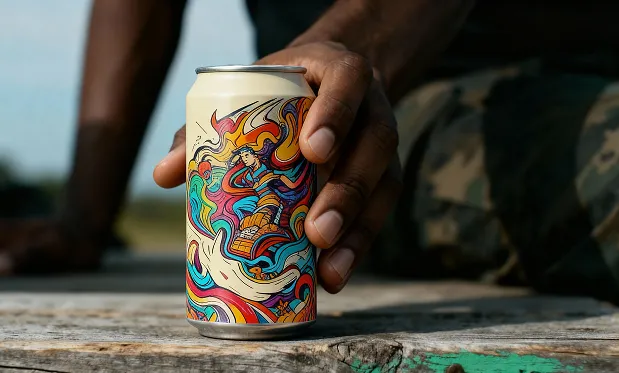
Replace the can in image 2 with the can from image 1
Character Consistency Checks

Source
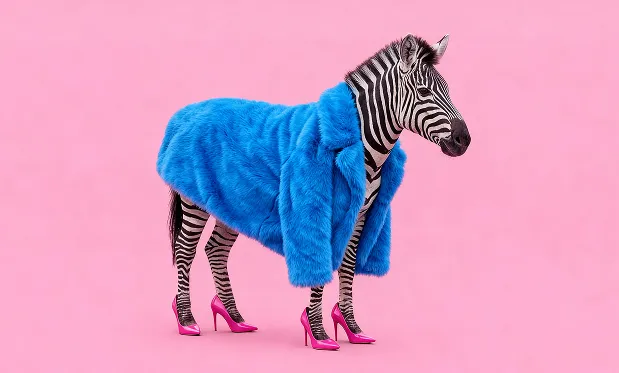
Change the zebra's clothes to blue and the background to pink in the picture.
Text Editing in Artwork

Original Image

The pope but with some proper swag on! Gen Z, 1990 picture style
Core Features of Flux.2 Flex AI
Flux.2 Flex delivers advanced performance in style control, quality adjustment, diverse generation, and reproducibility—enabling creative teams to fine-tune results for demanding workflows.
Wide Range of Controllable Styles
Switch between realistic, artistic, minimal, or bold styles, and experiment with multiple creative directions. Achieve richer visual variety from the same prompt for exploration.
Adjustable Quality and Speed
Choose settings for quick sketches or high-quality detailed images during different stages of creation—supporting both rapid iteration and final asset production.
Structure for Detail Fine-Tuning
Flexible interpretation maintains compositional stability while making it easier to tweak color, lighting, atmosphere, or local elements—especially useful for iterative refinement.
Repeatable and Comparable Results
Delivers high consistency when using the same parameters, making A/B comparisons, style stability testing, or batch generation straightforward for designers.
Advantages of Flux.2 Flex AI Image Generator
Flux.2 Flex AI excels in style exploration, collaborative iteration, workflow flexibility, and resource efficiency—making it an optimal choice for professional and team applications.
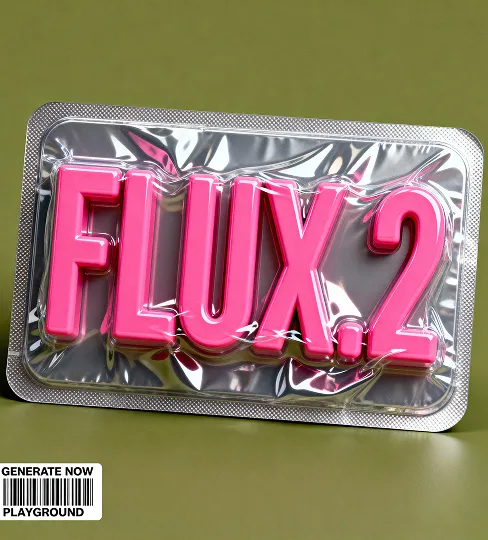
Visual Base for Style Exploration
Easily derive multiple visual styles from a single prompt, letting teams rapidly compare design directions and reduce the pressure of creating from scratch.
Flexible Workflow Adaptation
Balances stability and flexibility across prototyping, asset production, brand expansion, and seasonal content refresh—making it ideal for diverse visual tasks.
Moderate Resource Consumption
Strikes a balance between output quality and runtime efficiency, enabling high-volume or daily generation even for large content teams and internal tools.
Consistent Visuals with Flexible Variation
Maintains overall stylistic consistency while supporting reasonable adjustments to lighting, mood, or scene details for ongoing asset updates.
Application Scenarios for Flux.2 Flex AI Image Generator
Designed for creative exploration, brand production, content updates, and multiversion generation—Flux 2 Flex powers a wide range of visual use cases.
Test different atmospheres and visual directions in early project stages, helping shortlist candidates before final decisions.
Conceptual Visual Exploration
Continuously produce product images, backgrounds, or daily visual assets that stay on-brand but evolve with your needs.
Brand & Product Content Updates
Generate multiple expressions of the same theme, supporting experimentation with color, composition, and style for team ideation.
Multi-Version Creative Experimentation
Delivers images with solid structural stability, suitable for later use in editing tools—to adjust colors, update sections, or enhance details as needed.
Base Materials for Further Editing
How to Use Flux.2 Flex AI Image Generator
Designed for image generation tasks requiring high consistency, controllability, and fine detail. Get started in just three steps:
Step 1: Enter Your Prompt
Step 2: Select Aspect Ratio
Step 3: Generate Your Image