Chun-Li: Night of Neon Fury - Flux.1 dev
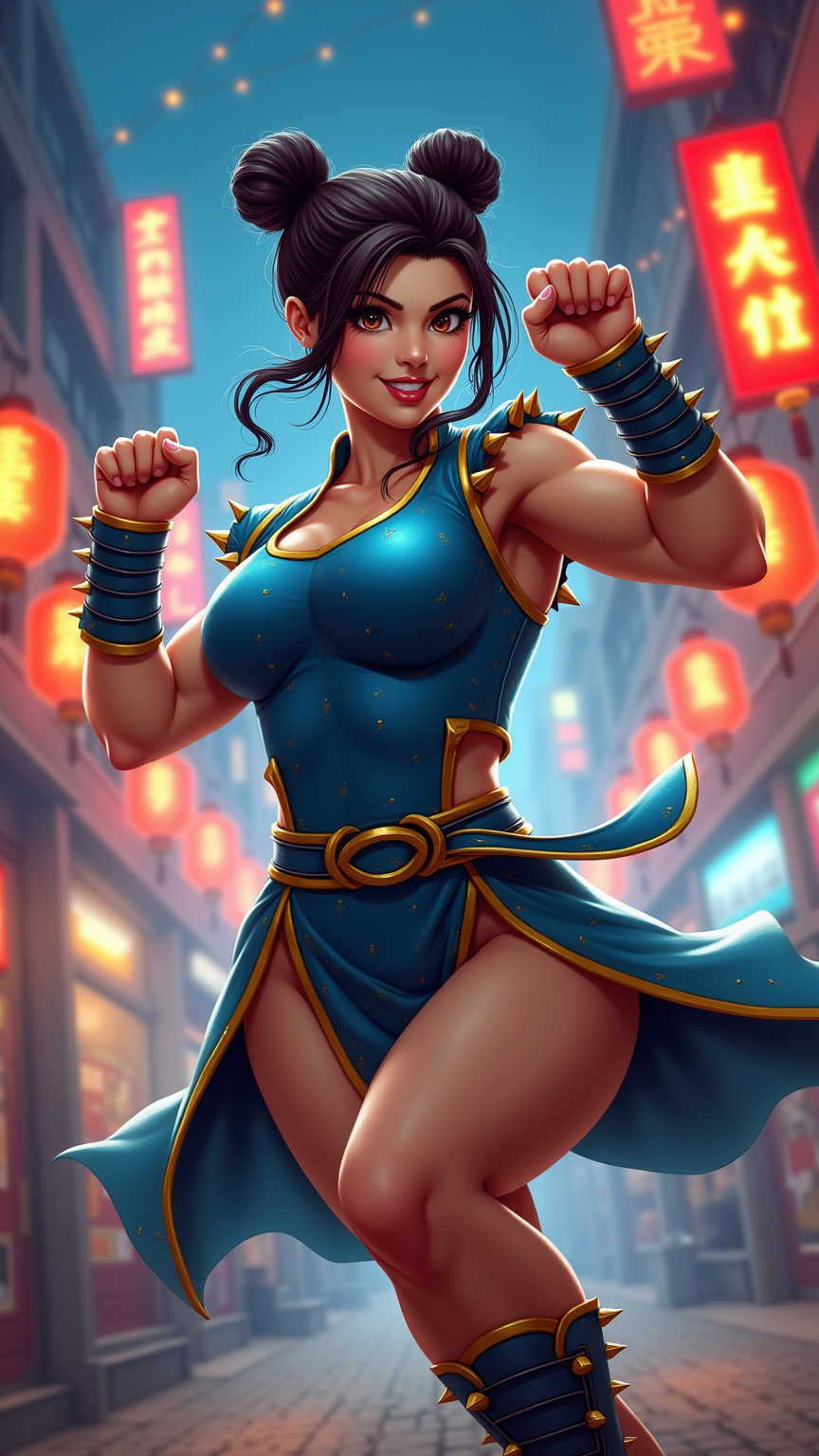
prompt
**Prompt:** Create a dynamic and vibrant scene inspired by the fighting game genre, specifically "Street Fighter II." Focus on Chun-Li, the iconic character known for her powerful legs and traditional qipao dress, adorned with blue and gold accents. Capture her fierce expression as she prepares for battle, showcasing her signature spiked bracelets and hair buns. The background should feature a bustling urban environment, reminiscent of a Chinese street market, with colorful lanterns and neon signs illuminating the night. Include elements of martial arts, such as swirling energy or motion lines, to emphasize her speed and agility. The overall mood should be intense and electrifying, reflecting the competitive spirit of the game, with a blend of nostalgia and modern artistry.
Detailed Analysis of the Flux AI Image Prompt
Analyze the detailed prompt used to generate the image with Flux AI Image Generator.
Explore Flux Prompts for the Flux AI Image Generator
How to generate image by Flux.1 dev
Follow these four simple steps to create your desired image.
Step 1: Enter Your Text (Feel free to refine your prompt for better results)
Step 2: Choose Image Aspect Ratio
Step 3: Select Your Flux Model:
Step 4: Click the Generate Button and Wait a Few Seconds for Your Image
Related Flux AI tools for prompts about Flux.1 dev
Discover advanced tools from Flux AI to boost your creative workflow.