Whimsical Fox: Grace in Ink - Flux.1 dev
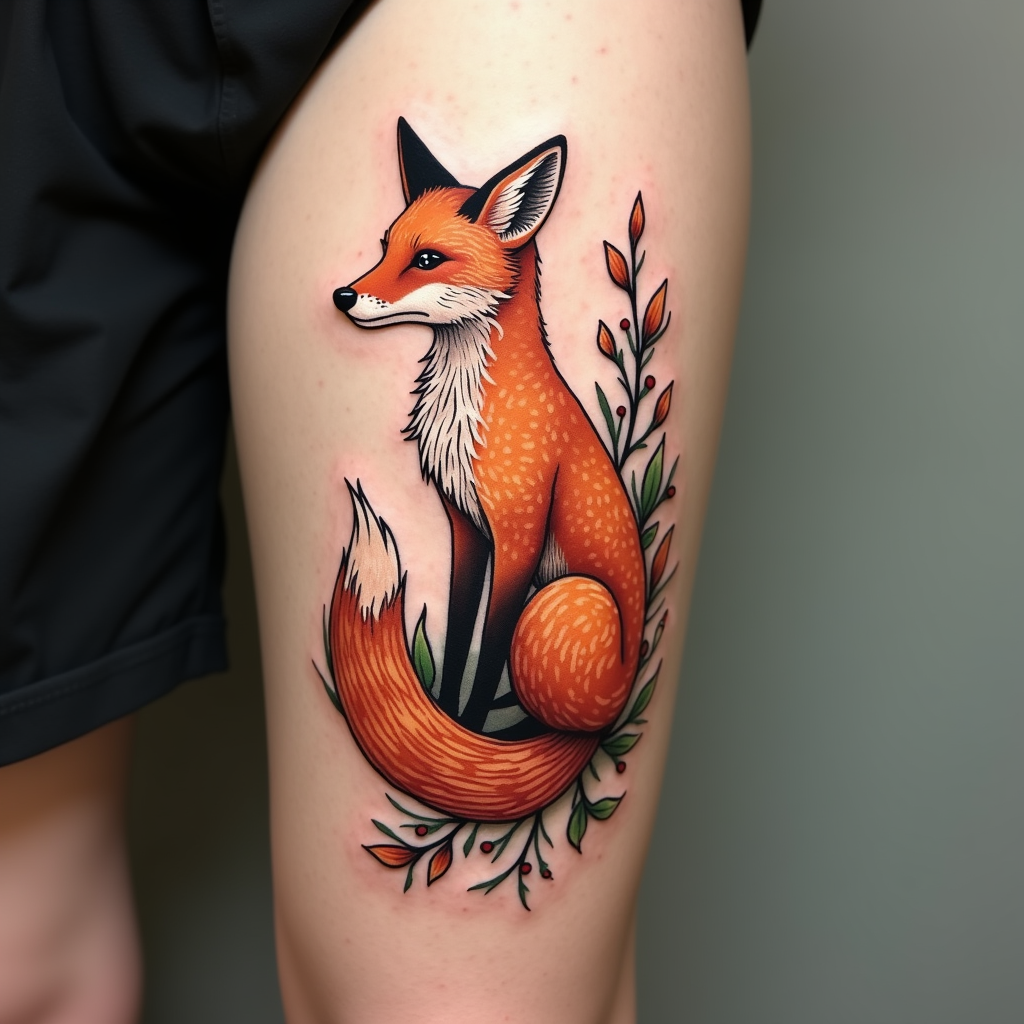
prompt
Create a tattoo design for the side of the calf featuring a stylized fox, elegantly poised with a slight curve, its fur depicted in swirling, flowing lines. Surround the fox with abstract foliage elements—delicate leaves and vines that intertwine, creating a sense of movement. The artistic style should blend traditional and modern elements, with a touch of whimsy, emphasizing fluidity and grace. The tattoo should be medium-sized, covering approximately half of the calf, allowing for intricate details. Use a vibrant color palette of deep oranges and earthy greens, contrasting against the skin. Incorporate intricate patterns within the fox’s fur and the leaves, adding texture and depth. Symbolically, the fox represents cunning and adaptability. The overall mood should evoke a sense of playfulness and tranquility, inviting admiration and contemplation.
Detailed Analysis of the Flux AI Image Prompt
Analyze the detailed prompt used to generate the image with Flux AI Image Generator.
Explore Flux Prompts for the Flux AI Image Generator
How to generate image by Flux.1 dev
Follow these four simple steps to create your desired image.
Step 1: Enter Your Text (Feel free to refine your prompt for better results)
Step 2: Choose Image Aspect Ratio
Step 3: Select Your Flux Model:
Step 4: Click the Generate Button and Wait a Few Seconds for Your Image
Related Flux AI tools for prompts about Flux.1 dev
Discover advanced tools from Flux AI to boost your creative workflow.