Ethereal Mandala: Harmony Unveiled - Flux.1.1 pro
prompt
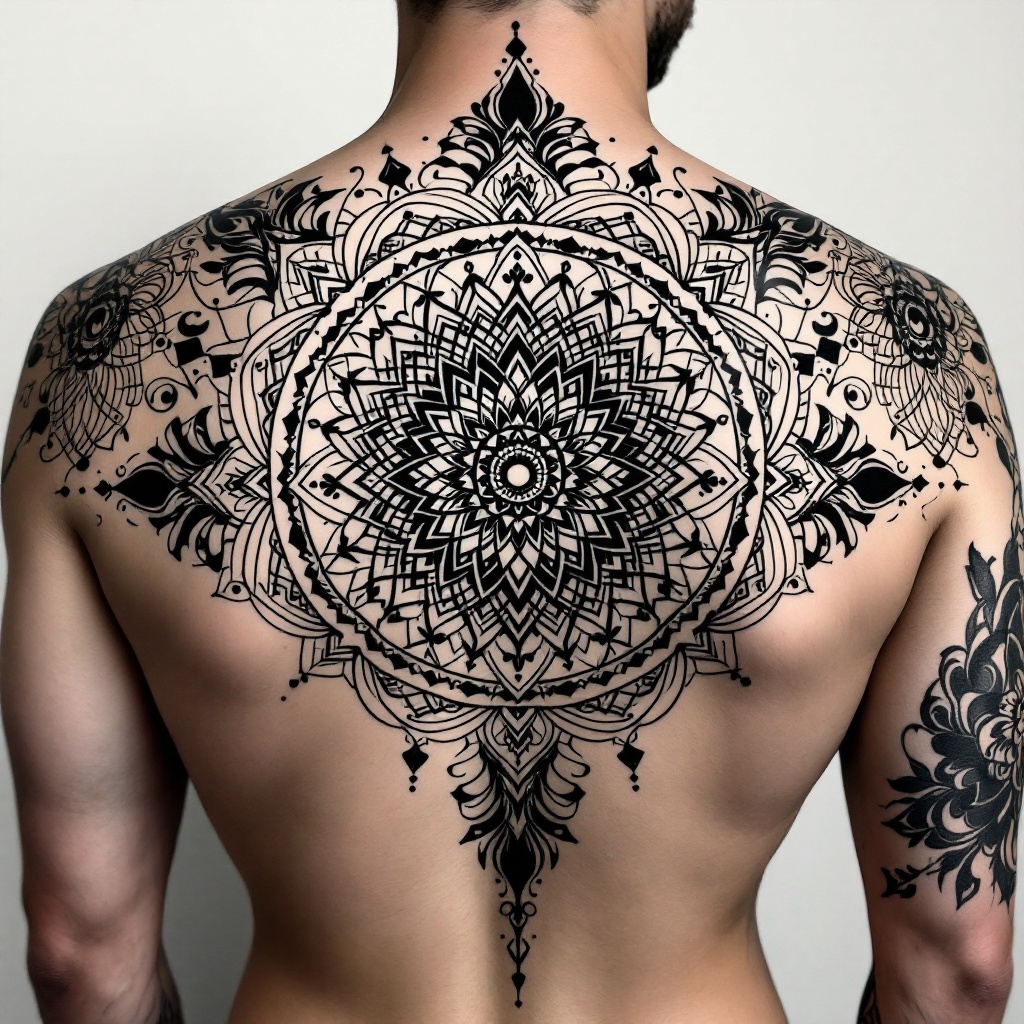
Design a large, intricate mandala tattoo for the upper back, extending from shoulder to shoulder and tapering down the spine. Incorporate elements such as lotus flowers, geometric shapes, and swirling patterns that radiate outward, symbolizing harmony and balance. The artistic style should blend traditional Indian mandala art with a modern twist, featuring fine line work and dot shading for depth. Use a monochromatic palette of deep blacks and grays to emphasize the detailed textures and intricate patterns. Include subtle hints of negative space to create a sense of flow and movement. The overall mood should evoke tranquility and spiritual enlightenment, inviting contemplation and reflection. Aim for a size that covers a significant portion of the back, making it a striking centerpiece for the wearer’s body art.
Detailed Analysis of the Flux AI Image Prompt
Analyze the detailed prompt used to generate the image with Flux AI Image Generator.
Explore Flux Prompts for the Flux AI Image Generator
How to generate image by Flux.1.1 pro
Follow these four simple steps to create your desired image.
Step 1: Enter Your Text (Feel free to refine your prompt for better results)
Step 2: Choose Image Aspect Ratio
Step 3: Select Your Flux Model:
Step 4: Click the Generate Button and Wait a Few Seconds for Your Image
Related Flux AI tools for prompts about Flux.1.1 pro
Discover advanced tools from Flux AI to boost your creative workflow.