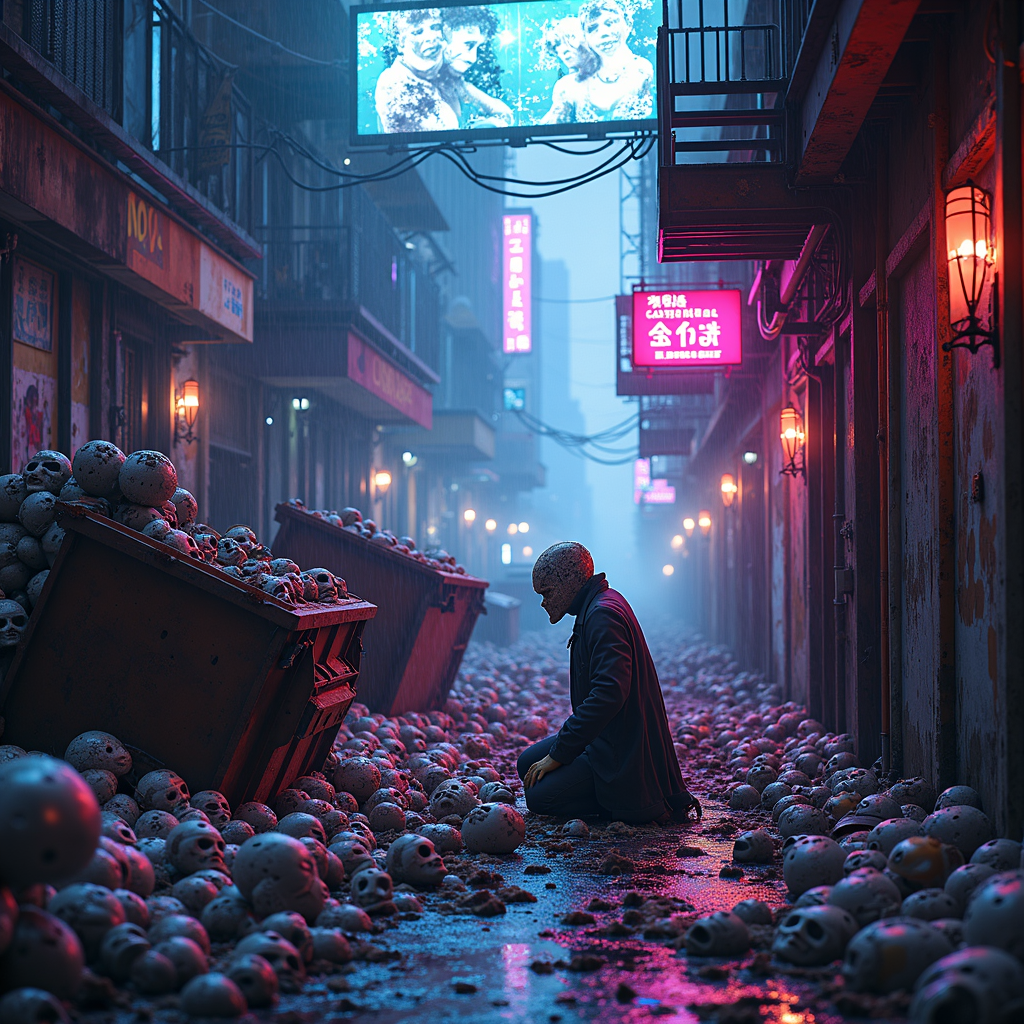
Counterfeit identity masks overflow dumpster bins - Flux.1 dev
prompt
A neon-drenched alleyway in a sprawling cyberpunk metropolis, overflowing with discarded counterfeit identity masks spilling from rusted dumpster bins. The masks—synthetic faces with uncanny, glitching visages—pile haphazardly, some cracked, others still flickering with residual holographic energy. The air hums with the scent of ozone and decay, illuminated by flickering signs casting toxic pinks and electric blues across the wet pavement. A fractured digital billboard overhead broadcasts distorted ads, reflecting off the masks' glossy surfaces. Shadows loom from nearby corroded fire escapes, where a lone figure in a tattered trench coat kneels, sifting through the pile, their own face obscured by a shifting, unstable mask. Puddles of rainwater ripple with the echoes of distant hover traffic, while augmented rats scurry through the debris. The scene pulses with a sense of clandestine desperation, the masks whispering of stolen lives and forgotten lies.
Detailed Analysis of the Flux AI Image Prompt
Analyze the detailed prompt used to generate the image with Flux AI Image Generator.
Explore Flux Prompts for the Flux AI Image Generator
How to generate image by Flux.1 dev
Follow these four simple steps to create your desired image.
Step 1: Enter Your Text (Feel free to refine your prompt for better results)
Step 2: Choose Image Aspect Ratio
Step 3: Select Your Flux Model:
Step 4: Click the Generate Button and Wait a Few Seconds for Your Image
Related Flux AI tools for prompts about Flux.1 dev
Discover advanced tools from Flux AI to boost your creative workflow.