Bicep-Japanese Tiger - Flux.1 schnell
Invite
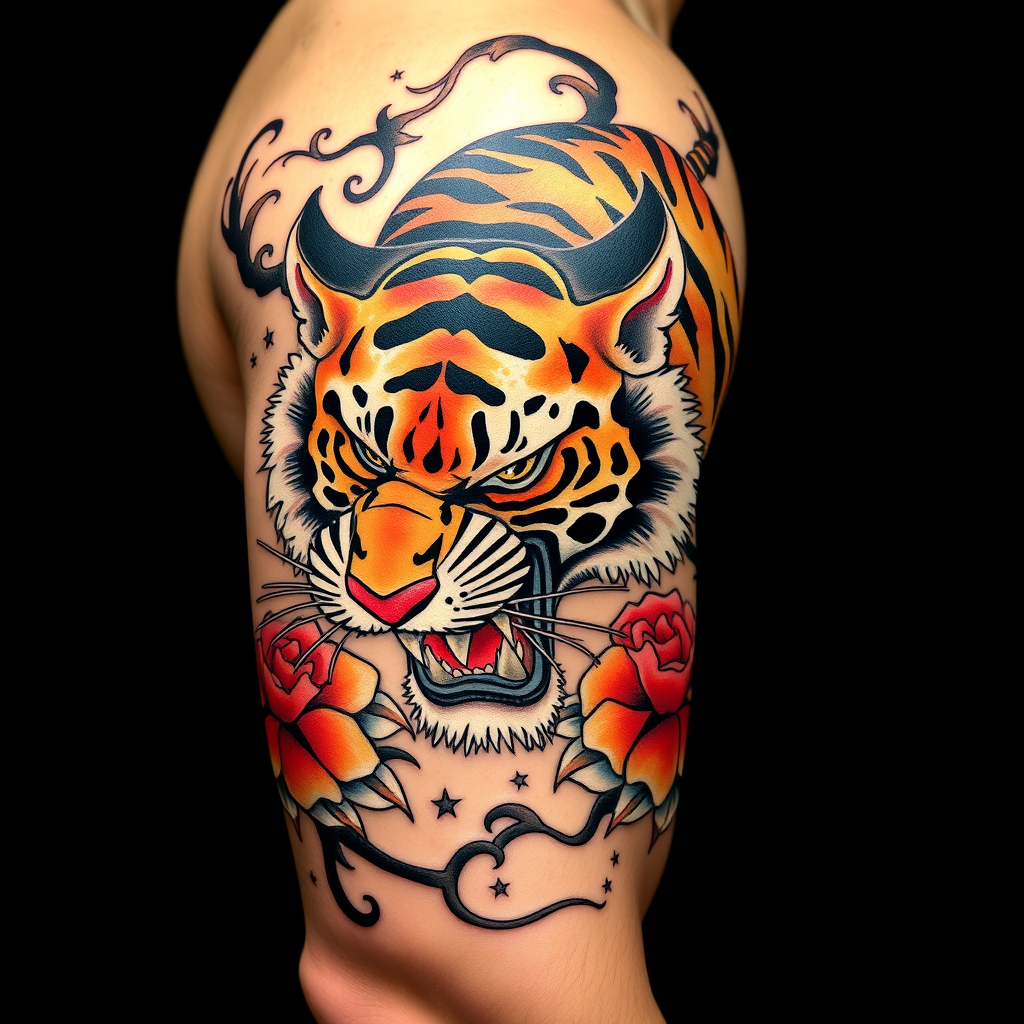
**Prompt:** A bold **Japanese traditional tattoo (Irezumi)** of a **ferocious tiger** wrapping around the bicep, rendered in **vibrant colors**—deep oranges, blacks, and reds—with **dynamic shading and intricate linework**. The tiger's snarling face should dominate the front, with **paws and claws extended**, blending into **flowing wind bars (kaze-suji) and floral motifs (peonies or chrysanthemums)**. The design should emphasize **movement and power**, with **textured fur details** and **subtle background gradients**. **Black and gray accents** enhance depth, while **gold highlights** add elegance. The tattoo should **follow the bicep's curvature**, sized to fit the arm's natural musculature. Mood: **majestic, fierce, and timeless**.
Analyse Détaillée du Prompt d'Image Flux IA
Analysez le prompt détaillé utilisé pour générer l'image avec Flux IA Image Generator.
Explorez les invites Flux IA
Comment générer une image par Flux.1 schnell
Suivez ces quatre étapes simples pour créer l'image désirée.
Étape 1 : Entrez votre texte (N'hésitez pas à affiner votre prompt pour de meilleurs résultats)
Étape 2 : Choisissez le ratio d'aspect de l'image
Étape 3 : Sélectionnez votre modèle Flux :
Étape 4 : Cliquez sur le bouton Générer et attendez quelques secondes pour votre image
Outils Flux IA liés aux prompts sur Flux.1 schnell
Découvrez des outils avancés de Flux IA pour booster votre flux de travail créatif.