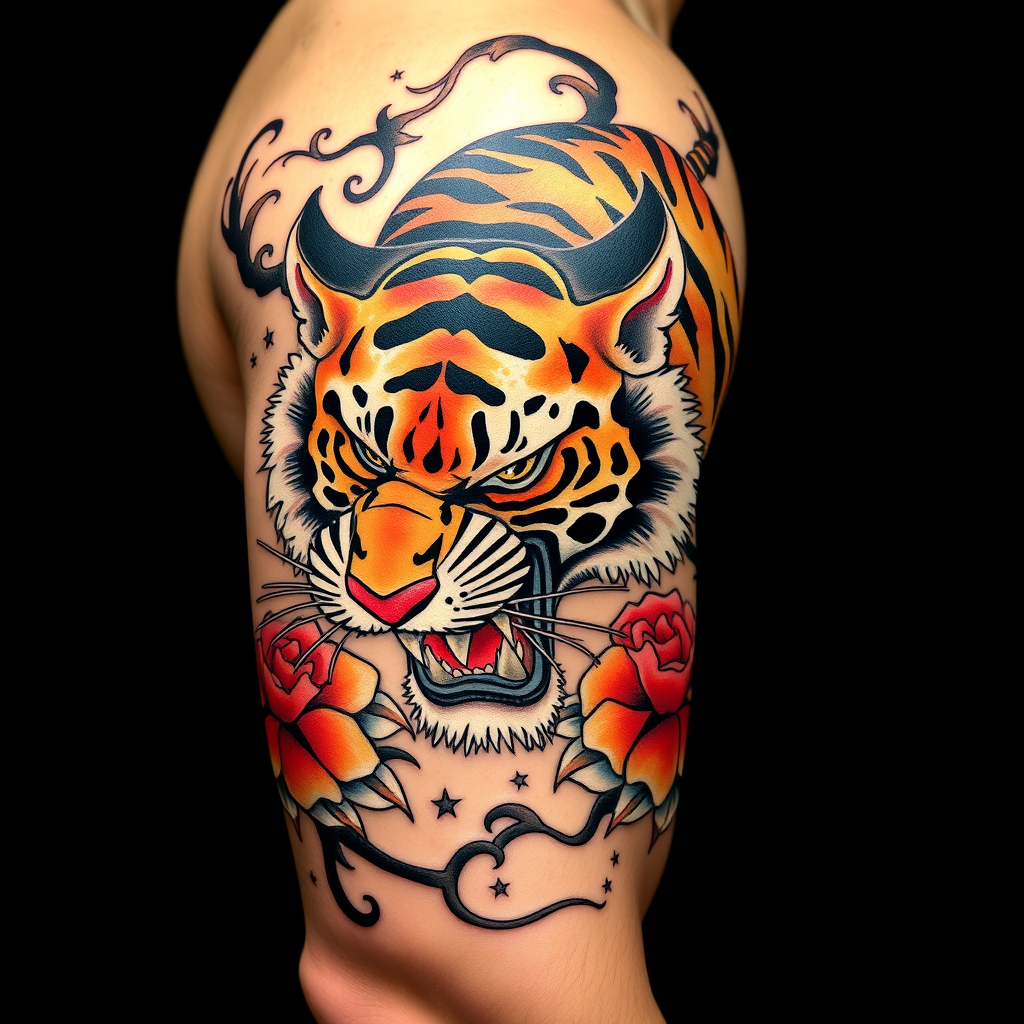
Bicep-Japanese Tiger - Flux.1 schnell
프롬프트
**Prompt:** A bold **Japanese traditional tattoo (Irezumi)** of a **ferocious tiger** wrapping around the bicep, rendered in **vibrant colors**—deep oranges, blacks, and reds—with **dynamic shading and intricate linework**. The tiger's snarling face should dominate the front, with **paws and claws extended**, blending into **flowing wind bars (kaze-suji) and floral motifs (peonies or chrysanthemums)**. The design should emphasize **movement and power**, with **textured fur details** and **subtle background gradients**. **Black and gray accents** enhance depth, while **gold highlights** add elegance. The tattoo should **follow the bicep's curvature**, sized to fit the arm's natural musculature. Mood: **majestic, fierce, and timeless**.
Flux AI 이미지 프롬프트에 대한 상세 분석
Flux AI Image Generator를 사용하여 이미지를 생성하는 데 사용된 상세한 프롬프트를 분석합니다.
Flux AI 이미지 생성기 프롬프트 탐색
을 통해 이미지를 생성하는 방법 Flux.1 schnell
원하는 이미지를 만들기 위해 다음 네 가지 간단한 단계를 따르세요.
단계 1: 텍스트 입력 (더 나은 결과를 위해 프롬프트를 자유롭게 수정하세요)
단계 2: 이미지 종횡비 선택
단계 3: Flux 모델 선택:
단계 4: 생성 버튼을 클릭하고 몇 초간 기다려 이미지를 받으세요
프롬프트와 관련된 Flux AI 도구 Flux.1 schnell
Flux AI의 고급 도구를 발견하여 창의적인 작업 흐름을 향상시키세요.