Bicep-Japanese Tiger - Flux.1 schnell
prompt
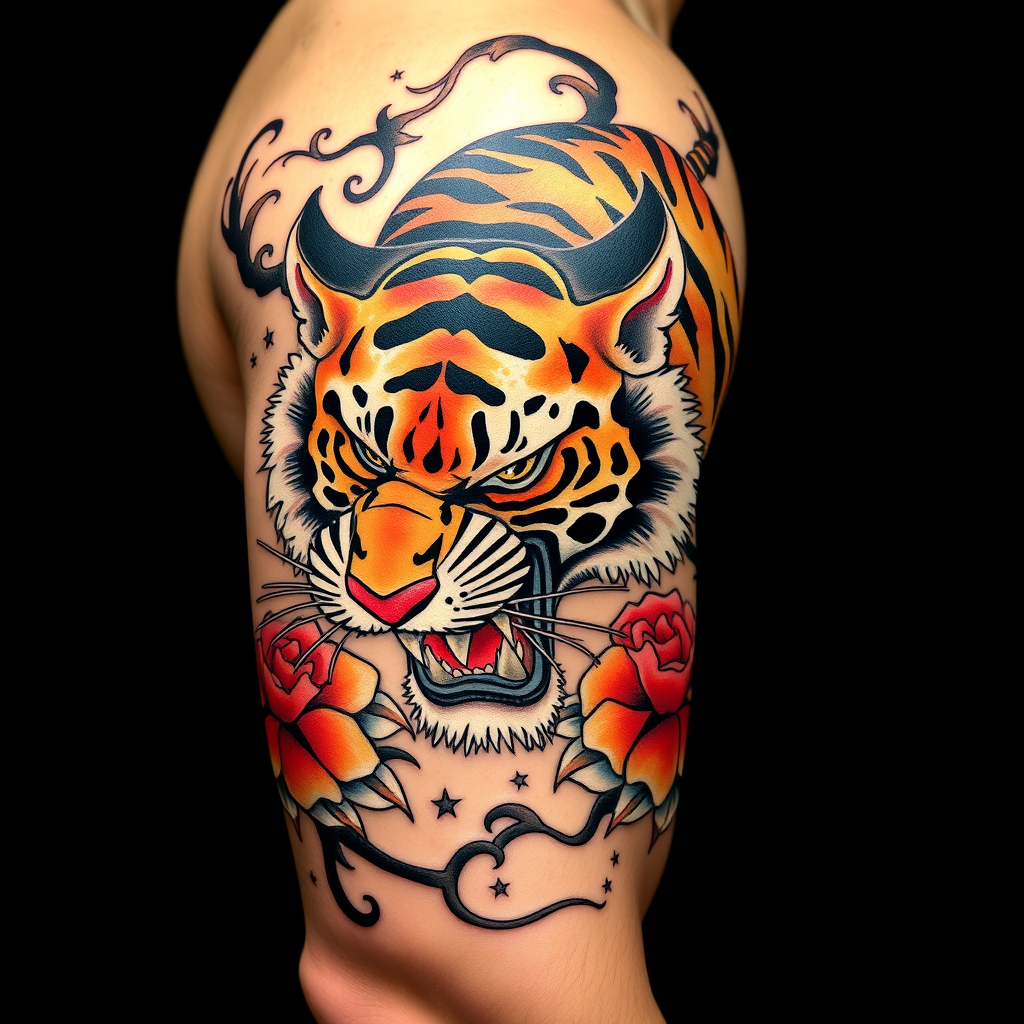
**Prompt:** A bold **Japanese traditional tattoo (Irezumi)** of a **ferocious tiger** wrapping around the bicep, rendered in **vibrant colors**—deep oranges, blacks, and reds—with **dynamic shading and intricate linework**. The tiger's snarling face should dominate the front, with **paws and claws extended**, blending into **flowing wind bars (kaze-suji) and floral motifs (peonies or chrysanthemums)**. The design should emphasize **movement and power**, with **textured fur details** and **subtle background gradients**. **Black and gray accents** enhance depth, while **gold highlights** add elegance. The tattoo should **follow the bicep's curvature**, sized to fit the arm's natural musculature. Mood: **majestic, fierce, and timeless**.
Analisi Dettagliata del Prompt Immagine Flux AI
Analizza il prompt dettagliato utilizzato per generare l'immagine con il Generatore Immagini Flux AI.
Esplora i Prompt Flux per il Generatore Immagini Flux AI
Come generare immagini con Flux.1 schnell
Segui questi quattro semplici passaggi per creare l'immagine desiderata.
Passaggio 1: Inserisci il Tuo Testo (Sentiti libero di perfezionare il prompt per risultati migliori)
Passaggio 2: Scegli le Proporzioni dell'Immagine
Passaggio 3: Seleziona il Tuo Modello Flux:
Passaggio 4: Clicca il Pulsante Genera e Attendi Alcuni Secondi per la Tua Immagine
Strumenti Flux AI correlati per prompt su Flux.1 schnell
Scopri strumenti avanzati di Flux AI per potenziare il tuo flusso di lavoro creativo.