Underground engineers build water-stealing drones - Flux.1.1 pro
Invite
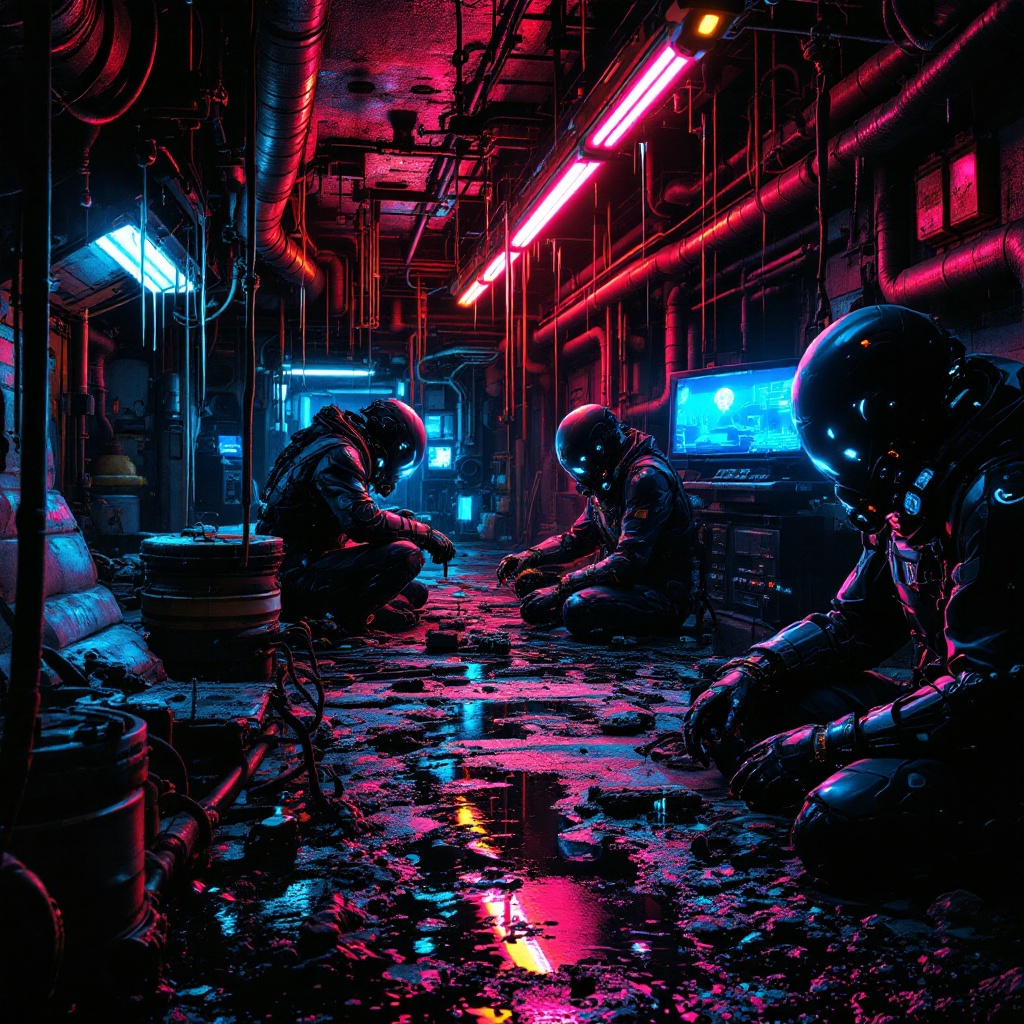
In a neon-drenched underworld of dripping pipes and flickering holograms, a clandestine team of underground engineers toil in a hidden workshop bathed in the eerie glow of bioluminescent algae and malfunctioning LED strips. The air hums with the static of stolen electricity as they assemble sleek, predatory water-stealing drones—angular, matte-black constructs with razor-thin wings and needle-like syphons, their surfaces etched with cryptic corporate logos. The engineers, clad in patched exo-suits with exposed wiring and grimy respirators, work under the oppressive weight of rusted industrial ceilings, their faces lit by the cold blue light of holographic schematics. Puddles of iridescent oil reflect the crimson emergency lights of distant security bots, while stolen water tanks glisten like liquid silver in the shadows. The scene pulses with tension, every rivet and weld a silent rebellion against the drought-stricken megacity above.
Analyse Détaillée du Prompt d'Image Flux IA
Analysez le prompt détaillé utilisé pour générer l'image avec Flux IA Image Generator.
Explorez les invites Flux IA
Comment générer une image par Flux.1.1 pro
Suivez ces quatre étapes simples pour créer l'image désirée.
Étape 1 : Entrez votre texte (N'hésitez pas à affiner votre prompt pour de meilleurs résultats)
Étape 2 : Choisissez le ratio d'aspect de l'image
Étape 3 : Sélectionnez votre modèle Flux :
Étape 4 : Cliquez sur le bouton Générer et attendez quelques secondes pour votre image
Outils Flux IA liés aux prompts sur Flux.1.1 pro
Découvrez des outils avancés de Flux IA pour booster votre flux de travail créatif.