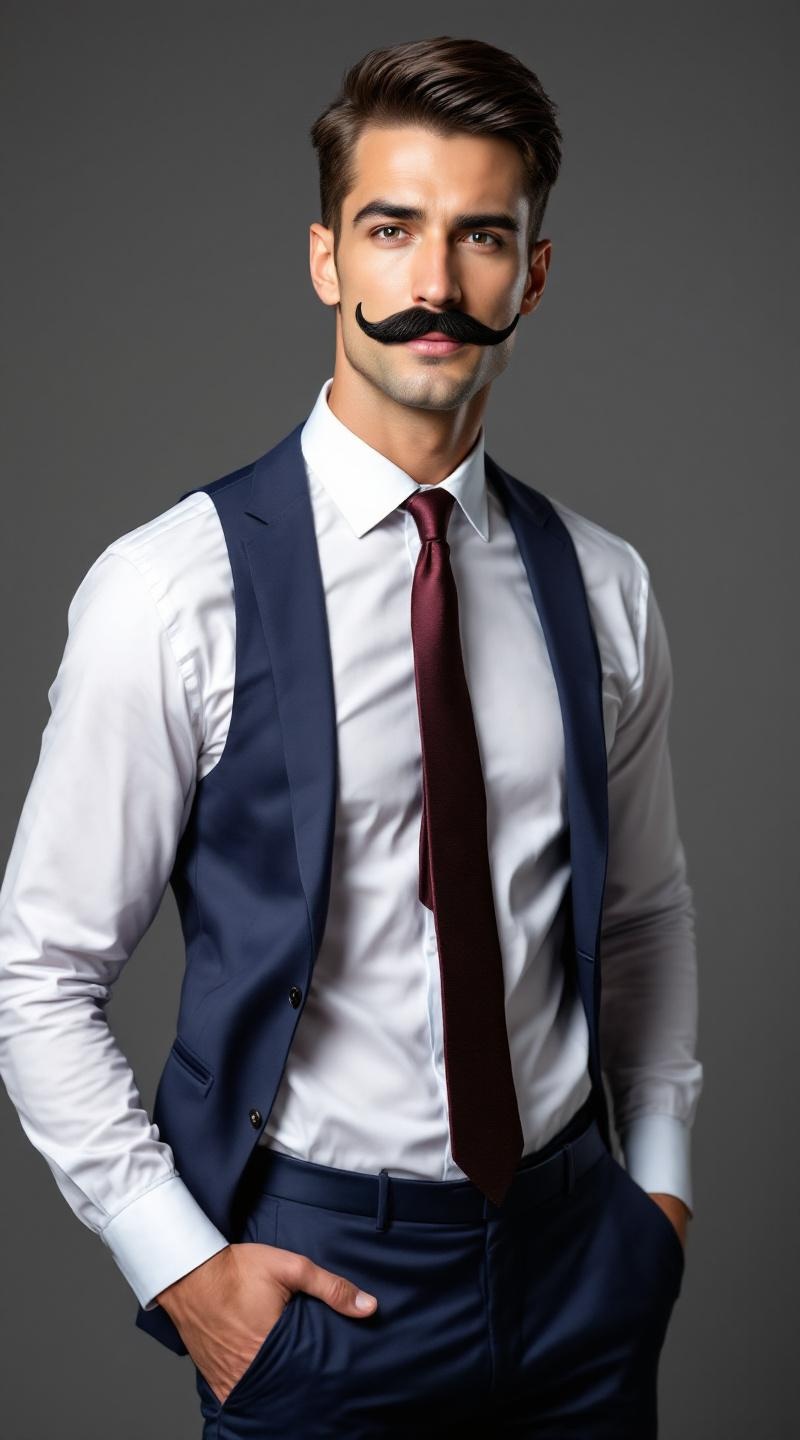
Professional fake mustache model - Flux.1.1 pro
prompt
**Prompt:** A confident male model in his mid-30s, with a chiseled jawline, sharp cheekbones, and a neatly trimmed fake mustache that contrasts with his smooth, fair skin. His short, dark brown hair is slicked back, adding a polished look. He has a lean, athletic physique with broad shoulders and a toned torso. He wears a tailored navy-blue suit with a crisp white dress shirt and a burgundy silk tie, exuding sophistication. His expression is playful yet suave, with a slight smirk and one eyebrow raised. He poses with one hand casually tucked in his pocket, the other adjusting his mustache in a theatrical gesture. The background is a softly lit studio with a muted gray backdrop, emphasizing his sharp, stylish appearance.
Analisis Terperinci Prompt Gambar Flux AI
Analisis prompt terperinci yang digunakan untuk menghasilkan gambar dengan Generator Gambar Flux AI.
Jelajahi Prompt Flux untuk Generator Gambar AI Flux
Cara menghasilkan gambar dengan Flux.1.1 pro
Ikuti empat langkah sederhana ini untuk membuat gambar yang Anda inginkan.
Langkah 1: Masukkan Teks Anda (Silakan sempurnakan prompt untuk hasil yang lebih baik)
Langkah 2: Pilih Rasio Aspek Gambar
Langkah 3: Pilih Model Flux Anda:
Langkah 4: Klik Tombol Buat dan Tunggu Beberapa Detik untuk Gambar Anda
Alat Flux AI terkait untuk prompt tentang Flux.1.1 pro
Temukan alat-alat canggih dari Flux AI untuk meningkatkan alur kerja kreatif Anda.