Transformative Butterfly Blossom - Flux.1 dev
prompt
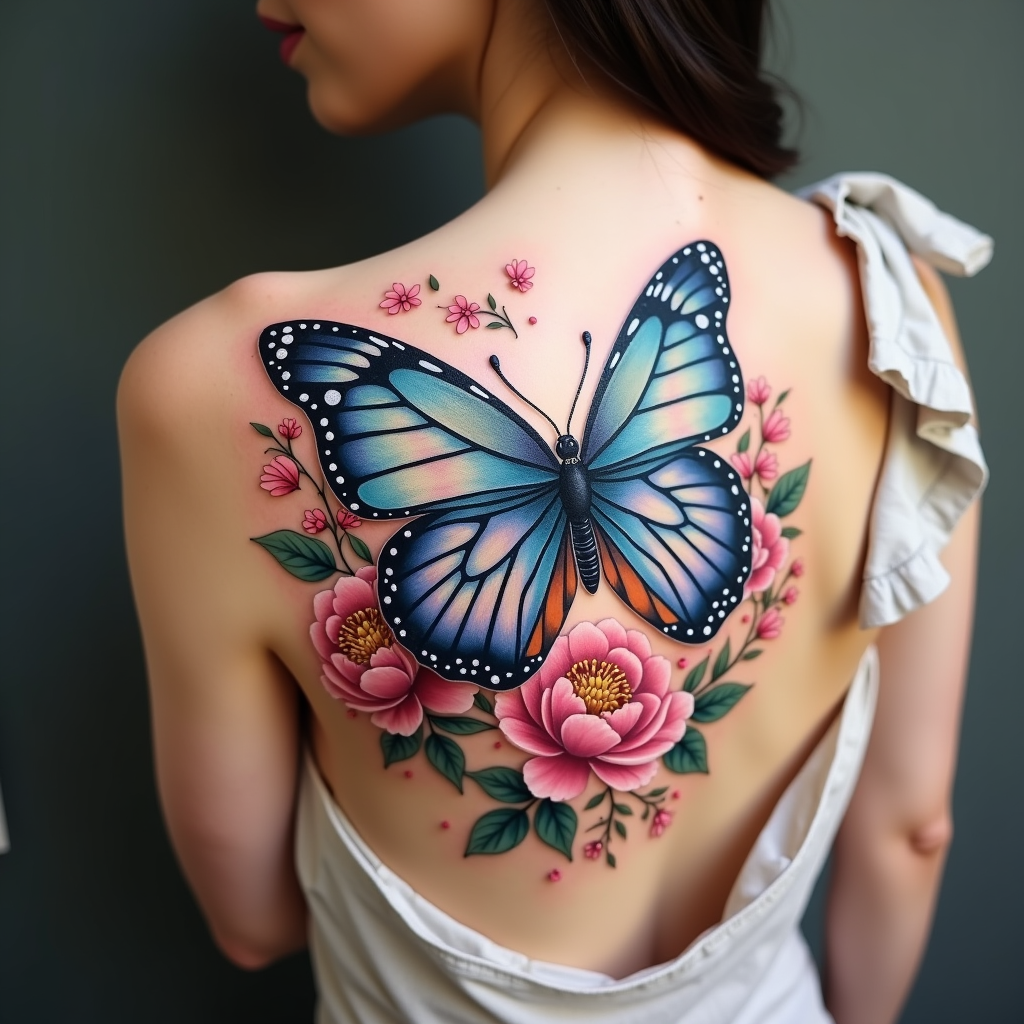
Create a tattoo design for the side of the upper back featuring a realistic butterfly as the central element, its wings spread wide to showcase intricate details like delicate veins and shimmering textures. Surround the butterfly with lush floral elements, including peonies and cherry blossoms, rendered in a hyper-realistic style to enhance the natural beauty. The design should flow elegantly along the contours of the body, with the butterfly positioned slightly off-center to create a dynamic visual. The size should be medium to large, allowing for detailed work without overwhelming the space. Use a vibrant color palette with shades of blue, purple, and soft pinks, contrasted by deep greens in the foliage. Incorporate fine line work and stippling for added depth. The overall mood should evoke a sense of freedom and transformation, symbolizing beauty and resilience, drawing inspiration from nature’s harmony.
Analisi Dettagliata del Prompt Immagine Flux AI
Analizza il prompt dettagliato utilizzato per generare l'immagine con il Generatore Immagini Flux AI.
Esplora i Prompt Flux per il Generatore Immagini Flux AI
Come generare immagini con Flux.1 dev
Segui questi quattro semplici passaggi per creare l'immagine desiderata.
Passaggio 1: Inserisci il Tuo Testo (Sentiti libero di perfezionare il prompt per risultati migliori)
Passaggio 2: Scegli le Proporzioni dell'Immagine
Passaggio 3: Seleziona il Tuo Modello Flux:
Passaggio 4: Clicca il Pulsante Genera e Attendi Alcuni Secondi per la Tua Immagine
Strumenti Flux AI correlati per prompt su Flux.1 dev
Scopri strumenti avanzati di Flux AI per potenziare il tuo flusso di lavoro creativo.