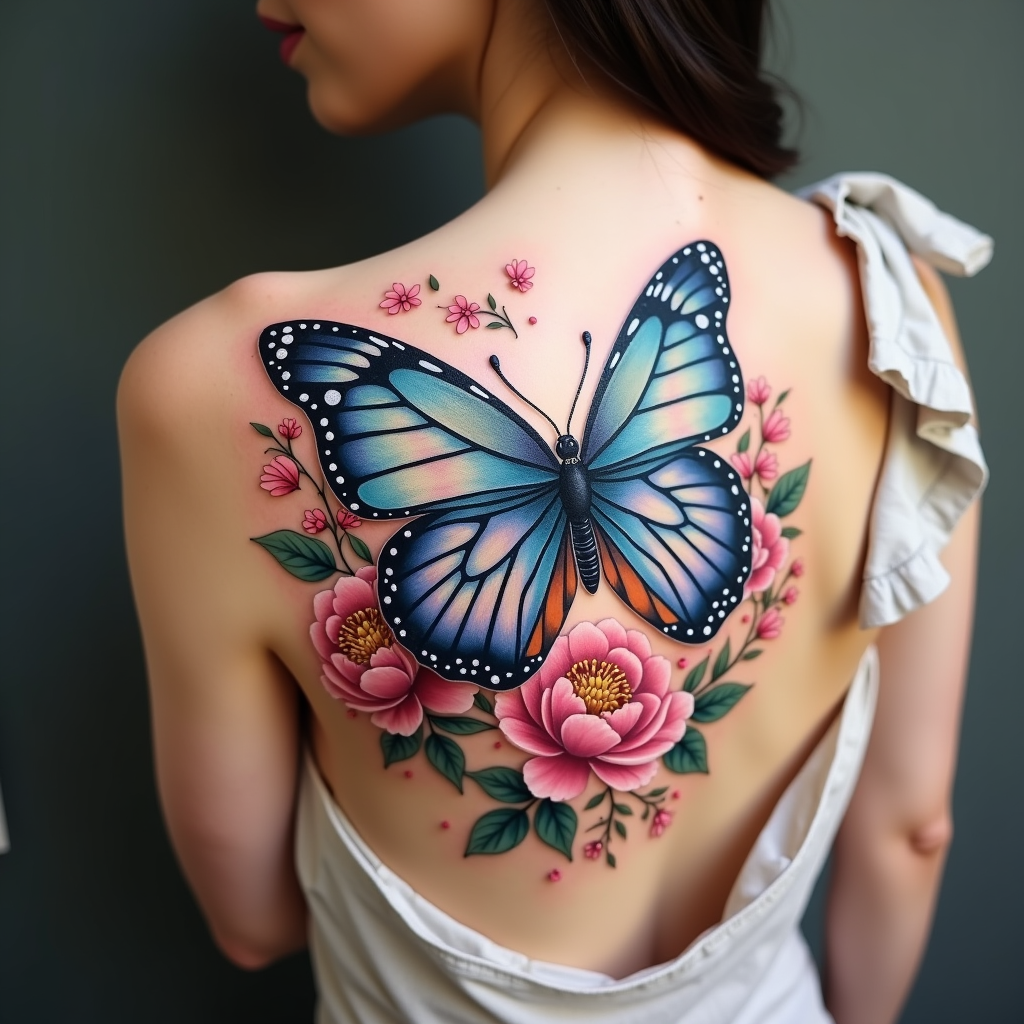
Transformative Butterfly Blossom - Flux.1 dev
Подсказка
Create a tattoo design for the side of the upper back featuring a realistic butterfly as the central element, its wings spread wide to showcase intricate details like delicate veins and shimmering textures. Surround the butterfly with lush floral elements, including peonies and cherry blossoms, rendered in a hyper-realistic style to enhance the natural beauty. The design should flow elegantly along the contours of the body, with the butterfly positioned slightly off-center to create a dynamic visual. The size should be medium to large, allowing for detailed work without overwhelming the space. Use a vibrant color palette with shades of blue, purple, and soft pinks, contrasted by deep greens in the foliage. Incorporate fine line work and stippling for added depth. The overall mood should evoke a sense of freedom and transformation, symbolizing beauty and resilience, drawing inspiration from nature’s harmony.
Подробный анализ промпта Flux AI Image
Проанализируйте детальный промпт, использованный для генерации изображения с помощью Flux AI Image Generator.
Исследуйте подсказки Flux AI для генератора изображений
Как сгенерировать изображение с помощью Flux.1 dev
Следуйте этим четырем простым шагам, чтобы создать желаемое изображение.
Шаг 1: Введите свой текст (Не стесняйтесь уточнять свой промпт для лучших результатов)
Шаг 2: Выберите соотношение сторон изображения
Шаг 3: Выберите свою модель Flux:
Шаг 4: Нажмите кнопку Генерировать и подождите несколько секунд для получения изображения
Связанные инструменты Flux AI для промптов о Flux.1 dev
Откройте для себя передовые инструменты от Flux AI, чтобы повысить свой творческий рабочий процесс.