Transformative Butterfly Blossom - Flux.1 dev
Lời nhắc
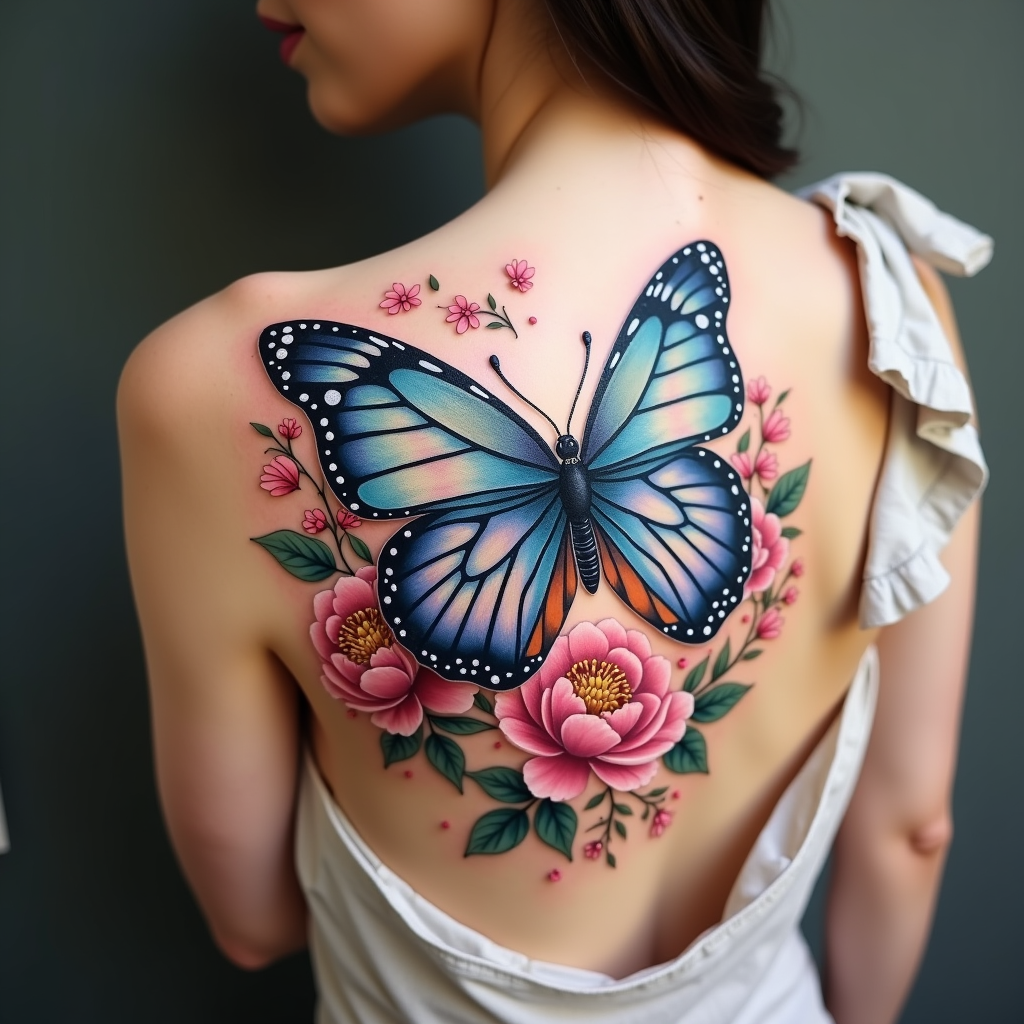
Create a tattoo design for the side of the upper back featuring a realistic butterfly as the central element, its wings spread wide to showcase intricate details like delicate veins and shimmering textures. Surround the butterfly with lush floral elements, including peonies and cherry blossoms, rendered in a hyper-realistic style to enhance the natural beauty. The design should flow elegantly along the contours of the body, with the butterfly positioned slightly off-center to create a dynamic visual. The size should be medium to large, allowing for detailed work without overwhelming the space. Use a vibrant color palette with shades of blue, purple, and soft pinks, contrasted by deep greens in the foliage. Incorporate fine line work and stippling for added depth. The overall mood should evoke a sense of freedom and transformation, symbolizing beauty and resilience, drawing inspiration from nature’s harmony.
Phân tích Chi tiết về Prompt Hình ảnh Flux AI
Phân tích prompt chi tiết được sử dụng để tạo ra hình ảnh với Flux AI Image Generator.
Khám phá Flux Prompts cho Trình tạo hình ảnh Flux AI
Cách tạo hình ảnh bằng Flux.1 dev
Theo dõi bốn bước đơn giản dưới đây để tạo ra hình ảnh bạn mong muốn.
Bước 1: Nhập Văn bản của Bạn (Cảm thấy tự do tinh chỉnh prompt của bạn để có kết quả tốt hơn)
Bước 2: Chọn Tỷ lệ Khung Hình của Hình ảnh
Bước 3: Chọn Mô hình Flux của Bạn:
Bước 4: Nhấn Nút Tạo và Chờ vài Giây để Có Hình ảnh của Bạn
Công cụ Flux AI liên quan đến prompts về Flux.1 dev
Khám phá các công cụ nâng cao từ Flux AI để tăng cường quy trình làm việc sáng tạo của bạn.