Mischief in the Shadowed Study - Flux.1.1 pro
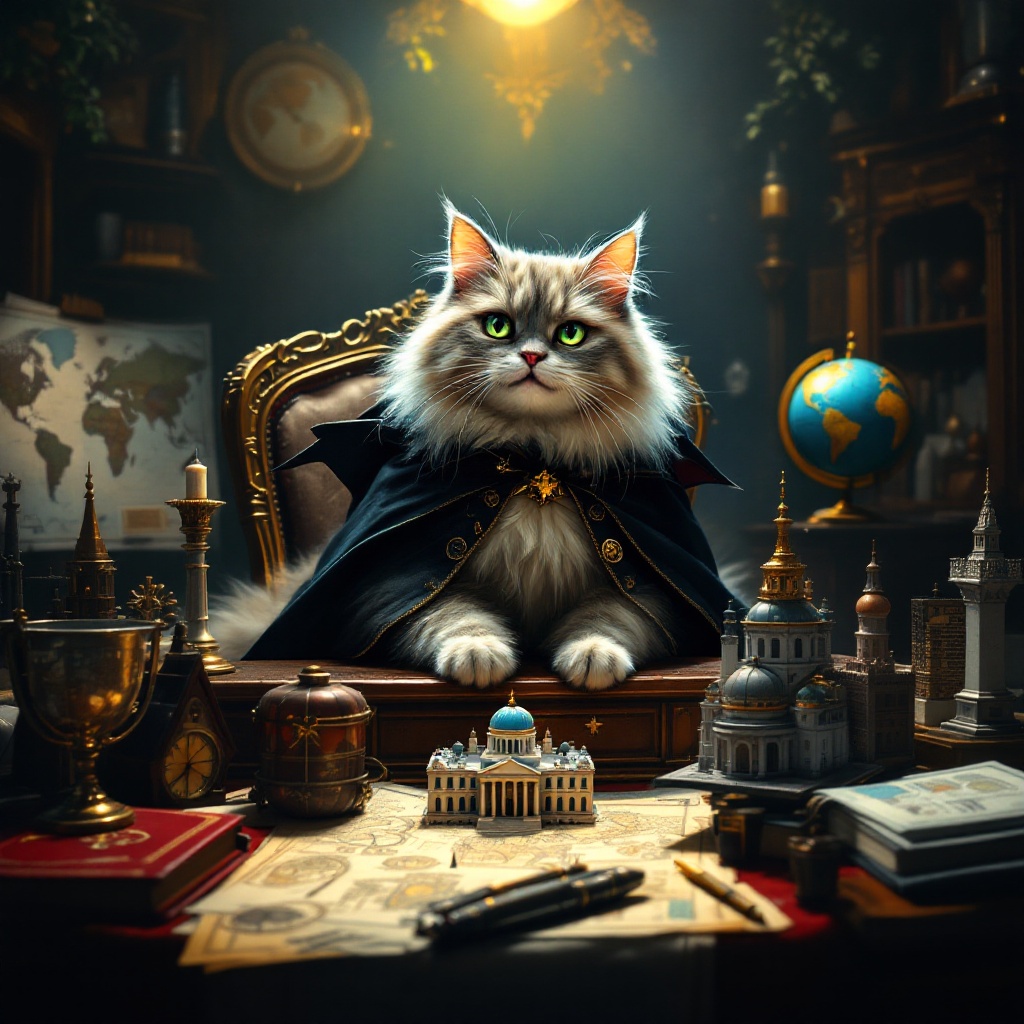
prompt
Create an image depicting a fluffy, mischievous cat sitting atop a grand, ornate desk cluttered with world maps, schematics, and tiny models of famous landmarks. The cat, with piercing green eyes, wears a tiny villainous cape and has a sly grin, as if plotting its next move. The room is dimly lit, with a single spotlight illuminating the cat, casting dramatic shadows that enhance the atmosphere of secrecy and intrigue. Rich, dark wood tones dominate the scene, complemented by deep reds and golds in the decor. A globe spins slowly in the background, hinting at global ambitions. Artistic styles like Baroque or Steampunk could enhance the opulence and whimsy of the setting, while a touch of surrealism adds to the absurdity of the cat's grand plans.
Analisi Dettagliata del Prompt Immagine Flux AI
Analizza il prompt dettagliato utilizzato per generare l'immagine con il Generatore Immagini Flux AI.
Esplora i Prompt Flux per il Generatore Immagini Flux AI
Come generare immagini con Flux.1.1 pro
Segui questi quattro semplici passaggi per creare l'immagine desiderata.
Passaggio 1: Inserisci il Tuo Testo (Sentiti libero di perfezionare il prompt per risultati migliori)
Passaggio 2: Scegli le Proporzioni dell'Immagine
Passaggio 3: Seleziona il Tuo Modello Flux:
Passaggio 4: Clicca il Pulsante Genera e Attendi Alcuni Secondi per la Tua Immagine
Strumenti Flux AI correlati per prompt su Flux.1.1 pro
Scopri strumenti avanzati di Flux AI per potenziare il tuo flusso di lavoro creativo.