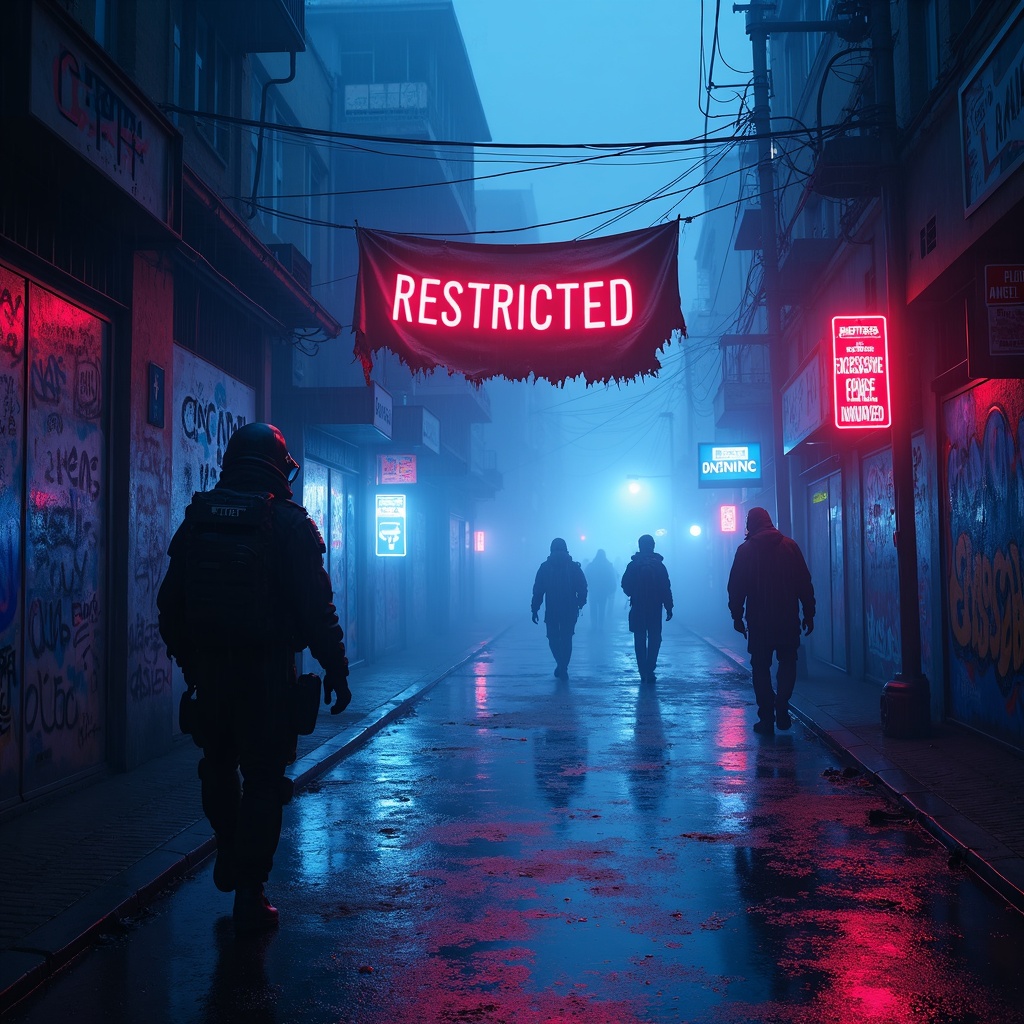
Glowing AR tags mark police brutality evidence zones - Flux.1 dev
プロンプト
**Prompt:** In a rain-soaked cyberpunk alleyway, neon reflections ripple across wet pavement as glowing augmented reality tags pulse ominously, marking evidence zones of police brutality with holographic caution symbols and fragmented crime scene data. The air hums with the low buzz of drones scanning the area, their red lenses casting eerie streaks of light through the mist. Graffiti-covered walls flicker with glitching surveillance feeds, overlayed with translucent AR text reading "RESTRICTED—EXCESSIVE FORCE DOCUMENTED." A tattered protest banner, half-burnt and smeared with soot, flutters weakly in the wind, its frayed edges catching the glow of nearby bioluminescent ads. Shadowy figures in high-tech gas masks and armored gear move cautiously, their silhouettes distorted by the shifting holograms. The dominant palette is electric blues and toxic purples, punctuated by the stark reds of warning glyphs, while the pervasive fog diffuses the light into a surreal, oppressive haze, amplifying the sense of dystopian tension.
Flux AI Image Promptの詳細分析
Flux AI Image Generatorを使用して画像を生成するために使用された詳細なプロンプトを分析します。
Flux AI画像生成のプロンプトを探索
で画像を生成する方法 Flux.1 dev
以下の4つの簡単なステップに従って、希望する画像を作成してください。
ステップ 1: テキストを入力 (より良い結果のためにプロンプトを調整してください)
ステップ 2: 画像のアスペクト比を選択
ステップ 3: Fluxモデルを選択:
ステップ 4: 生成ボタンをクリックして数秒待ち、画像を取得
プロンプトに関連するFlux AIツール Flux.1 dev
Flux AIの高度なツールを発見して、クリエイティブな作業フローを強化しましょう。