Glowing AR tags mark police brutality evidence zones - Flux.1 dev
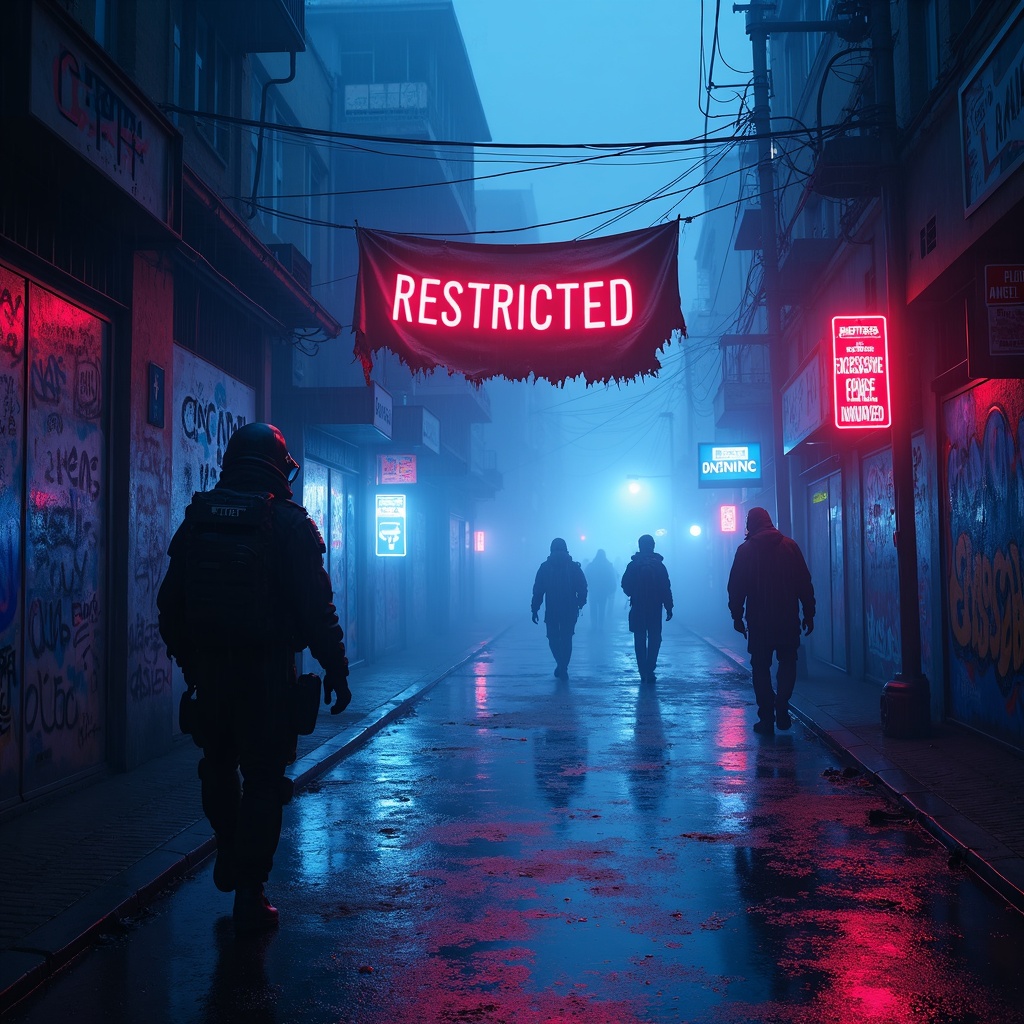
Prompt
**Prompt:** In a rain-soaked cyberpunk alleyway, neon reflections ripple across wet pavement as glowing augmented reality tags pulse ominously, marking evidence zones of police brutality with holographic caution symbols and fragmented crime scene data. The air hums with the low buzz of drones scanning the area, their red lenses casting eerie streaks of light through the mist. Graffiti-covered walls flicker with glitching surveillance feeds, overlayed with translucent AR text reading "RESTRICTED—EXCESSIVE FORCE DOCUMENTED." A tattered protest banner, half-burnt and smeared with soot, flutters weakly in the wind, its frayed edges catching the glow of nearby bioluminescent ads. Shadowy figures in high-tech gas masks and armored gear move cautiously, their silhouettes distorted by the shifting holograms. The dominant palette is electric blues and toxic purples, punctuated by the stark reds of warning glyphs, while the pervasive fog diffuses the light into a surreal, oppressive haze, amplifying the sense of dystopian tension.
Análise Detalhada do Prompt de Imagem Flux IA
Analise o prompt detalhado usado para gerar a imagem com o Flux IA Image Generator.
Explore Prompts Flux para o Gerador de Imagens
Como gerar uma imagem por Flux.1 dev
Siga estes quatro passos simples para criar a imagem desejada.
Passo 1: Insira seu texto (Sinta-se à vontade para refinar seu prompt para melhores resultados)
Passo 2: Escolha a proporção da imagem
Passo 3: Selecione seu modelo Flux:
Passo 4: Clique no botão Gerar e aguarde alguns segundos para sua imagem
Ferramentas Flux IA relacionadas a prompts sobre Flux.1 dev
Descubra ferramentas avançadas da Flux IA para melhorar seu fluxo de trabalho criativo.