Shadows of a Fallen City - Flux.1 schnell
프롬프트
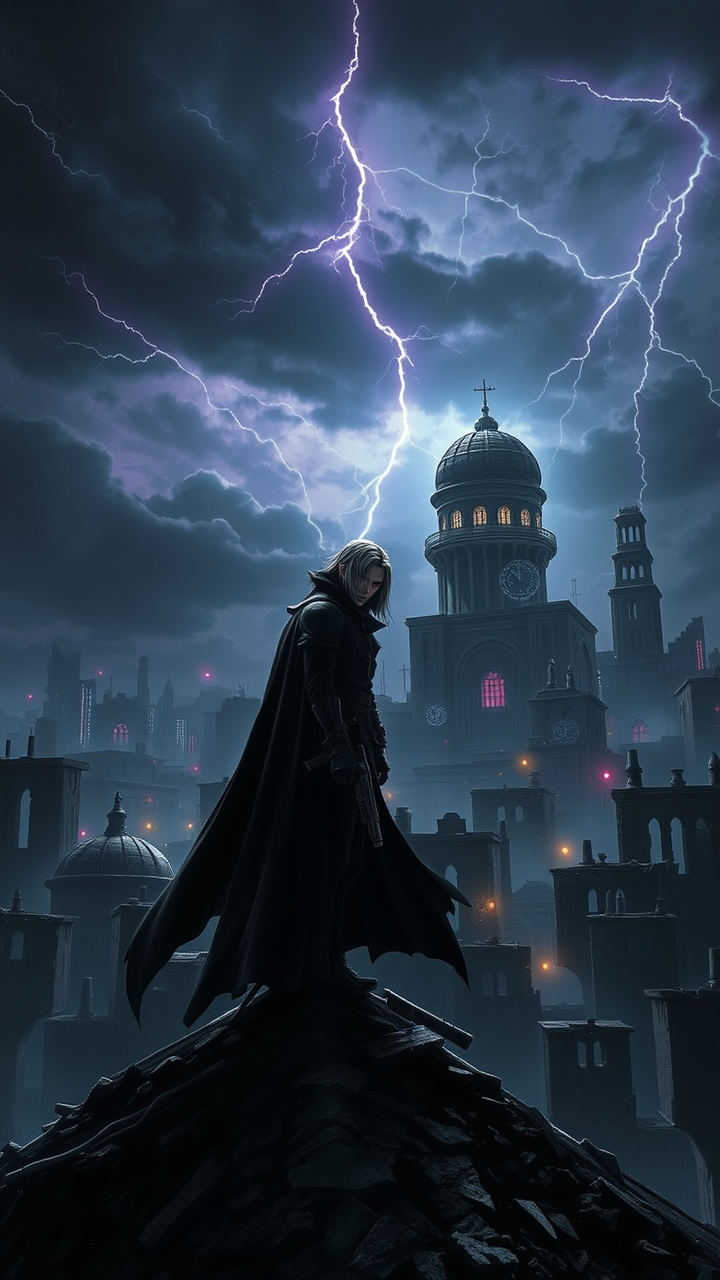
Create a dramatic scene set in a dystopian cityscape inspired by Final Fantasy VII, showcasing the brooding figure of Vincent Valentine. He stands atop a crumbling rooftop, silhouetted against a dark, stormy sky filled with swirling clouds and flashes of lightning. Vincent, with his long, flowing black cloak and crimson eyes, exudes an aura of mystery and melancholy. His signature weapon, the Cerberus handgun, gleams ominously in his hand, while the iconic Bugenhagen’s observatory looms in the background, surrounded by ancient ruins. The environment is a mix of high-tech and decay, with neon lights flickering amidst the shadows of dilapidated buildings. The overall mood is intense and foreboding, capturing the essence of a world filled with conflict, secrets, and the struggle between light and darkness.
Flux AI 이미지 프롬프트에 대한 상세 분석
Flux AI Image Generator를 사용하여 이미지를 생성하는 데 사용된 상세한 프롬프트를 분석합니다.
Flux AI 이미지 생성기 프롬프트 탐색
을 통해 이미지를 생성하는 방법 Flux.1 schnell
원하는 이미지를 만들기 위해 다음 네 가지 간단한 단계를 따르세요.
단계 1: 텍스트 입력 (더 나은 결과를 위해 프롬프트를 자유롭게 수정하세요)
단계 2: 이미지 종횡비 선택
단계 3: Flux 모델 선택:
단계 4: 생성 버튼을 클릭하고 몇 초간 기다려 이미지를 받으세요
프롬프트와 관련된 Flux AI 도구 Flux.1 schnell
Flux AI의 고급 도구를 발견하여 창의적인 작업 흐름을 향상시키세요.