《Undertale》-Frisk - Flux.1 schnell
프롬프트
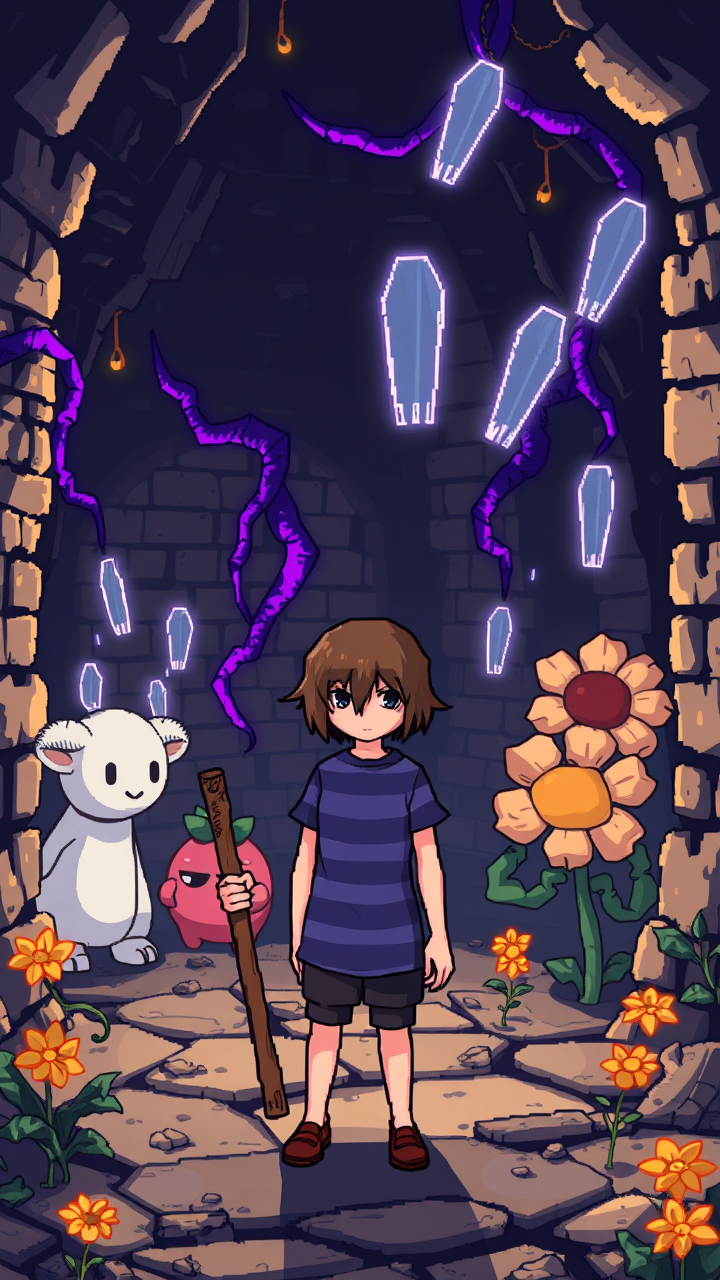
**Prompt:** "A pixel-art style RPG scene from *Undertale*, featuring Frisk, the silent protagonist, in their iconic blue and purple striped shirt, standing determinedly in the Ruins—a cavernous underground world with ancient brick walls, glowing purple vines, and golden flowers. Surrounding them are whimsical yet eerie monsters like Toriel, the gentle goat-like caretaker, and Flowey, the sinister smiling flower. The atmosphere is a mix of melancholic mystery and playful charm, with soft lighting casting long shadows. Frisk holds a weathered wooden stick, their default weapon, while ghostly bullet-pattern attacks float in the air, reflecting the game's unique combat mechanics. The scene balances retro 8-bit aesthetics with expressive character designs, evoking nostalgia and emotional depth." *(Characters: 860)*
Flux AI 이미지 프롬프트에 대한 상세 분석
Flux AI Image Generator를 사용하여 이미지를 생성하는 데 사용된 상세한 프롬프트를 분석합니다.
Flux AI 이미지 생성기 프롬프트 탐색
을 통해 이미지를 생성하는 방법 Flux.1 schnell
원하는 이미지를 만들기 위해 다음 네 가지 간단한 단계를 따르세요.
단계 1: 텍스트 입력 (더 나은 결과를 위해 프롬프트를 자유롭게 수정하세요)
단계 2: 이미지 종횡비 선택
단계 3: Flux 모델 선택:
단계 4: 생성 버튼을 클릭하고 몇 초간 기다려 이미지를 받으세요
프롬프트와 관련된 Flux AI 도구 Flux.1 schnell
Flux AI의 고급 도구를 발견하여 창의적인 작업 흐름을 향상시키세요.