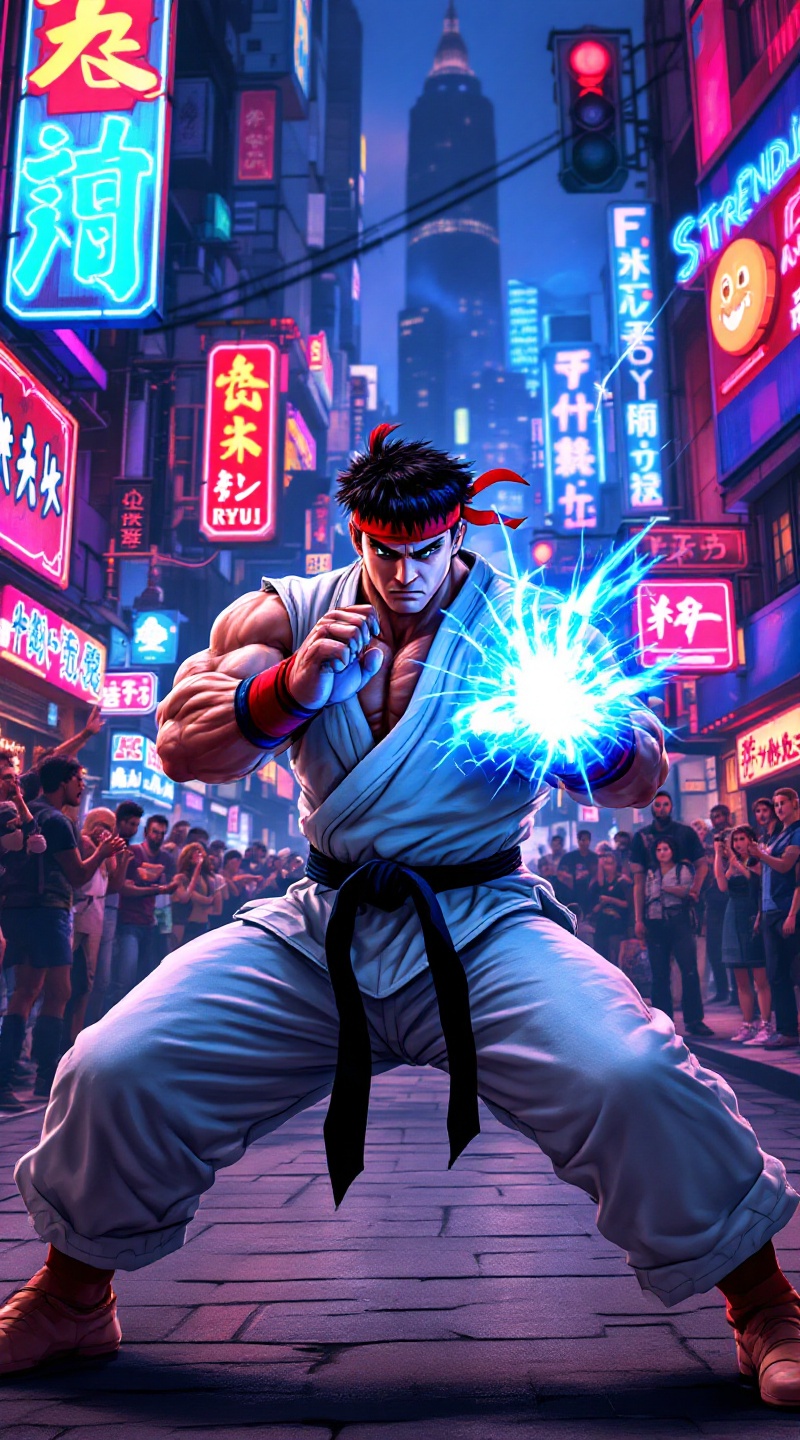
Ryu's Hadouken: Urban Showdown - Flux.1.1 pro
Prompt
Create a dynamic fighting scene inspired by the classic arcade game "Street Fighter II." Focus on Ryu, a muscular fighter with a determined expression, clad in his iconic white gi, red headband, and black belt. His stance is poised, ready to unleash a powerful Hadouken, glowing blue energy forming in his hands. The background features a vibrant urban setting, with neon signs and a bustling street filled with onlookers, capturing the essence of a lively cityscape. Include elements like a cheering crowd, graffiti-covered walls, and distant skyscrapers, enhancing the atmosphere. The mood is intense and electric, with a sense of anticipation and excitement in the air, embodying the spirit of classic 90s fighting games.
Análise Detalhada do Prompt de Imagem Flux IA
Analise o prompt detalhado usado para gerar a imagem com o Flux IA Image Generator.
Explore Prompts Flux para o Gerador de Imagens
Como gerar uma imagem por Flux.1.1 pro
Siga estes quatro passos simples para criar a imagem desejada.
Passo 1: Insira seu texto (Sinta-se à vontade para refinar seu prompt para melhores resultados)
Passo 2: Escolha a proporção da imagem
Passo 3: Selecione seu modelo Flux:
Passo 4: Clique no botão Gerar e aguarde alguns segundos para sua imagem
Ferramentas Flux IA relacionadas a prompts sobre Flux.1.1 pro
Descubra ferramentas avançadas da Flux IA para melhorar seu fluxo de trabalho criativo.