Tiramisu - Flux.1 dev
Eingabe
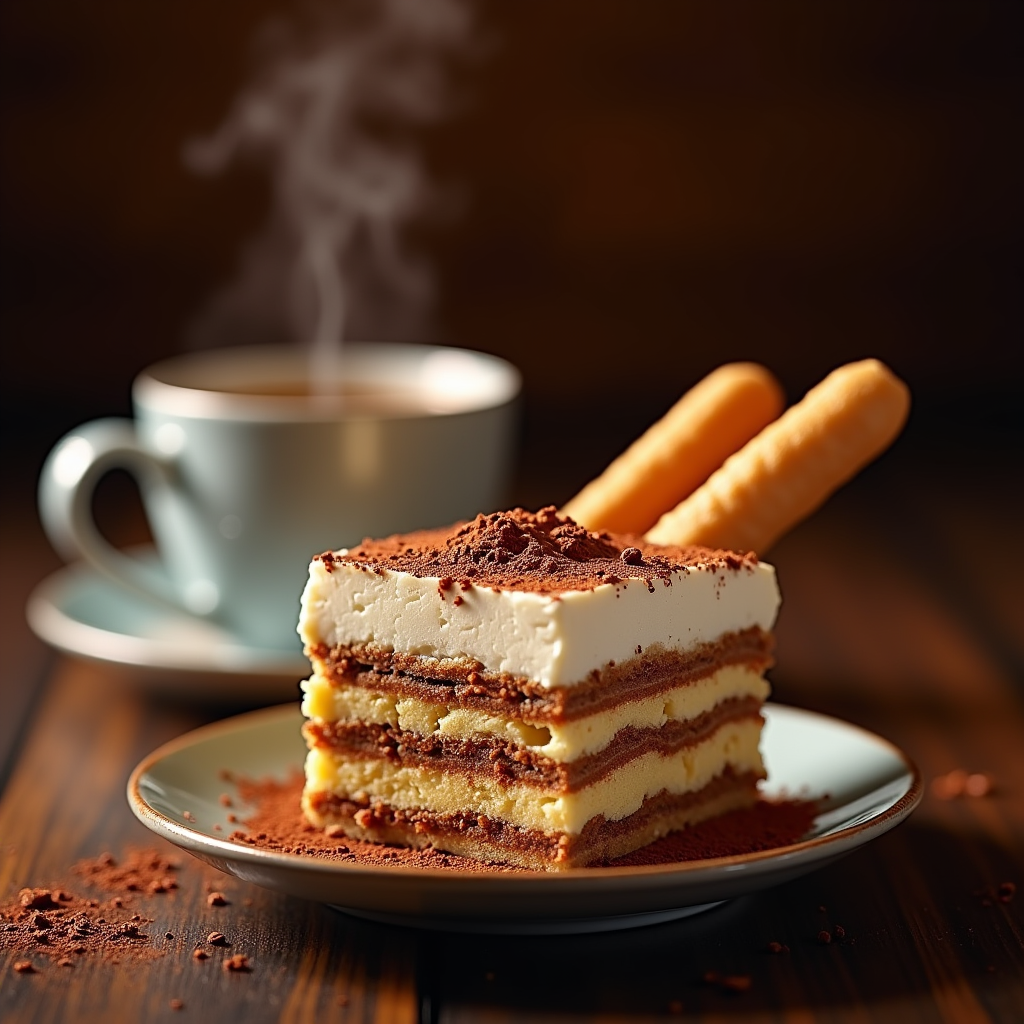
"Create a sumptuous image of Tiramisu: layers of creamy mascarpone, espresso-soaked ladyfingers, and cocoa powder, set against a warm, dark wood backdrop, reminiscent of an Italian trattoria. Soft, golden lighting casts a gentle glow, accentuating the dessert's textures. A shallow depth of field focuses attention on the delicate, whipped mascarpone peaks. A sprinkle of cocoa powder dusts the surface, as a few ladyfingers lean against the serving dish, inviting the viewer to take a bite. A steaming espresso cup sits in the background, releasing a wisp of aromatic steam. Style: rustic, yet elegant, food photography, with a warm, inviting color palette.
Detaillierte Analyse des Flux KI Image Prompt
Analysiere den detaillierten Prompt, der zur Erstellung des Bildes mit dem Flux KI Image Generator verwendet wurde.
Flux-Prompts für den KI-Bildgenerator erkunden
Wie man ein Bild generiert von Flux.1 dev
Folge diesen vier einfachen Schritten, um das gewünschte Bild zu erstellen.
Schritt 1: Gib deinen Text ein (Fühle dich frei, deinen Prompt für bessere Ergebnisse zu verfeinern)
Schritt 2: Wähle das Bildseitenverhältnis
Schritt 3: Wähle dein Flux-Modell:
Schritt 4: Klicke auf die Generieren-Schaltfläche und warte ein paar Sekunden auf dein Bild
Verwandte Flux KI Tools für Prompts über Flux.1 dev
Entdecke fortschrittliche Tools von Flux KI, um deinen kreativen Workflow zu verbessern.