Ribcage-Bird Flock - Flux.1.1 pro
Eingabe
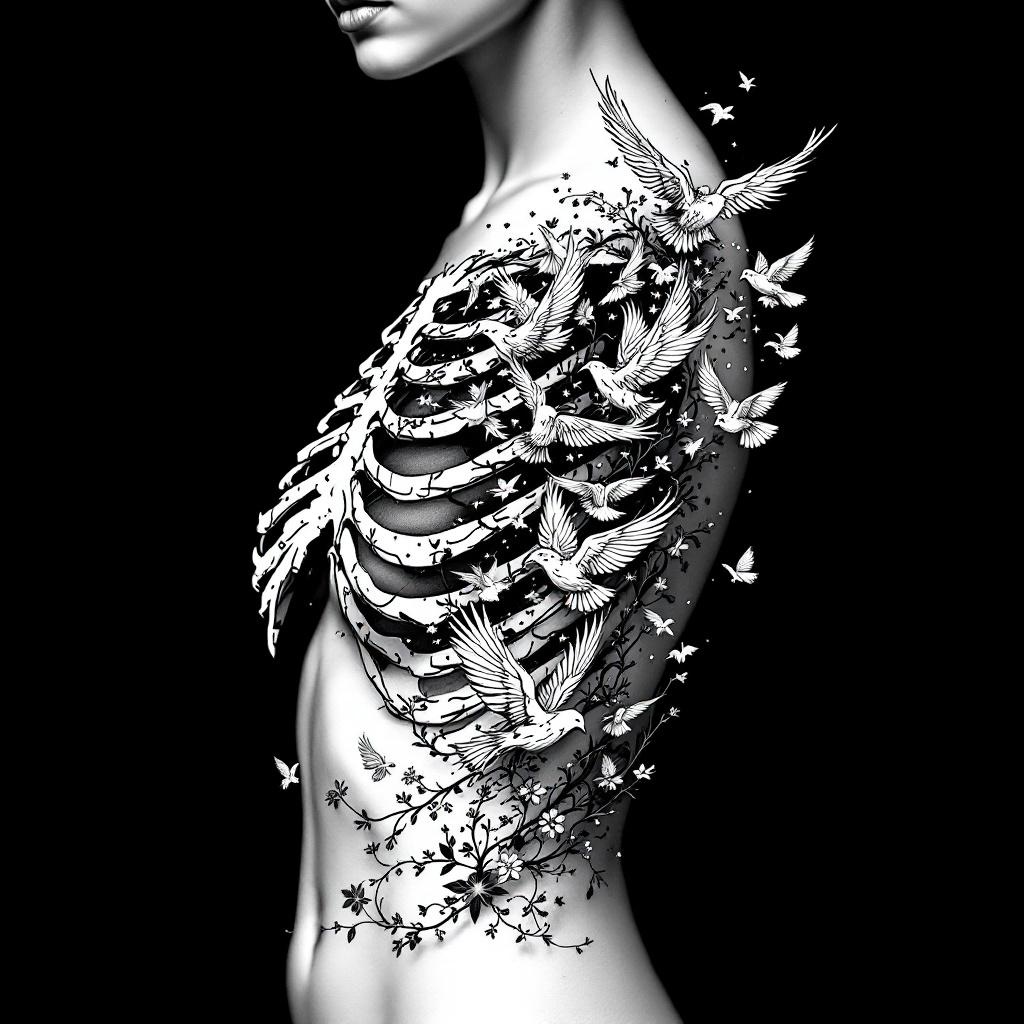
**Prompt:** A striking ribcage tattoo featuring a flock of birds bursting from the ribs, blending anatomical realism with ethereal detailing. The design should showcase intricate skeletal shading for the ribs, transitioning into delicate, dynamic birds in mid-flight—some with feather textures, others semi-transparent for depth. Style: black and grey realism with subtle dotwork highlights. Placement: spanning the side torso, following the natural curve of the ribs. Scale: medium-large, with birds trailing toward the hip or back. Mood: haunting yet liberating, symbolizing transformation or freedom. Optional: subtle floral vines woven between ribs for contrast. Keep lines crisp, shadows dramatic, and composition fluid.
Detaillierte Analyse des Flux KI Image Prompt
Analysiere den detaillierten Prompt, der zur Erstellung des Bildes mit dem Flux KI Image Generator verwendet wurde.
Flux-Prompts für den KI-Bildgenerator erkunden
Wie man ein Bild generiert von Flux.1.1 pro
Folge diesen vier einfachen Schritten, um das gewünschte Bild zu erstellen.
Schritt 1: Gib deinen Text ein (Fühle dich frei, deinen Prompt für bessere Ergebnisse zu verfeinern)
Schritt 2: Wähle das Bildseitenverhältnis
Schritt 3: Wähle dein Flux-Modell:
Schritt 4: Klicke auf die Generieren-Schaltfläche und warte ein paar Sekunden auf dein Bild
Verwandte Flux KI Tools für Prompts über Flux.1.1 pro
Entdecke fortschrittliche Tools von Flux KI, um deinen kreativen Workflow zu verbessern.