Ribcage-Bird Flock - Flux.1.1 pro
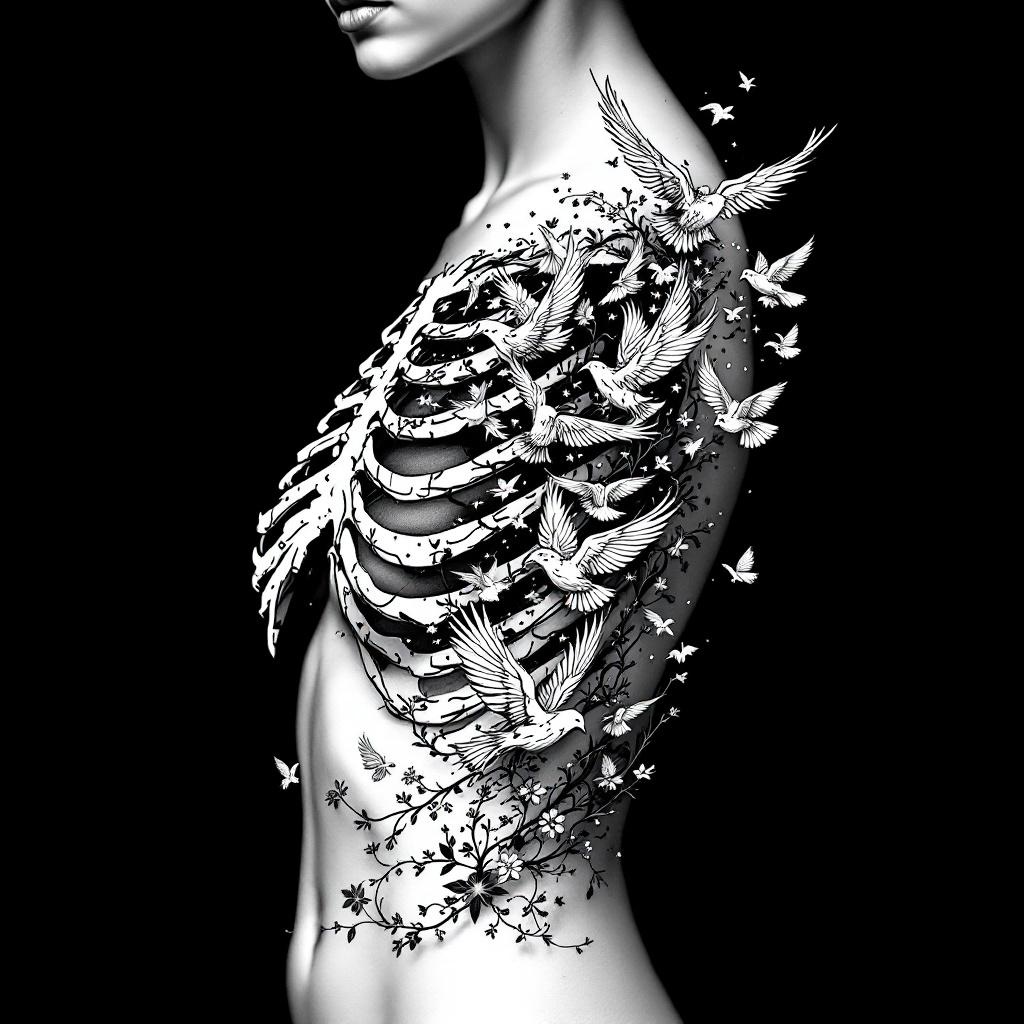
prompt
**Prompt:** A striking ribcage tattoo featuring a flock of birds bursting from the ribs, blending anatomical realism with ethereal detailing. The design should showcase intricate skeletal shading for the ribs, transitioning into delicate, dynamic birds in mid-flight—some with feather textures, others semi-transparent for depth. Style: black and grey realism with subtle dotwork highlights. Placement: spanning the side torso, following the natural curve of the ribs. Scale: medium-large, with birds trailing toward the hip or back. Mood: haunting yet liberating, symbolizing transformation or freedom. Optional: subtle floral vines woven between ribs for contrast. Keep lines crisp, shadows dramatic, and composition fluid.
Analisi Dettagliata del Prompt Immagine Flux AI
Analizza il prompt dettagliato utilizzato per generare l'immagine con il Generatore Immagini Flux AI.
Esplora i Prompt Flux per il Generatore Immagini Flux AI
Come generare immagini con Flux.1.1 pro
Segui questi quattro semplici passaggi per creare l'immagine desiderata.
Passaggio 1: Inserisci il Tuo Testo (Sentiti libero di perfezionare il prompt per risultati migliori)
Passaggio 2: Scegli le Proporzioni dell'Immagine
Passaggio 3: Seleziona il Tuo Modello Flux:
Passaggio 4: Clicca il Pulsante Genera e Attendi Alcuni Secondi per la Tua Immagine
Strumenti Flux AI correlati per prompt su Flux.1.1 pro
Scopri strumenti avanzati di Flux AI per potenziare il tuo flusso di lavoro creativo.