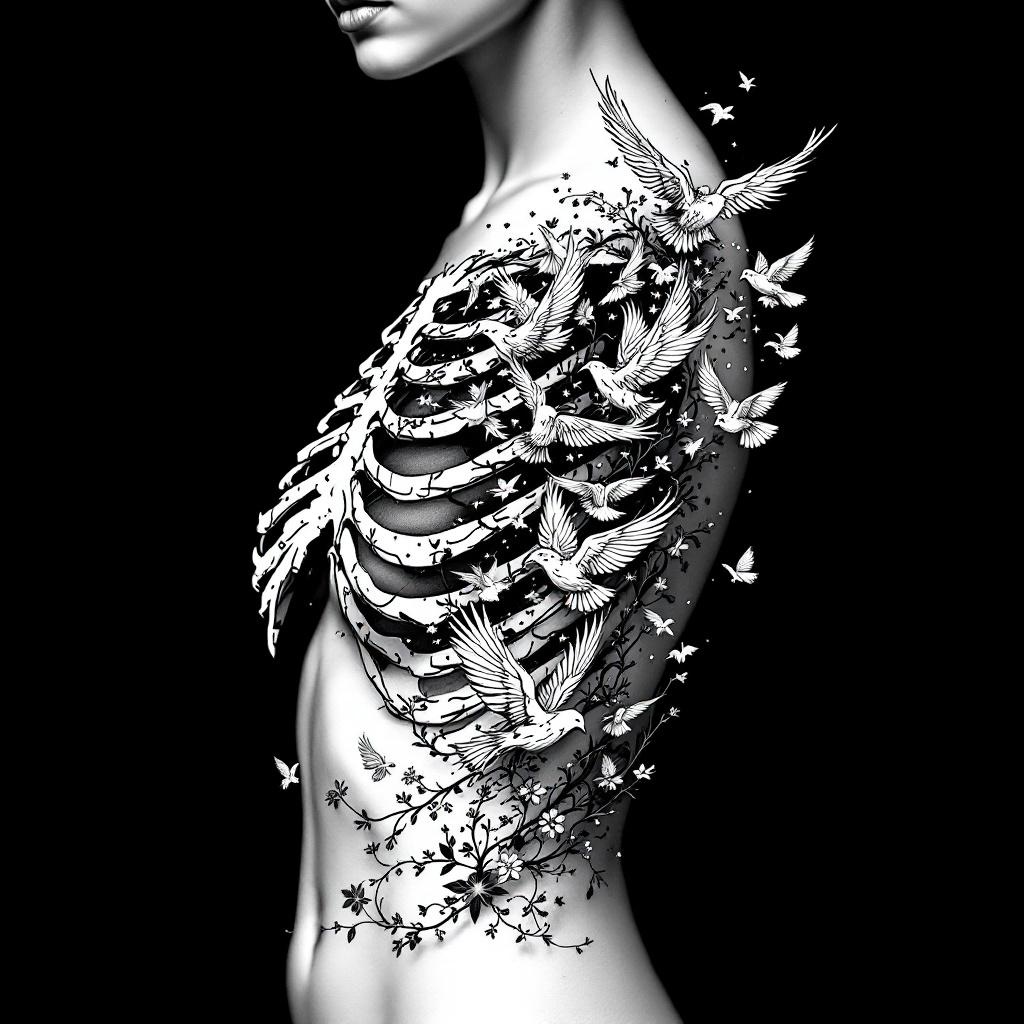
Ribcage-Bird Flock - Flux.1.1 pro
Prompt
**Prompt:** A striking ribcage tattoo featuring a flock of birds bursting from the ribs, blending anatomical realism with ethereal detailing. The design should showcase intricate skeletal shading for the ribs, transitioning into delicate, dynamic birds in mid-flight—some with feather textures, others semi-transparent for depth. Style: black and grey realism with subtle dotwork highlights. Placement: spanning the side torso, following the natural curve of the ribs. Scale: medium-large, with birds trailing toward the hip or back. Mood: haunting yet liberating, symbolizing transformation or freedom. Optional: subtle floral vines woven between ribs for contrast. Keep lines crisp, shadows dramatic, and composition fluid.
Análise Detalhada do Prompt de Imagem Flux IA
Analise o prompt detalhado usado para gerar a imagem com o Flux IA Image Generator.
Explore Prompts Flux para o Gerador de Imagens
Como gerar uma imagem por Flux.1.1 pro
Siga estes quatro passos simples para criar a imagem desejada.
Passo 1: Insira seu texto (Sinta-se à vontade para refinar seu prompt para melhores resultados)
Passo 2: Escolha a proporção da imagem
Passo 3: Selecione seu modelo Flux:
Passo 4: Clique no botão Gerar e aguarde alguns segundos para sua imagem
Ferramentas Flux IA relacionadas a prompts sobre Flux.1.1 pro
Descubra ferramentas avançadas da Flux IA para melhorar seu fluxo de trabalho criativo.