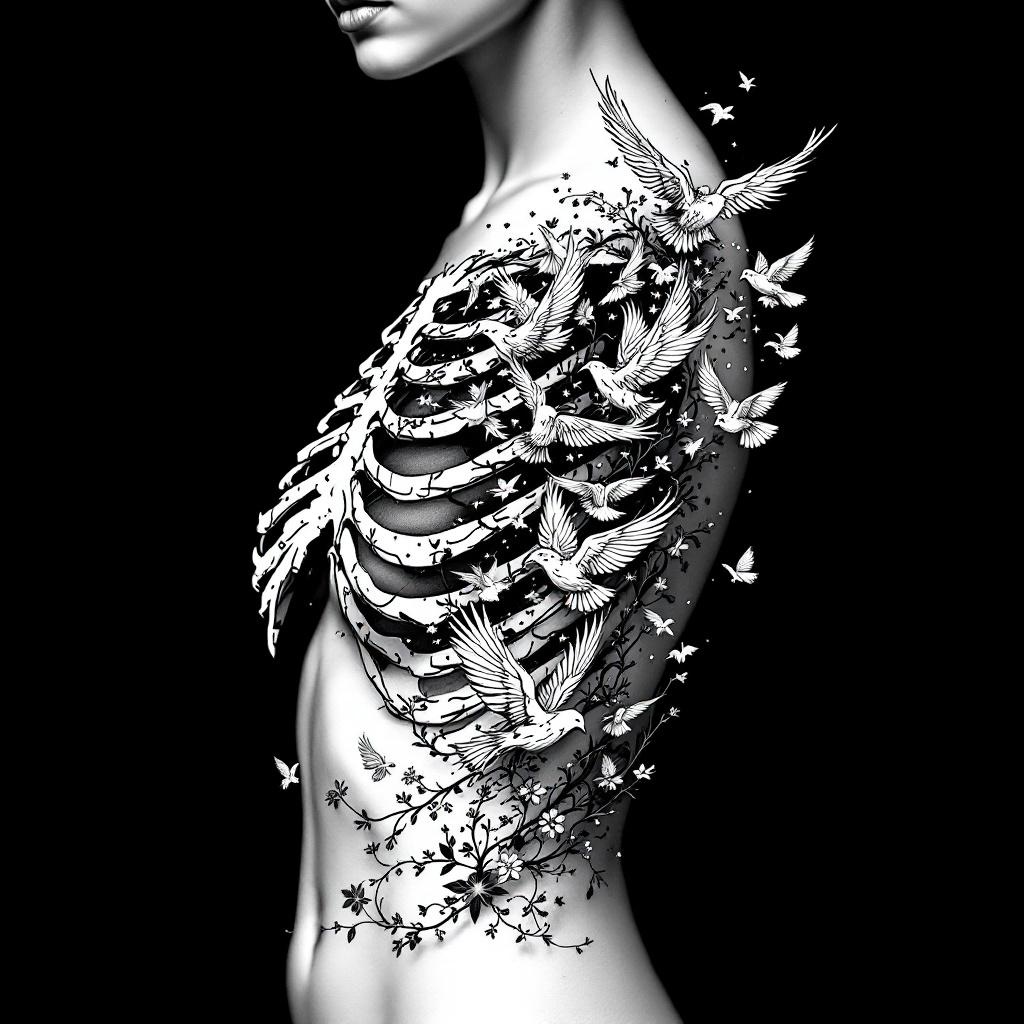
Ribcage-Bird Flock - Flux.1.1 pro
Indicador
**Prompt:** A striking ribcage tattoo featuring a flock of birds bursting from the ribs, blending anatomical realism with ethereal detailing. The design should showcase intricate skeletal shading for the ribs, transitioning into delicate, dynamic birds in mid-flight—some with feather textures, others semi-transparent for depth. Style: black and grey realism with subtle dotwork highlights. Placement: spanning the side torso, following the natural curve of the ribs. Scale: medium-large, with birds trailing toward the hip or back. Mood: haunting yet liberating, symbolizing transformation or freedom. Optional: subtle floral vines woven between ribs for contrast. Keep lines crisp, shadows dramatic, and composition fluid.
Análisis Detallado del Prompt de Imagen de Flux IA
Analiza el prompt detallado utilizado para generar la imagen con Flux IA Image Generator.
Explorar Mensajes para Flux IA
Cómo generar una imagen por Flux.1.1 pro
Sigue estos cuatro sencillos pasos para crear la imagen que deseas.
Paso 1: Ingresa tu texto (No dudes en refinar tu prompt para mejores resultados)
Paso 2: Elige la relación de aspecto de la imagen
Paso 3: Selecciona tu modelo Flux:
Paso 4: Haz clic en el botón Generar y espera unos segundos para tu imagen
Herramientas Flux IA relacionadas para prompts sobre Flux.1.1 pro
Descubre herramientas avanzadas de Flux IA para potenciar tu flujo de trabajo creativo.