Ribcage-Bird Flock - Flux.1.1 pro
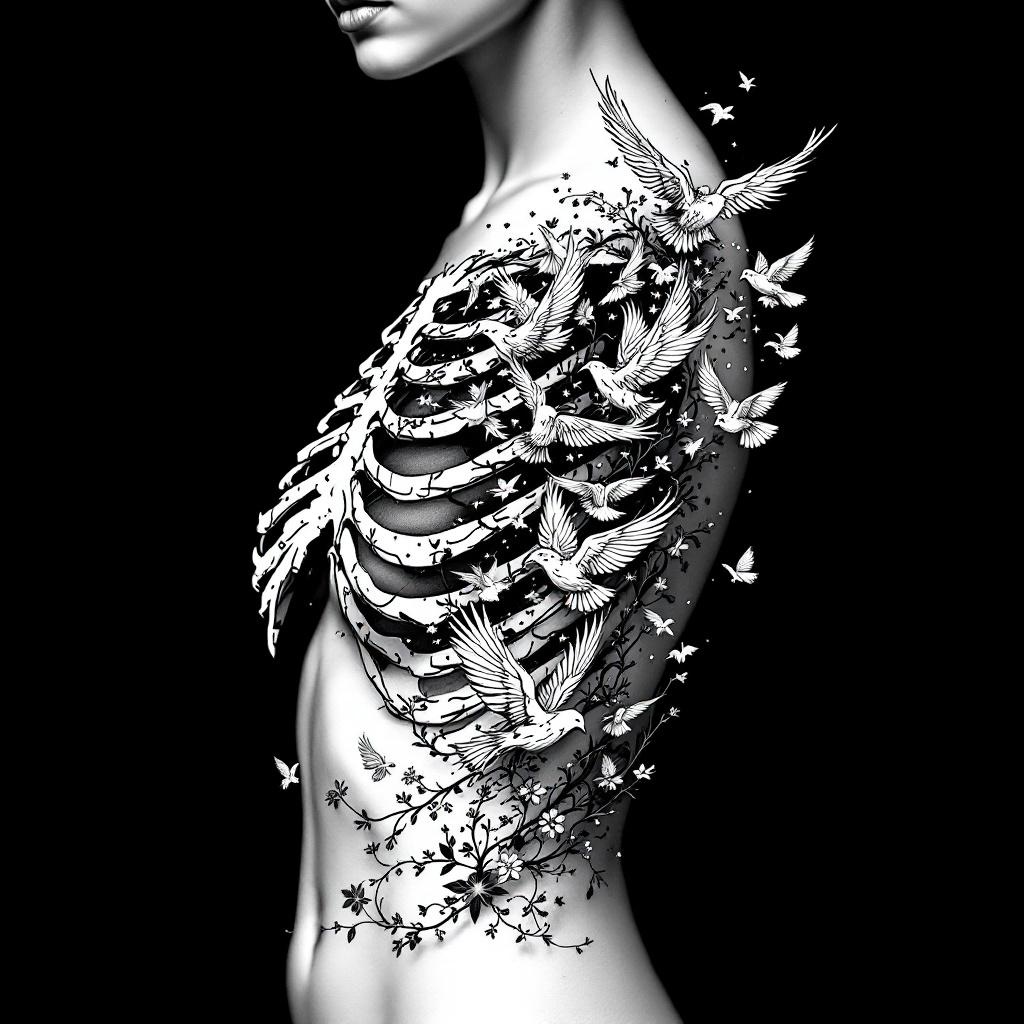
prompt
**Prompt:** A striking ribcage tattoo featuring a flock of birds bursting from the ribs, blending anatomical realism with ethereal detailing. The design should showcase intricate skeletal shading for the ribs, transitioning into delicate, dynamic birds in mid-flight—some with feather textures, others semi-transparent for depth. Style: black and grey realism with subtle dotwork highlights. Placement: spanning the side torso, following the natural curve of the ribs. Scale: medium-large, with birds trailing toward the hip or back. Mood: haunting yet liberating, symbolizing transformation or freedom. Optional: subtle floral vines woven between ribs for contrast. Keep lines crisp, shadows dramatic, and composition fluid.
Analisis Terperinci Prompt Gambar Flux AI
Analisis prompt terperinci yang digunakan untuk menghasilkan gambar dengan Generator Gambar Flux AI.
Jelajahi Prompt Flux untuk Generator Gambar AI Flux
Cara menghasilkan gambar dengan Flux.1.1 pro
Ikuti empat langkah sederhana ini untuk membuat gambar yang Anda inginkan.
Langkah 1: Masukkan Teks Anda (Silakan sempurnakan prompt untuk hasil yang lebih baik)
Langkah 2: Pilih Rasio Aspek Gambar
Langkah 3: Pilih Model Flux Anda:
Langkah 4: Klik Tombol Buat dan Tunggu Beberapa Detik untuk Gambar Anda
Alat Flux AI terkait untuk prompt tentang Flux.1.1 pro
Temukan alat-alat canggih dari Flux AI untuk meningkatkan alur kerja kreatif Anda.