《Pokemon》-Misty - Flux.1 schnell
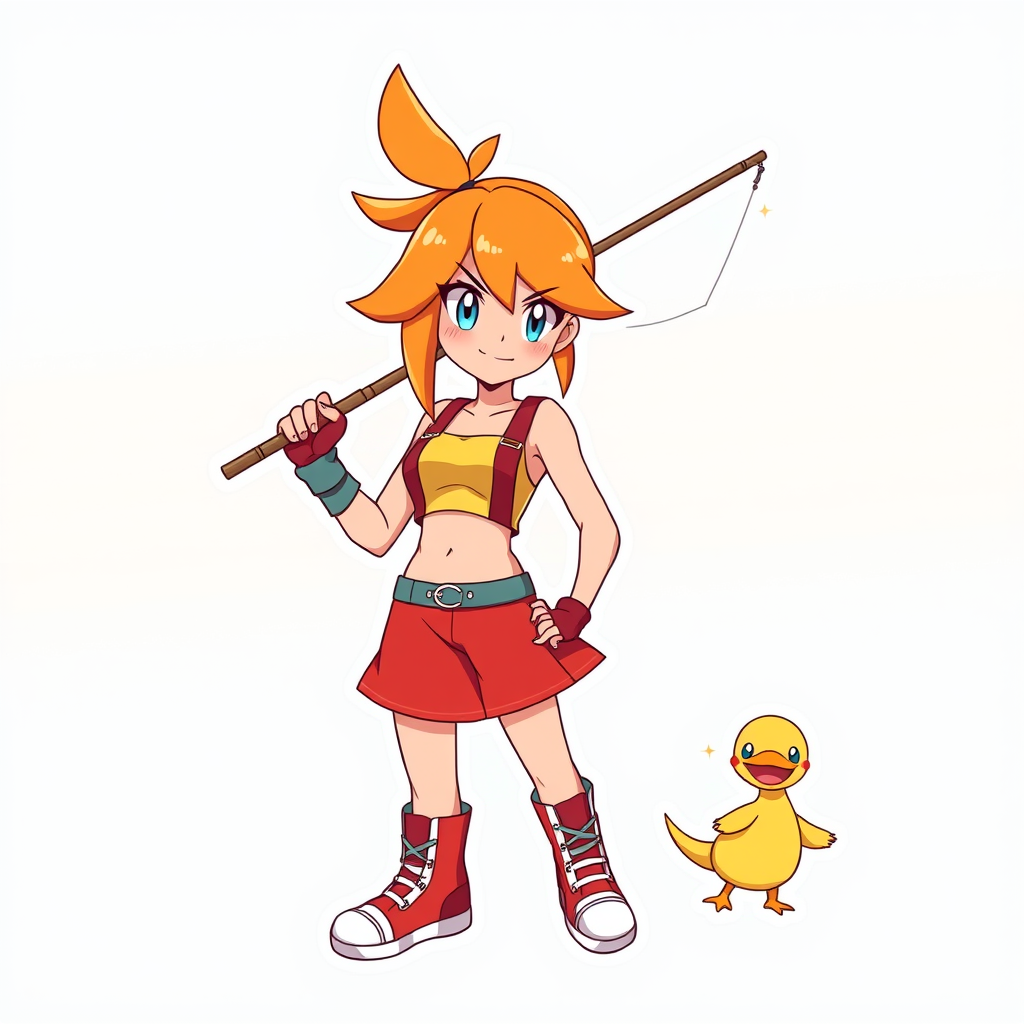
Eingabe
**Prompt:** *"Anime sticker style illustration of Misty from 《Pokemon》, featuring her iconic orange side-ponytail, bright blue eyes, and confident smirk. She wears her signature yellow crop top with a red suspender skirt, fingerless gloves, and high-top sneakers. Pose her dynamically, holding a fishing rod with a determined expression, as if ready to battle. Include her loyal Staryu or Psyduck nearby for a playful touch. Use bold, clean line art with vibrant cel-shaded colors and subtle highlights for a sticker-like aesthetic. Place her against a simple gradient background in aquatic blues or sunset oranges to emphasize her energetic personality. Add sparkle effects or motion lines for extra charm."* (998 characters)
Detaillierte Analyse des Flux KI Image Prompt
Analysiere den detaillierten Prompt, der zur Erstellung des Bildes mit dem Flux KI Image Generator verwendet wurde.
Flux-Prompts für den KI-Bildgenerator erkunden
Wie man ein Bild generiert von Flux.1 schnell
Folge diesen vier einfachen Schritten, um das gewünschte Bild zu erstellen.
Schritt 1: Gib deinen Text ein (Fühle dich frei, deinen Prompt für bessere Ergebnisse zu verfeinern)
Schritt 2: Wähle das Bildseitenverhältnis
Schritt 3: Wähle dein Flux-Modell:
Schritt 4: Klicke auf die Generieren-Schaltfläche und warte ein paar Sekunden auf dein Bild
Verwandte Flux KI Tools für Prompts über Flux.1 schnell
Entdecke fortschrittliche Tools von Flux KI, um deinen kreativen Workflow zu verbessern.