《Pokemon》-Misty - Flux.1 schnell
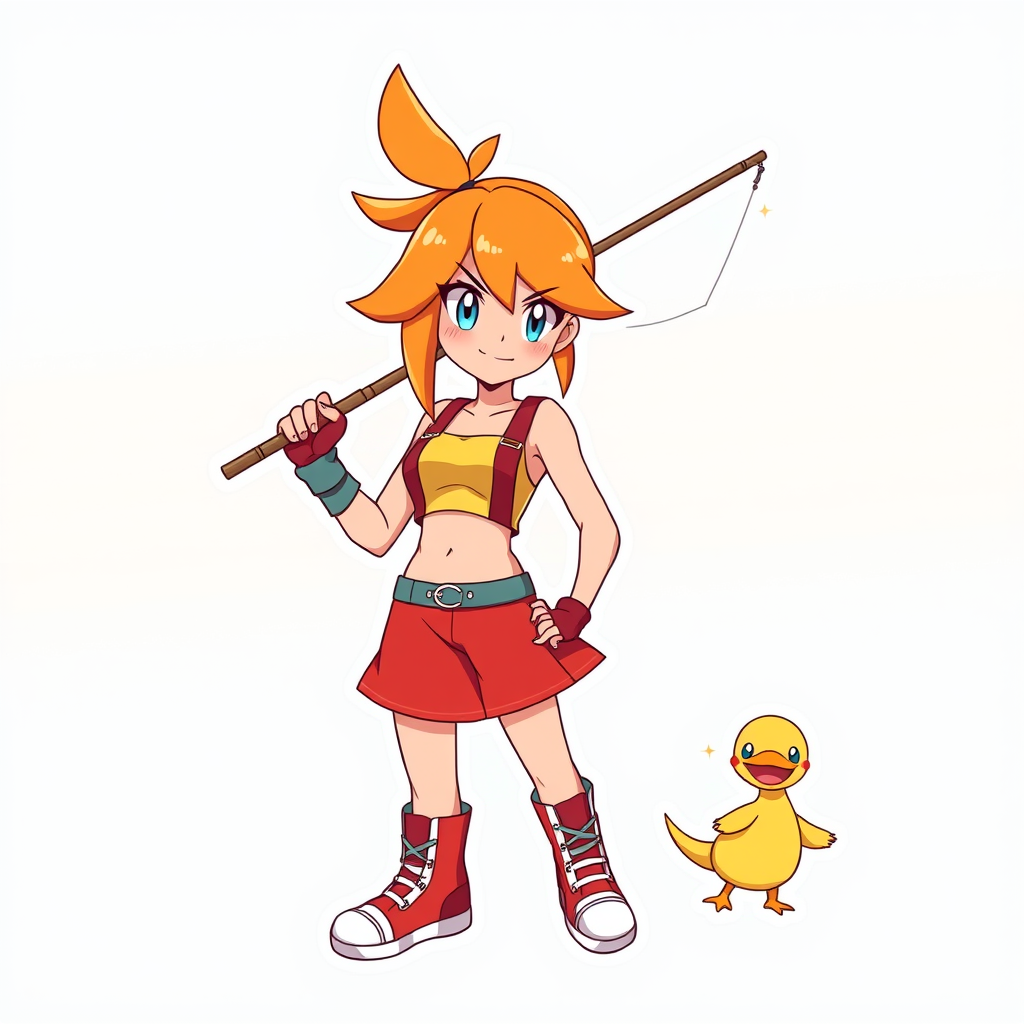
Indicador
**Prompt:** *"Anime sticker style illustration of Misty from 《Pokemon》, featuring her iconic orange side-ponytail, bright blue eyes, and confident smirk. She wears her signature yellow crop top with a red suspender skirt, fingerless gloves, and high-top sneakers. Pose her dynamically, holding a fishing rod with a determined expression, as if ready to battle. Include her loyal Staryu or Psyduck nearby for a playful touch. Use bold, clean line art with vibrant cel-shaded colors and subtle highlights for a sticker-like aesthetic. Place her against a simple gradient background in aquatic blues or sunset oranges to emphasize her energetic personality. Add sparkle effects or motion lines for extra charm."* (998 characters)
Análisis Detallado del Prompt de Imagen de Flux IA
Analiza el prompt detallado utilizado para generar la imagen con Flux IA Image Generator.
Explorar Mensajes para Flux IA
Cómo generar una imagen por Flux.1 schnell
Sigue estos cuatro sencillos pasos para crear la imagen que deseas.
Paso 1: Ingresa tu texto (No dudes en refinar tu prompt para mejores resultados)
Paso 2: Elige la relación de aspecto de la imagen
Paso 3: Selecciona tu modelo Flux:
Paso 4: Haz clic en el botón Generar y espera unos segundos para tu imagen
Herramientas Flux IA relacionadas para prompts sobre Flux.1 schnell
Descubre herramientas avanzadas de Flux IA para potenciar tu flujo de trabajo creativo.