《Pokemon》-Misty - Flux.1 schnell
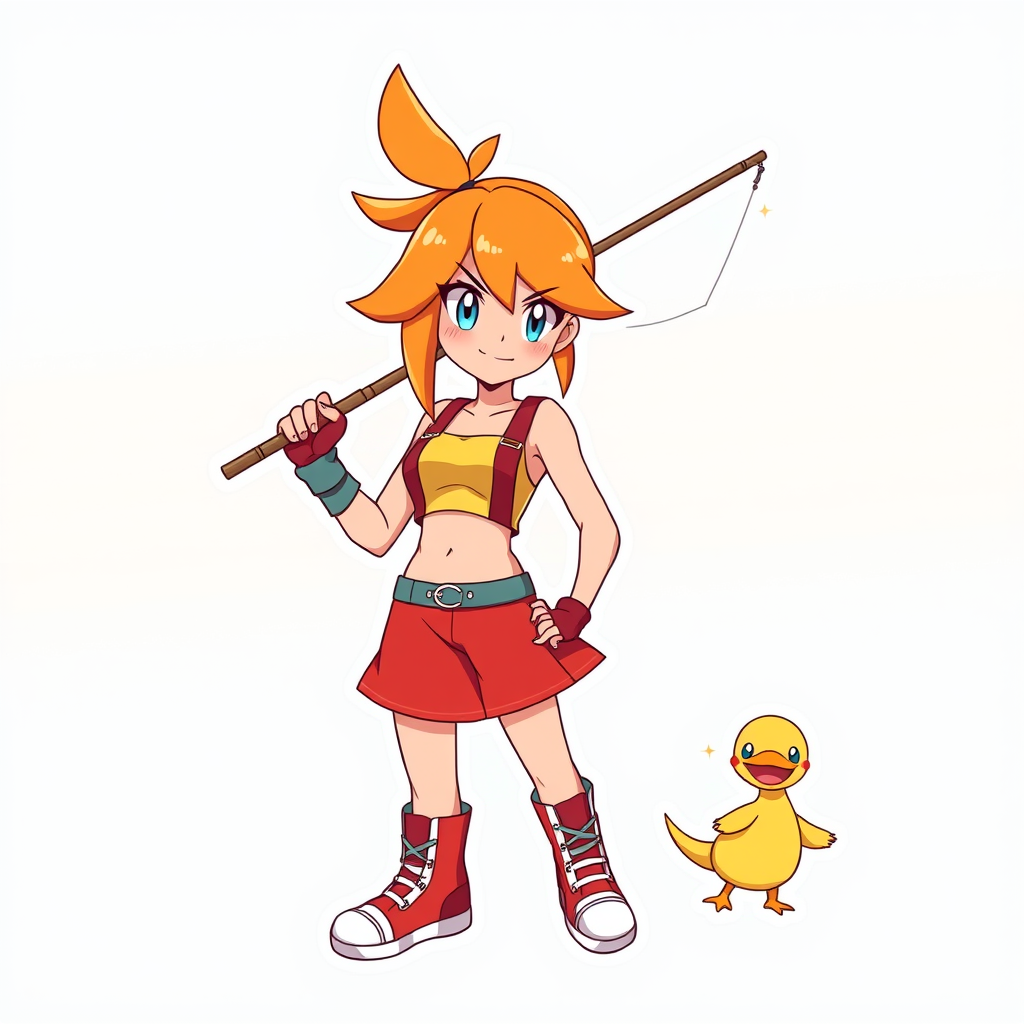
prompt
**Prompt:** *"Anime sticker style illustration of Misty from 《Pokemon》, featuring her iconic orange side-ponytail, bright blue eyes, and confident smirk. She wears her signature yellow crop top with a red suspender skirt, fingerless gloves, and high-top sneakers. Pose her dynamically, holding a fishing rod with a determined expression, as if ready to battle. Include her loyal Staryu or Psyduck nearby for a playful touch. Use bold, clean line art with vibrant cel-shaded colors and subtle highlights for a sticker-like aesthetic. Place her against a simple gradient background in aquatic blues or sunset oranges to emphasize her energetic personality. Add sparkle effects or motion lines for extra charm."* (998 characters)
Analisi Dettagliata del Prompt Immagine Flux AI
Analizza il prompt dettagliato utilizzato per generare l'immagine con il Generatore Immagini Flux AI.
Esplora i Prompt Flux per il Generatore Immagini Flux AI
Come generare immagini con Flux.1 schnell
Segui questi quattro semplici passaggi per creare l'immagine desiderata.
Passaggio 1: Inserisci il Tuo Testo (Sentiti libero di perfezionare il prompt per risultati migliori)
Passaggio 2: Scegli le Proporzioni dell'Immagine
Passaggio 3: Seleziona il Tuo Modello Flux:
Passaggio 4: Clicca il Pulsante Genera e Attendi Alcuni Secondi per la Tua Immagine
Strumenti Flux AI correlati per prompt su Flux.1 schnell
Scopri strumenti avanzati di Flux AI per potenziare il tuo flusso di lavoro creativo.