《Pokemon》-Misty - Flux.1 schnell
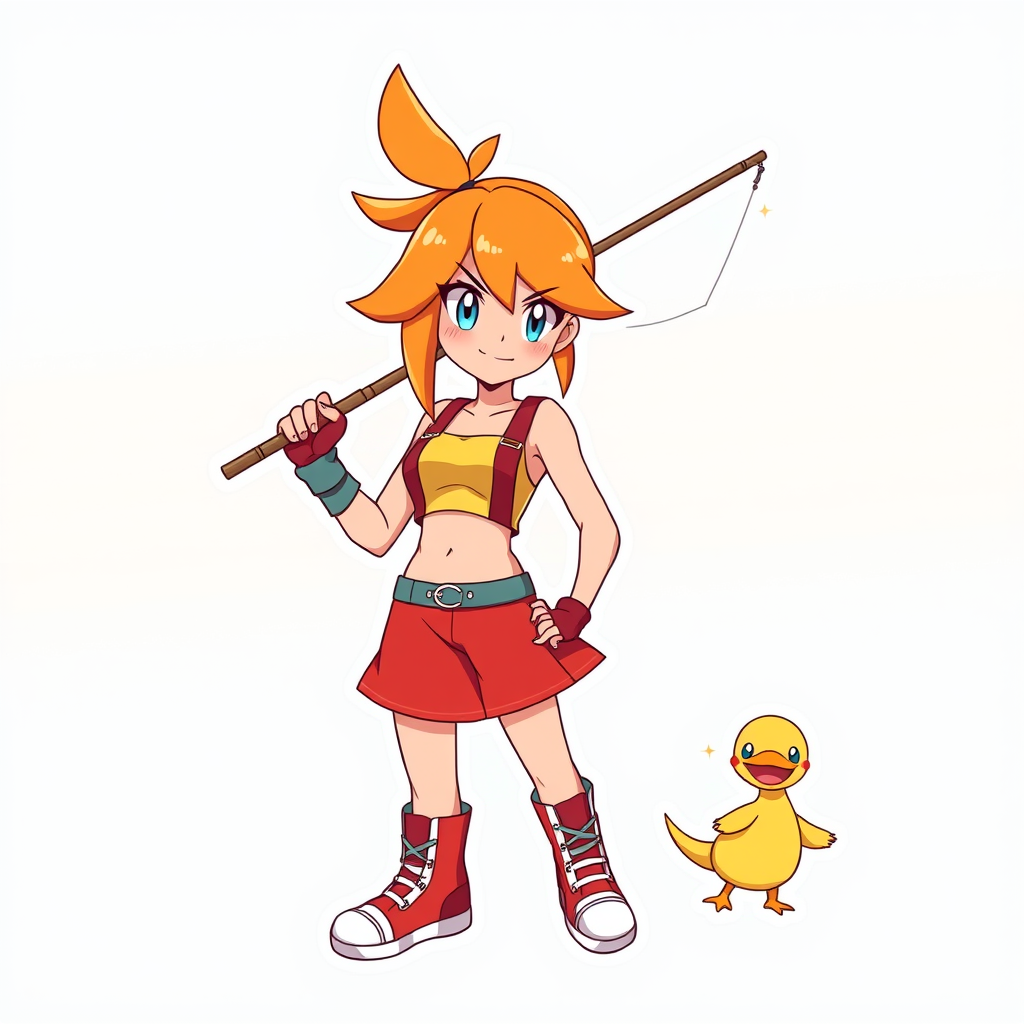
Prompt
**Prompt:** *"Anime sticker style illustration of Misty from 《Pokemon》, featuring her iconic orange side-ponytail, bright blue eyes, and confident smirk. She wears her signature yellow crop top with a red suspender skirt, fingerless gloves, and high-top sneakers. Pose her dynamically, holding a fishing rod with a determined expression, as if ready to battle. Include her loyal Staryu or Psyduck nearby for a playful touch. Use bold, clean line art with vibrant cel-shaded colors and subtle highlights for a sticker-like aesthetic. Place her against a simple gradient background in aquatic blues or sunset oranges to emphasize her energetic personality. Add sparkle effects or motion lines for extra charm."* (998 characters)
Análise Detalhada do Prompt de Imagem Flux IA
Analise o prompt detalhado usado para gerar a imagem com o Flux IA Image Generator.
Explore Prompts Flux para o Gerador de Imagens
Como gerar uma imagem por Flux.1 schnell
Siga estes quatro passos simples para criar a imagem desejada.
Passo 1: Insira seu texto (Sinta-se à vontade para refinar seu prompt para melhores resultados)
Passo 2: Escolha a proporção da imagem
Passo 3: Selecione seu modelo Flux:
Passo 4: Clique no botão Gerar e aguarde alguns segundos para sua imagem
Ferramentas Flux IA relacionadas a prompts sobre Flux.1 schnell
Descubra ferramentas avançadas da Flux IA para melhorar seu fluxo de trabalho criativo.