Wrist-Anchor Chain - Flux.1 dev
Eingabe
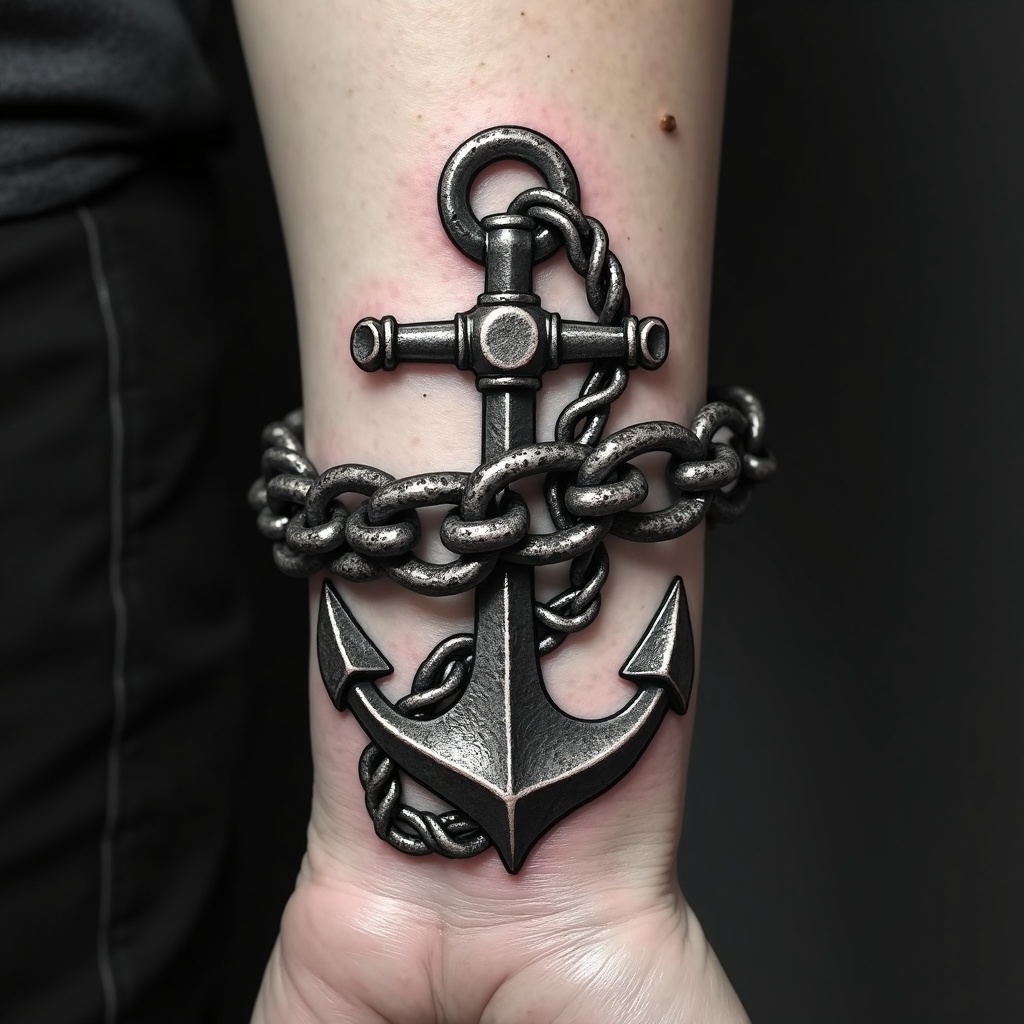
**Prompt:** "Design a bold, realistic wrist tattoo featuring a detailed anchor intricately linked to a heavy, coiled chain. The anchor should have weathered textures, showcasing rust and wear for an aged, nautical feel. The chain wraps around the wrist like a bracelet, with precise, interlocking links for a 3D effect. Opt for a monochrome palette with deep black shading and subtle gray highlights to enhance depth. Incorporate subtle wave motifs or rope details for added maritime symbolism. The tattoo should convey strength and resilience, with a rugged yet polished aesthetic. Keep the size proportionate to the wrist, ensuring the design flows naturally with the body’s contours.
Detaillierte Analyse des Flux KI Image Prompt
Analysiere den detaillierten Prompt, der zur Erstellung des Bildes mit dem Flux KI Image Generator verwendet wurde.
Flux-Prompts für den KI-Bildgenerator erkunden
Wie man ein Bild generiert von Flux.1 dev
Folge diesen vier einfachen Schritten, um das gewünschte Bild zu erstellen.
Schritt 1: Gib deinen Text ein (Fühle dich frei, deinen Prompt für bessere Ergebnisse zu verfeinern)
Schritt 2: Wähle das Bildseitenverhältnis
Schritt 3: Wähle dein Flux-Modell:
Schritt 4: Klicke auf die Generieren-Schaltfläche und warte ein paar Sekunden auf dein Bild
Verwandte Flux KI Tools für Prompts über Flux.1 dev
Entdecke fortschrittliche Tools von Flux KI, um deinen kreativen Workflow zu verbessern.