Wrist-Anchor Chain - Flux.1 dev
prompt
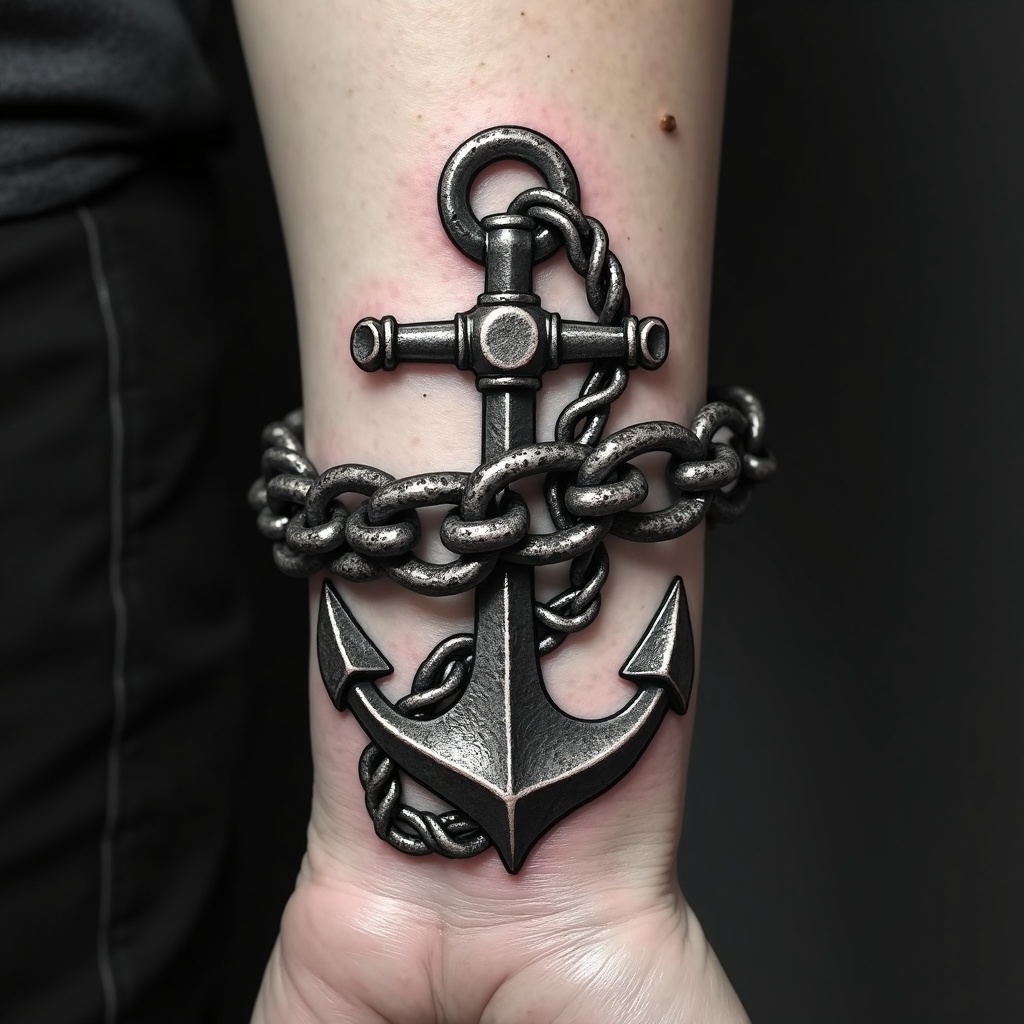
**Prompt:** "Design a bold, realistic wrist tattoo featuring a detailed anchor intricately linked to a heavy, coiled chain. The anchor should have weathered textures, showcasing rust and wear for an aged, nautical feel. The chain wraps around the wrist like a bracelet, with precise, interlocking links for a 3D effect. Opt for a monochrome palette with deep black shading and subtle gray highlights to enhance depth. Incorporate subtle wave motifs or rope details for added maritime symbolism. The tattoo should convey strength and resilience, with a rugged yet polished aesthetic. Keep the size proportionate to the wrist, ensuring the design flows naturally with the body’s contours.
Analisi Dettagliata del Prompt Immagine Flux AI
Analizza il prompt dettagliato utilizzato per generare l'immagine con il Generatore Immagini Flux AI.
Esplora i Prompt Flux per il Generatore Immagini Flux AI
Come generare immagini con Flux.1 dev
Segui questi quattro semplici passaggi per creare l'immagine desiderata.
Passaggio 1: Inserisci il Tuo Testo (Sentiti libero di perfezionare il prompt per risultati migliori)
Passaggio 2: Scegli le Proporzioni dell'Immagine
Passaggio 3: Seleziona il Tuo Modello Flux:
Passaggio 4: Clicca il Pulsante Genera e Attendi Alcuni Secondi per la Tua Immagine
Strumenti Flux AI correlati per prompt su Flux.1 dev
Scopri strumenti avanzati di Flux AI per potenziare il tuo flusso di lavoro creativo.