Wrist-Anchor Chain - Flux.1 dev
Prompt
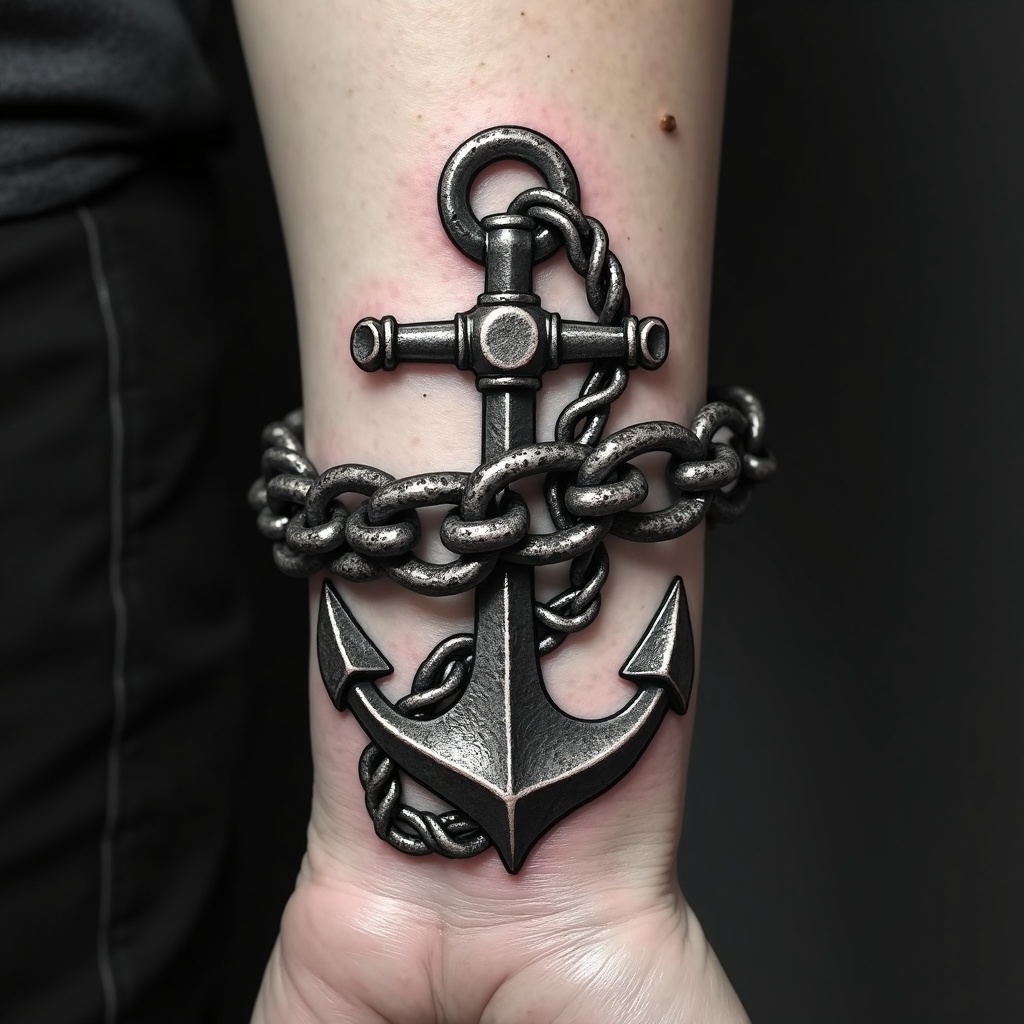
**Prompt:** "Design a bold, realistic wrist tattoo featuring a detailed anchor intricately linked to a heavy, coiled chain. The anchor should have weathered textures, showcasing rust and wear for an aged, nautical feel. The chain wraps around the wrist like a bracelet, with precise, interlocking links for a 3D effect. Opt for a monochrome palette with deep black shading and subtle gray highlights to enhance depth. Incorporate subtle wave motifs or rope details for added maritime symbolism. The tattoo should convey strength and resilience, with a rugged yet polished aesthetic. Keep the size proportionate to the wrist, ensuring the design flows naturally with the body’s contours.
Análise Detalhada do Prompt de Imagem Flux IA
Analise o prompt detalhado usado para gerar a imagem com o Flux IA Image Generator.
Explore Prompts Flux para o Gerador de Imagens
Como gerar uma imagem por Flux.1 dev
Siga estes quatro passos simples para criar a imagem desejada.
Passo 1: Insira seu texto (Sinta-se à vontade para refinar seu prompt para melhores resultados)
Passo 2: Escolha a proporção da imagem
Passo 3: Selecione seu modelo Flux:
Passo 4: Clique no botão Gerar e aguarde alguns segundos para sua imagem
Ferramentas Flux IA relacionadas a prompts sobre Flux.1 dev
Descubra ferramentas avançadas da Flux IA para melhorar seu fluxo de trabalho criativo.