Neon Shadows: Rise of the Vigilante - Flux.1 pro
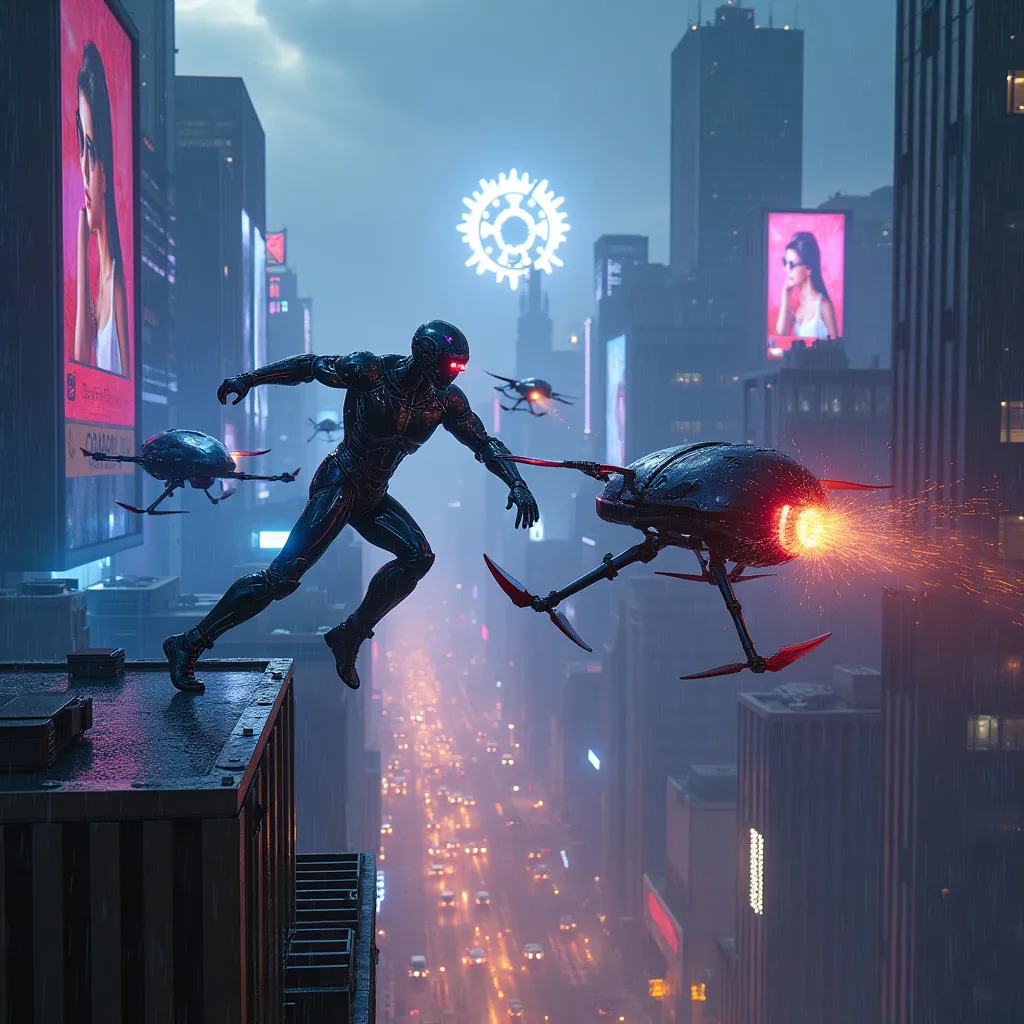
prompt
A towering dystopian megacity skyline pierces the smog-filled night sky, its neon-lit skyscrapers stretching endlessly into the distance. Holographic advertisements flicker across massive billboards, casting an eerie blue and purple glow over the urban sprawl. In the foreground, a cyber-enhanced vigilante with glowing cybernetic implants and a sleek, armored exosuit leaps between buildings, suspended mid-air. Their metallic limbs gleam in the neon light as they confront a swarm of menacing police drones. The drones, spherical and adorned with pulsing red sensors, hover ominously, their weaponry trained on the vigilante. Sparks fly as the vigilante's energy blade clashes with a drone's metal hull. Rain falls in a light drizzle, creating a shimmering effect on the reflective surfaces of the buildings and combatants. The city below is a maze of narrow streets and alleyways, filled with the glow of headlights and the bustle of nighttime activity. In the distance, a massive corporate logo looms over the skyline, its harsh white light a stark contrast to the warm neon hues of the surrounding cityscape.
Detailed Analysis of the Flux AI Image Prompt
Analyze the detailed prompt used to generate the image with Flux AI Image Generator.
Explore Flux Prompts for the Flux AI Image Generator
How to generate image by Flux.1 pro
Follow these four simple steps to create your desired image.
Step 1: Enter Your Text (Feel free to refine your prompt for better results)
Step 2: Choose Image Aspect Ratio
Step 3: Select Your Flux Model:
Step 4: Click the Generate Button and Wait a Few Seconds for Your Image
Related Flux AI tools for prompts about Flux.1 pro
Discover advanced tools from Flux AI to boost your creative workflow.