Upper Arm-Compass & Clock - Flux.1.1 pro
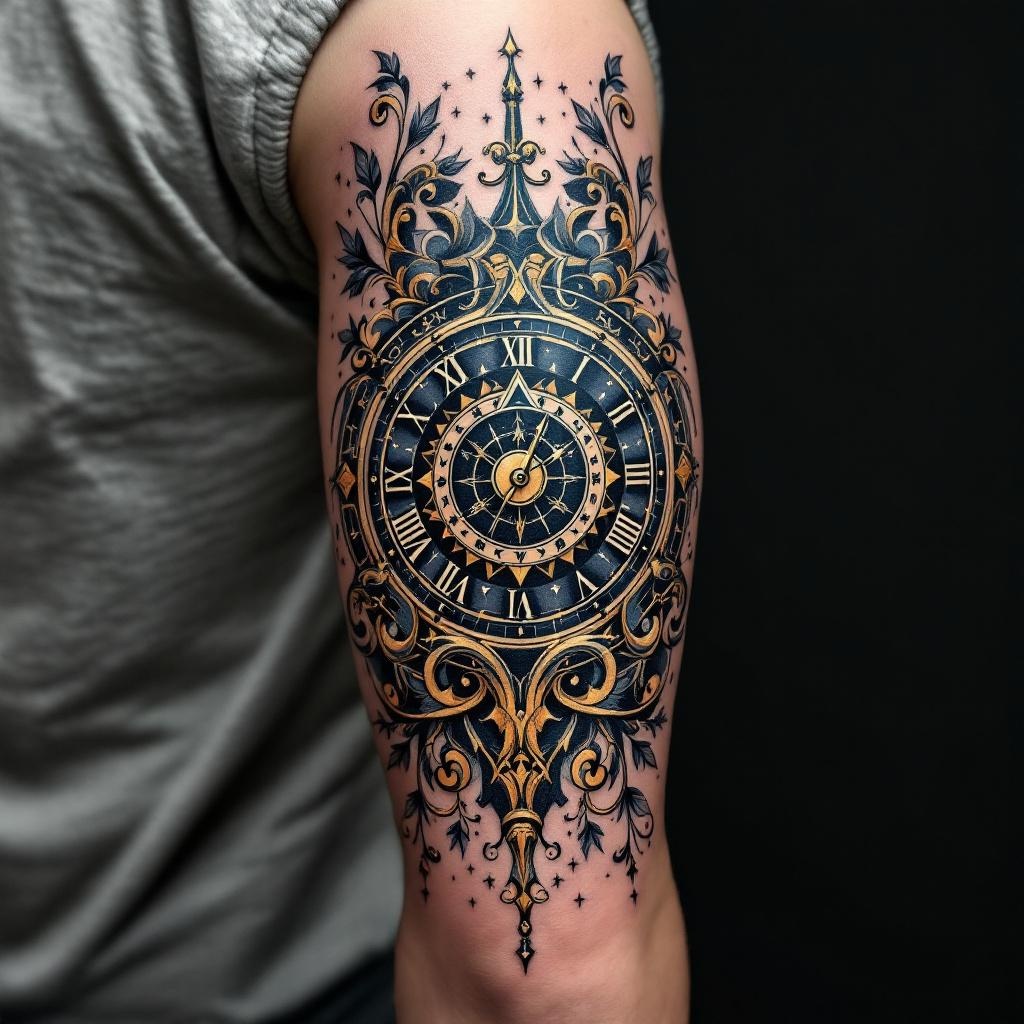
prompt
**Prompt:** A detailed, neo-traditional tattoo design for the upper arm, featuring a bold compass with intricate geometric patterns and Roman numeral clock elements intertwined. The compass should have ornate, swirling accents, with the cardinal directions (N, S, E, W) in an elegant script. The clock face blends seamlessly into the compass, its hands pointing to a significant time (e.g., 3:00). Rich, deep blues and golds dominate the color palette, with black shading for depth. The design should wrap around the arm, sized to fit the bicep’s curvature, balancing symmetry and organic flow. The mood is adventurous yet timeless, with subtle nautical or celestial motifs (e.g., stars, waves) for added symbolism. High contrast, crisp lines, and subtle textures for a polished finish.
Detailed Analysis of the Flux AI Image Prompt
Analyze the detailed prompt used to generate the image with Flux AI Image Generator.
Explore Flux Prompts for the Flux AI Image Generator
How to generate image by Flux.1.1 pro
Follow these four simple steps to create your desired image.
Step 1: Enter Your Text (Feel free to refine your prompt for better results)
Step 2: Choose Image Aspect Ratio
Step 3: Select Your Flux Model:
Step 4: Click the Generate Button and Wait a Few Seconds for Your Image
Related Flux AI tools for prompts about Flux.1.1 pro
Discover advanced tools from Flux AI to boost your creative workflow.