Blue Lagoon - Flux.1.1 pro
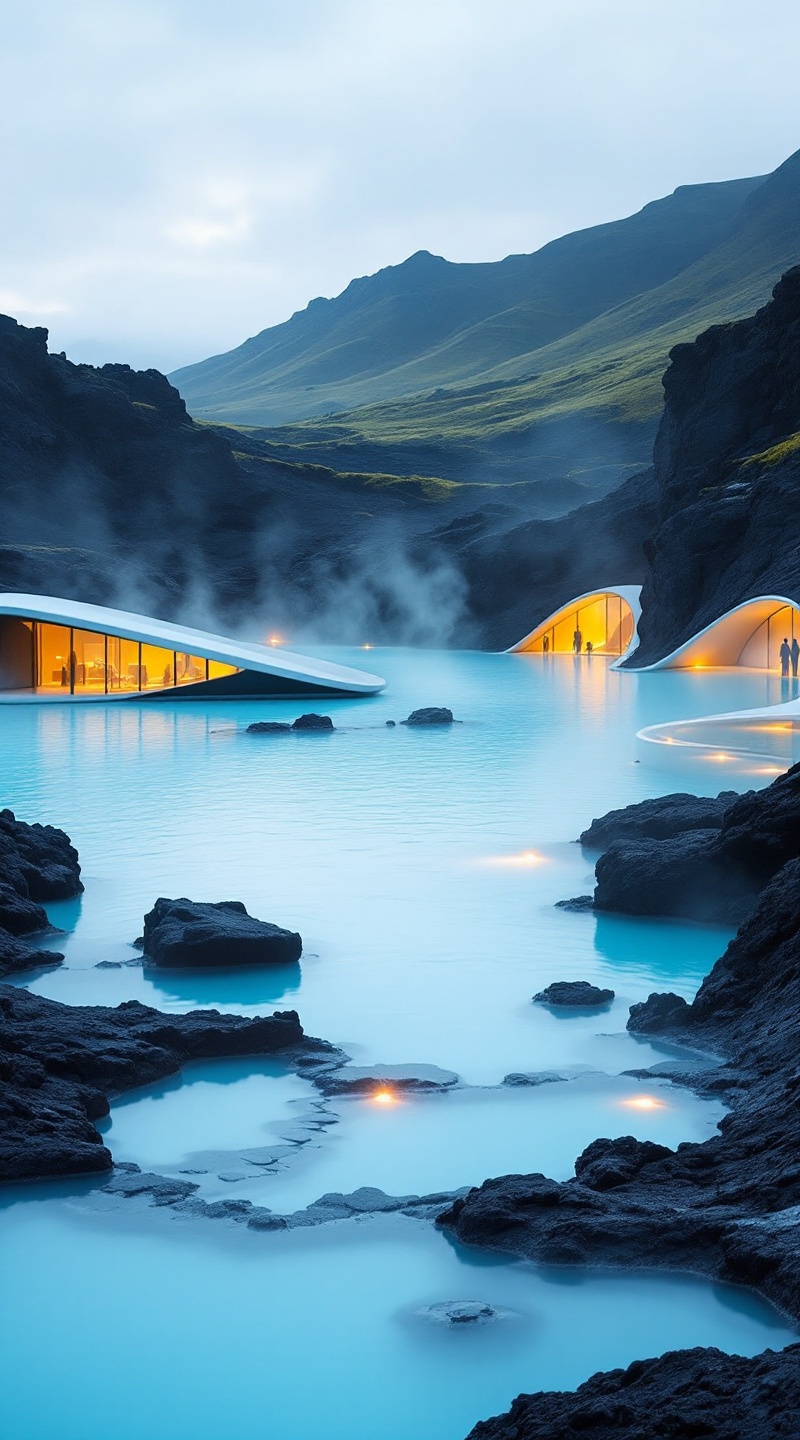
prompt
**Prompt:** A serene, futuristic geothermal spa nestled in a rugged lava field, the Blue Lagoon’s milky turquoise waters contrast sharply with the dark volcanic rock. The minimalist, low-profile buildings feature sleek, curved concrete and glass structures, blending modern Scandinavian design with the raw Icelandic landscape. Steam rises from the warm waters, softening the sharp edges of the architecture. The surrounding black lava fields and moss-covered hills create a surreal, otherworldly atmosphere. Soft, diffused twilight lighting enhances the ethereal glow of the lagoon, with hints of golden hues reflecting off the water’s surface. Capture the scene in a high-detail, cinematic style, emphasizing the harmony between human-made design and natural beauty.
Detailed Analysis of the Flux AI Image Prompt
Analyze the detailed prompt used to generate the image with Flux AI Image Generator.
Explore Flux Prompts for the Flux AI Image Generator
How to generate image by Flux.1.1 pro
Follow these four simple steps to create your desired image.
Step 1: Enter Your Text (Feel free to refine your prompt for better results)
Step 2: Choose Image Aspect Ratio
Step 3: Select Your Flux Model:
Step 4: Click the Generate Button and Wait a Few Seconds for Your Image
Related Flux AI tools for prompts about Flux.1.1 pro
Discover advanced tools from Flux AI to boost your creative workflow.