《Sailor Moon》-Mamoru Chiba - Flux.1 dev
Indicador
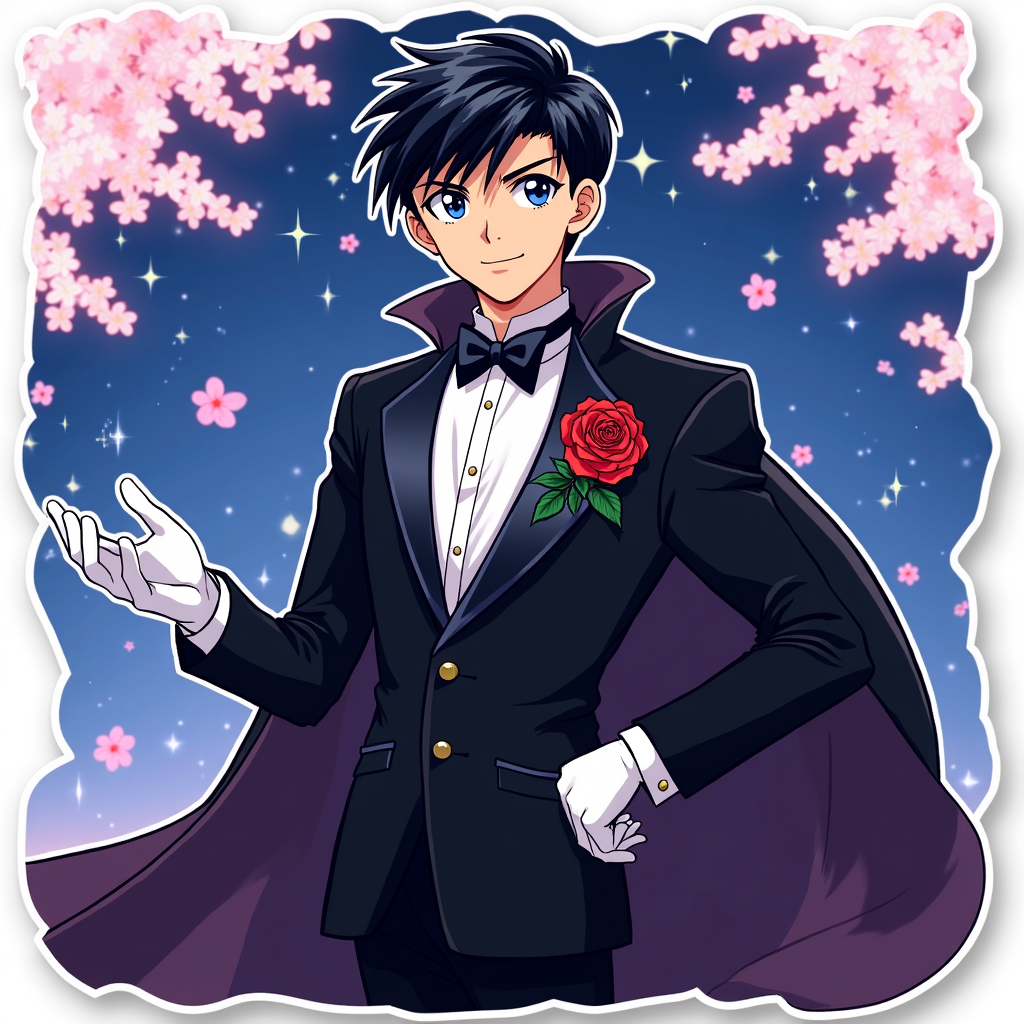
**Prompt:** *"Anime sticker style illustration of Mamoru Chiba (Tuxedo Mask) from 《Sailor Moon》, featuring his sharp, mature facial features, short dark hair, and piercing blue eyes. He wears his signature black tuxedo with a flowing cape, white gloves, and a red rose pinned to his lapel. His pose is confident—leaning slightly forward, one hand holding a rose, the other outstretched as if casting a spell. His expression is cool and composed, with a faint smirk. The background is a dreamy, starry night sky with cherry blossoms drifting by. Stylized with bold outlines, vibrant colors, and a semi-flat, glossy sticker effect. Include subtle sparkles and a soft glow around his cape for a magical touch."* (997 characters)
Análisis Detallado del Prompt de Imagen de Flux IA
Analiza el prompt detallado utilizado para generar la imagen con Flux IA Image Generator.
Explorar Mensajes para Flux IA
Cómo generar una imagen por Flux.1 dev
Sigue estos cuatro sencillos pasos para crear la imagen que deseas.
Paso 1: Ingresa tu texto (No dudes en refinar tu prompt para mejores resultados)
Paso 2: Elige la relación de aspecto de la imagen
Paso 3: Selecciona tu modelo Flux:
Paso 4: Haz clic en el botón Generar y espera unos segundos para tu imagen
Herramientas Flux IA relacionadas para prompts sobre Flux.1 dev
Descubre herramientas avanzadas de Flux IA para potenciar tu flujo de trabajo creativo.