《Sailor Moon》-Mamoru Chiba - Flux.1 dev
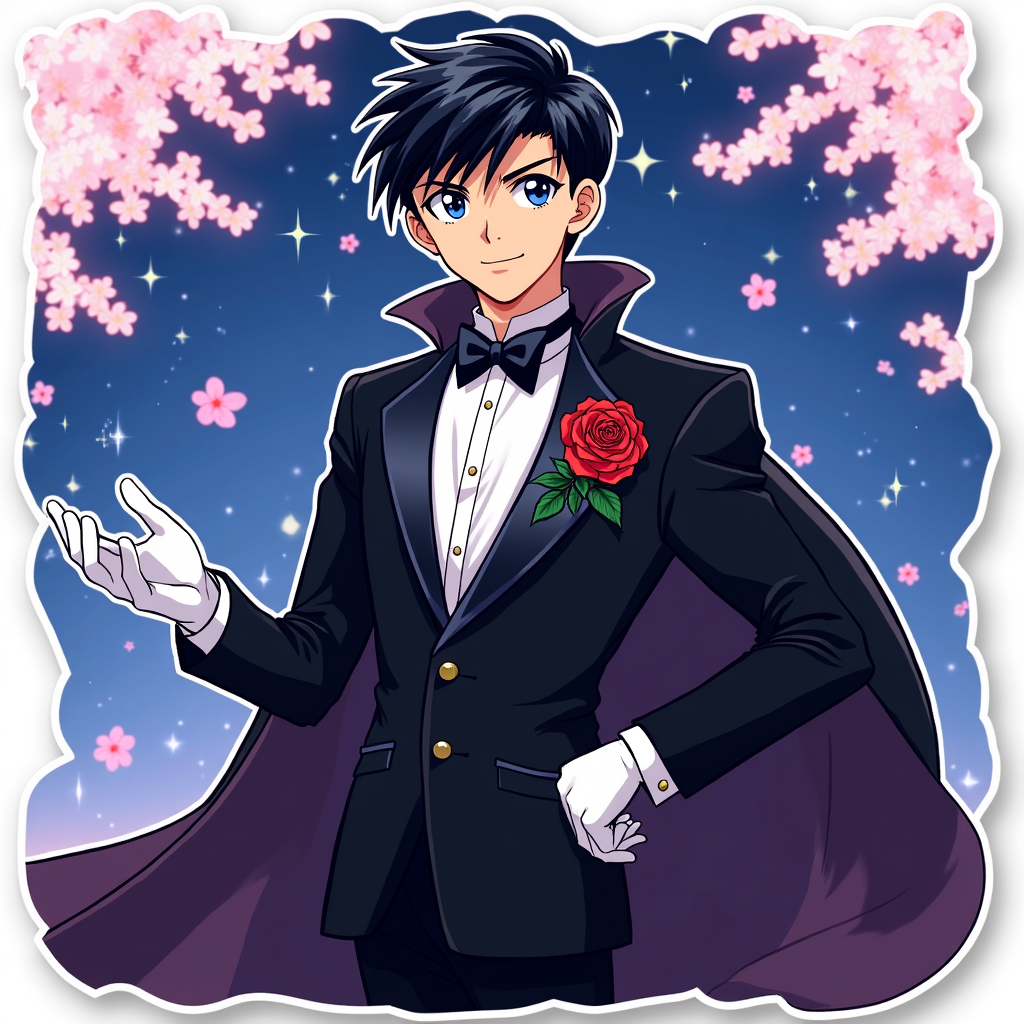
Lời nhắc
**Prompt:** *"Anime sticker style illustration of Mamoru Chiba (Tuxedo Mask) from 《Sailor Moon》, featuring his sharp, mature facial features, short dark hair, and piercing blue eyes. He wears his signature black tuxedo with a flowing cape, white gloves, and a red rose pinned to his lapel. His pose is confident—leaning slightly forward, one hand holding a rose, the other outstretched as if casting a spell. His expression is cool and composed, with a faint smirk. The background is a dreamy, starry night sky with cherry blossoms drifting by. Stylized with bold outlines, vibrant colors, and a semi-flat, glossy sticker effect. Include subtle sparkles and a soft glow around his cape for a magical touch."* (997 characters)
Phân tích Chi tiết về Prompt Hình ảnh Flux AI
Phân tích prompt chi tiết được sử dụng để tạo ra hình ảnh với Flux AI Image Generator.
Khám phá Flux Prompts cho Trình tạo hình ảnh Flux AI
Cách tạo hình ảnh bằng Flux.1 dev
Theo dõi bốn bước đơn giản dưới đây để tạo ra hình ảnh bạn mong muốn.
Bước 1: Nhập Văn bản của Bạn (Cảm thấy tự do tinh chỉnh prompt của bạn để có kết quả tốt hơn)
Bước 2: Chọn Tỷ lệ Khung Hình của Hình ảnh
Bước 3: Chọn Mô hình Flux của Bạn:
Bước 4: Nhấn Nút Tạo và Chờ vài Giây để Có Hình ảnh của Bạn
Công cụ Flux AI liên quan đến prompts về Flux.1 dev
Khám phá các công cụ nâng cao từ Flux AI để tăng cường quy trình làm việc sáng tạo của bạn.