《Sailor Moon》-Mamoru Chiba - Flux.1 dev
prompt
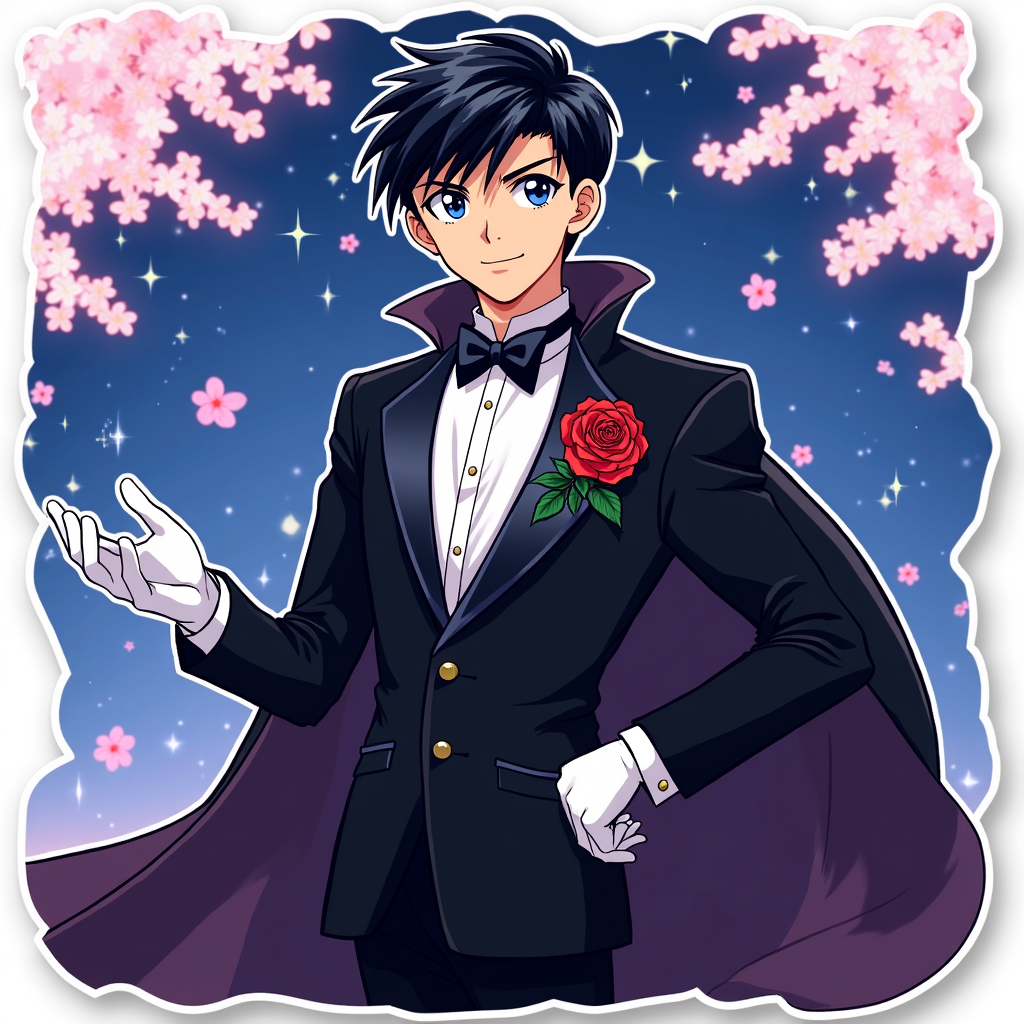
**Prompt:** *"Anime sticker style illustration of Mamoru Chiba (Tuxedo Mask) from 《Sailor Moon》, featuring his sharp, mature facial features, short dark hair, and piercing blue eyes. He wears his signature black tuxedo with a flowing cape, white gloves, and a red rose pinned to his lapel. His pose is confident—leaning slightly forward, one hand holding a rose, the other outstretched as if casting a spell. His expression is cool and composed, with a faint smirk. The background is a dreamy, starry night sky with cherry blossoms drifting by. Stylized with bold outlines, vibrant colors, and a semi-flat, glossy sticker effect. Include subtle sparkles and a soft glow around his cape for a magical touch."* (997 characters)
Analisi Dettagliata del Prompt Immagine Flux AI
Analizza il prompt dettagliato utilizzato per generare l'immagine con il Generatore Immagini Flux AI.
Esplora i Prompt Flux per il Generatore Immagini Flux AI
Come generare immagini con Flux.1 dev
Segui questi quattro semplici passaggi per creare l'immagine desiderata.
Passaggio 1: Inserisci il Tuo Testo (Sentiti libero di perfezionare il prompt per risultati migliori)
Passaggio 2: Scegli le Proporzioni dell'Immagine
Passaggio 3: Seleziona il Tuo Modello Flux:
Passaggio 4: Clicca il Pulsante Genera e Attendi Alcuni Secondi per la Tua Immagine
Strumenti Flux AI correlati per prompt su Flux.1 dev
Scopri strumenti avanzati di Flux AI per potenziare il tuo flusso di lavoro creativo.