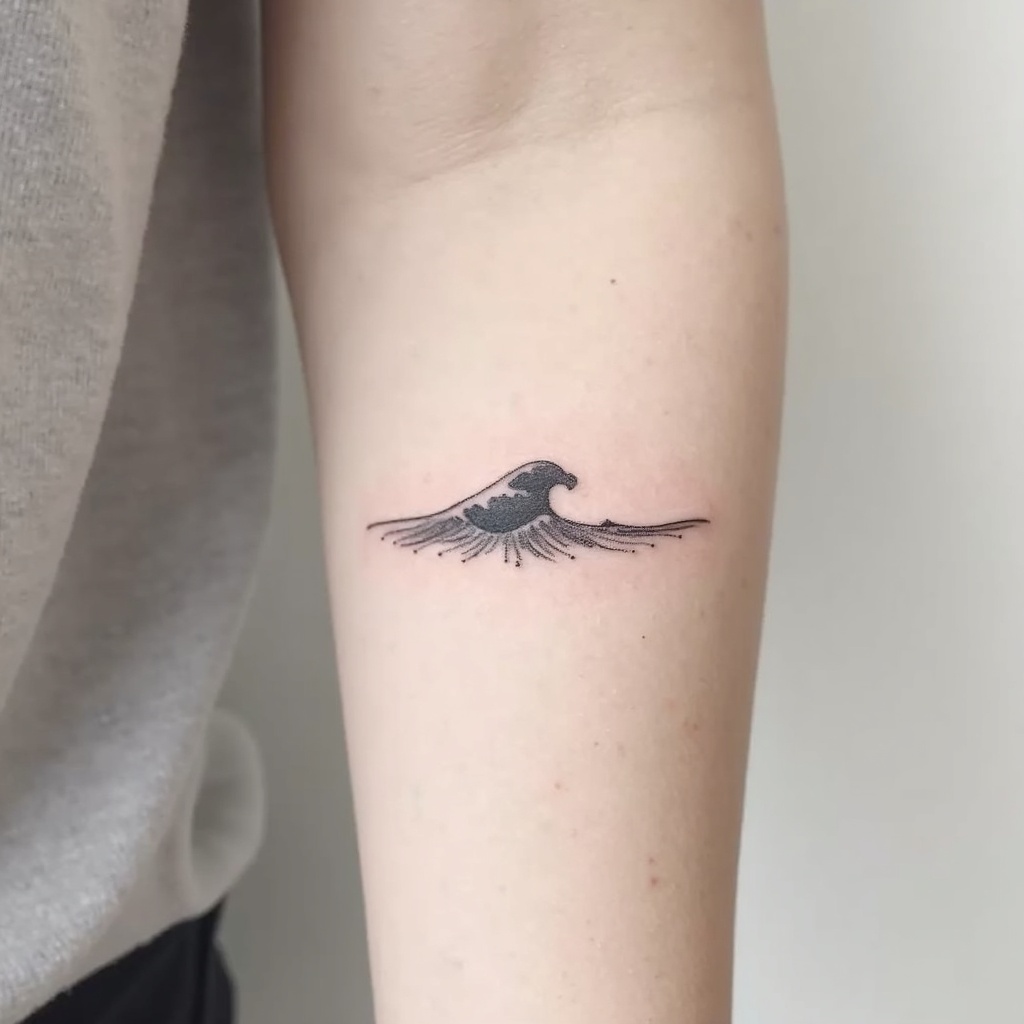
Forearm-Micro Ocean Wave - Flux.1 dev
Indicador
**Prompt:** "Design a delicate **forearm micro tattoo** featuring a **minimalist ocean wave** with clean, flowing lines. The wave should be **small and subtle**, approximately 2-3 inches, placed along the inner or outer forearm for understated elegance. Use a **monochromatic black ink** palette for sharp contrast, with fine details to suggest movement and texture. Incorporate **soft dotwork or fine hatching** to add depth, mimicking the shimmer of water. The style should be **contemporary and refined**, evoking tranquility and fluidity. Avoid heavy shading, keeping the design **light and airy** for a timeless, wearable piece. Symbolically, the wave represents resilience and adaptability, blending simplicity with meaning." (998 characters)
Análisis Detallado del Prompt de Imagen de Flux IA
Analiza el prompt detallado utilizado para generar la imagen con Flux IA Image Generator.
Explorar Mensajes para Flux IA
Cómo generar una imagen por Flux.1 dev
Sigue estos cuatro sencillos pasos para crear la imagen que deseas.
Paso 1: Ingresa tu texto (No dudes en refinar tu prompt para mejores resultados)
Paso 2: Elige la relación de aspecto de la imagen
Paso 3: Selecciona tu modelo Flux:
Paso 4: Haz clic en el botón Generar y espera unos segundos para tu imagen
Herramientas Flux IA relacionadas para prompts sobre Flux.1 dev
Descubre herramientas avanzadas de Flux IA para potenciar tu flujo de trabajo creativo.