Forearm-Micro Ocean Wave - Flux.1 dev
プロンプト
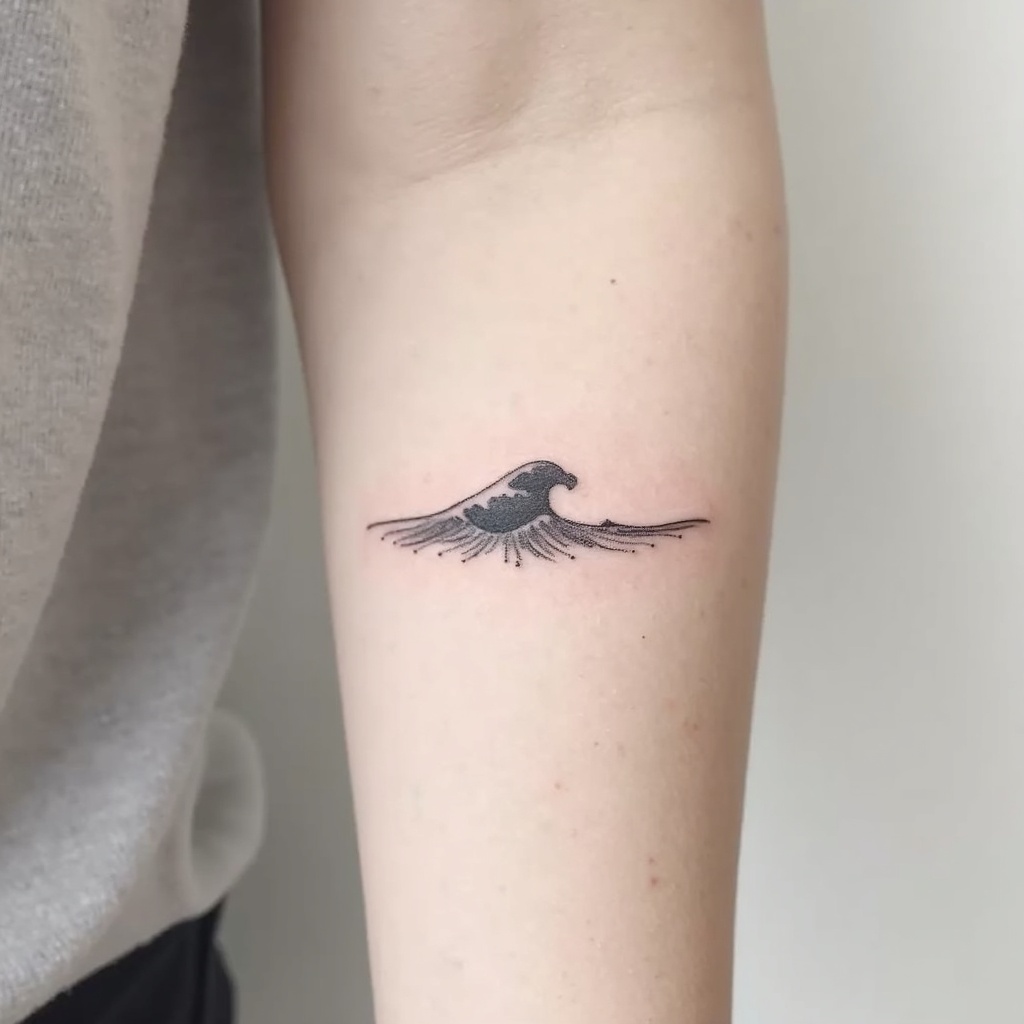
**Prompt:** "Design a delicate **forearm micro tattoo** featuring a **minimalist ocean wave** with clean, flowing lines. The wave should be **small and subtle**, approximately 2-3 inches, placed along the inner or outer forearm for understated elegance. Use a **monochromatic black ink** palette for sharp contrast, with fine details to suggest movement and texture. Incorporate **soft dotwork or fine hatching** to add depth, mimicking the shimmer of water. The style should be **contemporary and refined**, evoking tranquility and fluidity. Avoid heavy shading, keeping the design **light and airy** for a timeless, wearable piece. Symbolically, the wave represents resilience and adaptability, blending simplicity with meaning." (998 characters)
Flux AI Image Promptの詳細分析
Flux AI Image Generatorを使用して画像を生成するために使用された詳細なプロンプトを分析します。
Flux AI画像生成のプロンプトを探索
で画像を生成する方法 Flux.1 dev
以下の4つの簡単なステップに従って、希望する画像を作成してください。
ステップ 1: テキストを入力 (より良い結果のためにプロンプトを調整してください)
ステップ 2: 画像のアスペクト比を選択
ステップ 3: Fluxモデルを選択:
ステップ 4: 生成ボタンをクリックして数秒待ち、画像を取得
プロンプトに関連するFlux AIツール Flux.1 dev
Flux AIの高度なツールを発見して、クリエイティブな作業フローを強化しましょう。