Forearm-Micro Ocean Wave - Flux.1 dev
Invite
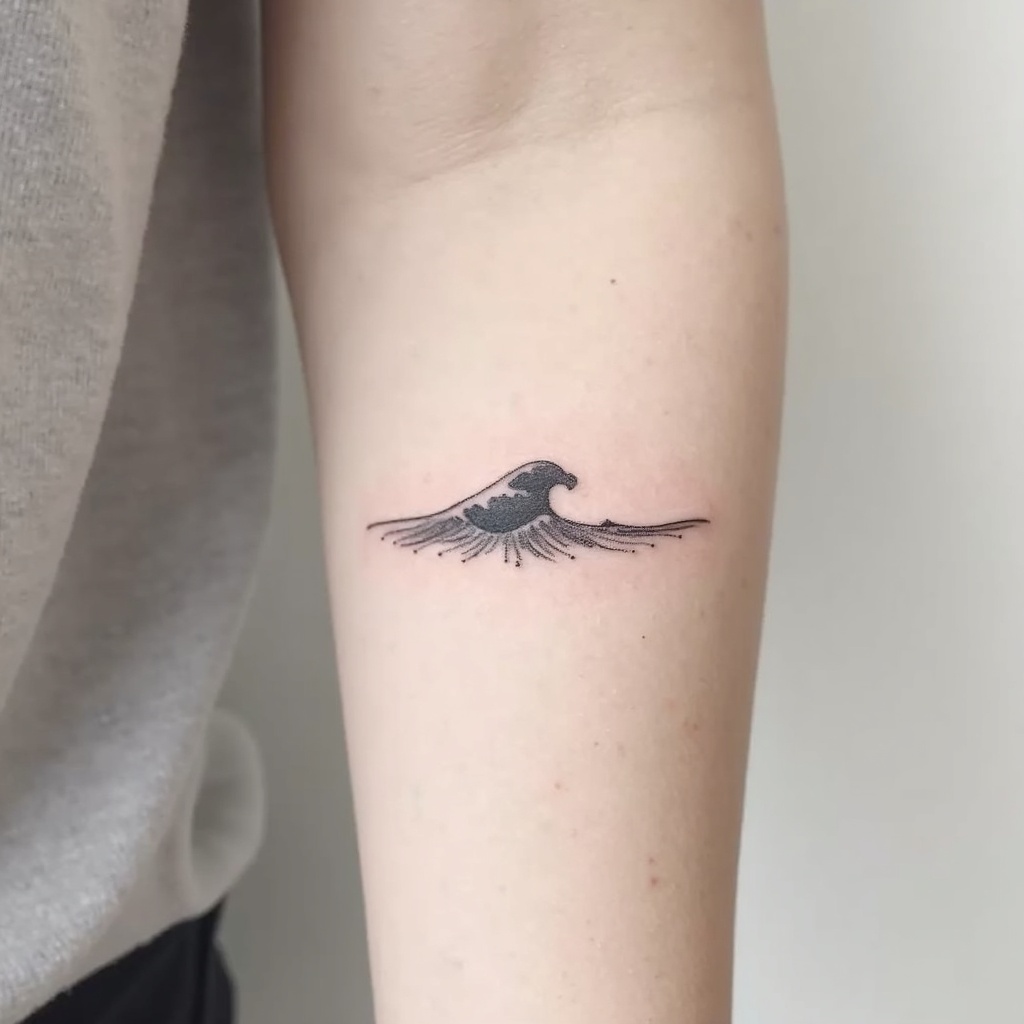
**Prompt:** "Design a delicate **forearm micro tattoo** featuring a **minimalist ocean wave** with clean, flowing lines. The wave should be **small and subtle**, approximately 2-3 inches, placed along the inner or outer forearm for understated elegance. Use a **monochromatic black ink** palette for sharp contrast, with fine details to suggest movement and texture. Incorporate **soft dotwork or fine hatching** to add depth, mimicking the shimmer of water. The style should be **contemporary and refined**, evoking tranquility and fluidity. Avoid heavy shading, keeping the design **light and airy** for a timeless, wearable piece. Symbolically, the wave represents resilience and adaptability, blending simplicity with meaning." (998 characters)
Analyse Détaillée du Prompt d'Image Flux IA
Analysez le prompt détaillé utilisé pour générer l'image avec Flux IA Image Generator.
Explorez les invites Flux IA
Comment générer une image par Flux.1 dev
Suivez ces quatre étapes simples pour créer l'image désirée.
Étape 1 : Entrez votre texte (N'hésitez pas à affiner votre prompt pour de meilleurs résultats)
Étape 2 : Choisissez le ratio d'aspect de l'image
Étape 3 : Sélectionnez votre modèle Flux :
Étape 4 : Cliquez sur le bouton Générer et attendez quelques secondes pour votre image
Outils Flux IA liés aux prompts sur Flux.1 dev
Découvrez des outils avancés de Flux IA pour booster votre flux de travail créatif.