Forearm-Micro Ocean Wave - Flux.1 dev
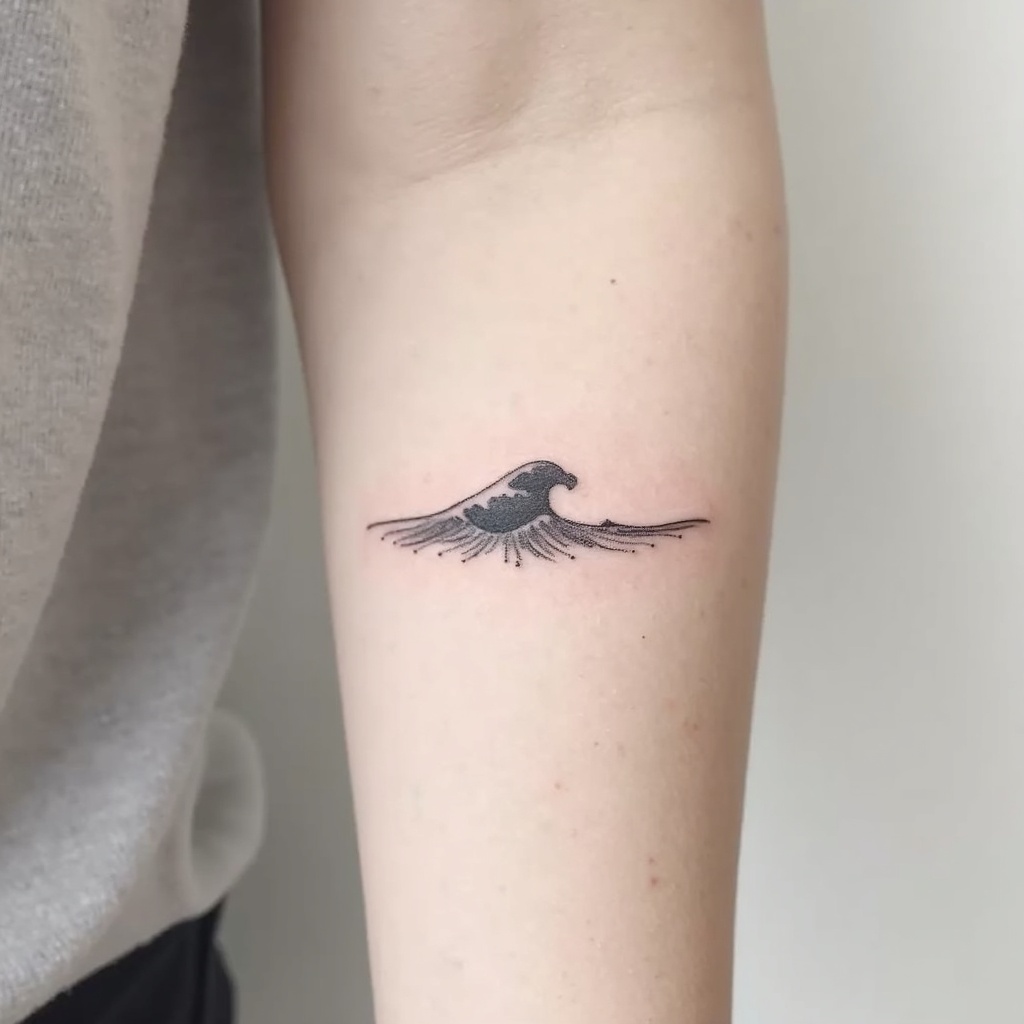
Forearm-Micro Ocean Wave
ความละเอียด: 1024x1024ขนาดภาพ: 121.3 KBเวลาสร้าง: 2025 / 11 / 08

พรอมต์

**Prompt:** "Design a delicate **forearm micro tattoo** featuring a **minimalist ocean wave** with clean, flowing lines. The wave should be **small and subtle**, approximately 2-3 inches, placed along the inner or outer forearm for understated elegance. Use a **monochromatic black ink** palette for sharp contrast, with fine details to suggest movement and texture. Incorporate **soft dotwork or fine hatching** to add depth, mimicking the shimmer of water. The style should be **contemporary and refined**, evoking tranquility and fluidity. Avoid heavy shading, keeping the design **light and airy** for a timeless, wearable piece. Symbolically, the wave represents resilience and adaptability, blending simplicity with meaning." (998 characters)

โมเดล
Flux.1 dev
ลายน้ำ:
ลิขสิทธิ์: ผู้ใช้ที่ชำระเงินเป็นเจ้าของสิทธิ์ในภาพของตน
ส่วนลด 20% สำหรับแผนรายปี

การวิเคราะห์รายละเอียดของ Prompt ภาพ Flux AI

วิเคราะห์ Prompt รายละเอียดที่ใช้ในการสร้างภาพด้วย Flux AI Image Generator.

หัวข้อภาพ : Forearm-Micro Ocean Wave
Prompt : **Prompt:** "Design a delicate **forearm micro tattoo** featuring a **minimalist ocean wave** with clean, flowing lines. The wave should be **small and subtle**, approximately 2-3 inches, placed along the inner or outer forearm for understated elegance. Use a **monochromatic black ink** palette for sharp contrast, with fine details to suggest movement and texture. Incorporate **soft dotwork or fine hatching** to add depth, mimicking the shimmer of water. The style should be **contemporary and refined**, evoking tranquility and fluidity. Avoid heavy shading, keeping the design **light and airy** for a timeless, wearable piece. Symbolically, the wave represents resilience and adaptability, blending simplicity with meaning." (998 characters)
ขนาด
1024x1024
โมเดล
Flux.1 dev
ราคา
30 เครดิต/ภาพ
รูปแบบ
image/jpeg
หมวดหมู่

สำรวจคำแนะนำ Flux สำหรับตัวสร้างภาพ AI

ค้นพบคำแนะนำเพิ่มเติม

วิธีสร้างภาพโดย Flux.1 dev

ติดตามขั้นตอนง่าย ๆ สี่ขั้นตอนเพื่อสร้างภาพที่คุณต้องการ.

ขั้นตอนที่ 1: ป้อนข้อความของคุณ (สามารถปรับแต่ง Prompt ของคุณเพื่อผลลัพธ์ที่ดียิ่งขึ้น)

ขั้นตอนที่ 2: เลือกอัตราส่วนภาพ

ขั้นตอนที่ 3: เลือกโมเดล Flux ของคุณ:

ขั้นตอนที่ 4: คลิกปุ่มสร้างและรอสักครู่เพื่อรับภาพของคุณ

เครื่องมือ Flux AI ที่เกี่ยวข้องกับ Prompt เกี่ยวกับ Flux.1 dev

ค้นพบเครื่องมือขั้นสูงจาก Flux AI เพื่อเพิ่มประสิทธิภาพการทำงานสร้างสรรค์ของคุณ.

เครื่องมือ Flux AI

เครื่องมือสร้างภาพ Flux AIเครื่องมือสร้างวิดีโอ Flux AIภาพสู่ภาพ AIFlux Kontext AIเครื่องสร้างภาพ Nano Bananaเครื่องสร้างอวตาร AIภาพถ่ายเป็นการ์ตูนถ่ายภาพสินค้าด้วย AIAI ลองเสื้อผ้าเสมือนจริงเครื่องมือฟื้นฟูภาพถ่ายเก่าเครื่องสร้างภาพถ่ายหน้าตรงด้วย AIเครื่องสร้างทรงผมด้วย AIสตูดิโอศิลปะจิบลิเครื่องเปลี่ยนพื้นหลังด้วย AIเครื่องมือเพิ่มสีรูปภาพด้วย AIเครื่องมือลบวัตถุออกจากรูปภาพเครื่องมือสร้างอะนิเมะ AIเครื่องมือสร้างฟิกเกอร์แอคชั่น AIเครื่องมือสร้างกล่องตุ๊กตาบาร์บี้เครื่องสร้างตุ๊กตาผ้า AIเครื่องสร้างสไตล์ซิมป์สันส์ AIStudio Ghibli AINano Banana อินเพ้นท์เครื่องกำเนิดโปสเตอร์ AIQwen Image AIFlux สมจริงGoogle Imagen4 AISeedream 4.0 ภาพ AIแก้ไขภาพ QwenFlux Krea AIGemini Flash แก้ไขรูปภาพเครื่องมือสร้างภาพ Recraft AIเครื่องมือสร้างภาพ Flux LoraFlux Redux AIFlux Fill AIFlux Canny/Depth AIเครื่องมือสร้างเหรียญ AIKrea AIปฏิทินปีใหม่ AIเครื่องสร้างภาพฮาโลวีนด้วย AI

บทความที่เกี่ยวข้องกับ Prompt Flux.1 dev