Roronoa Zoro - Flux.1 schnell
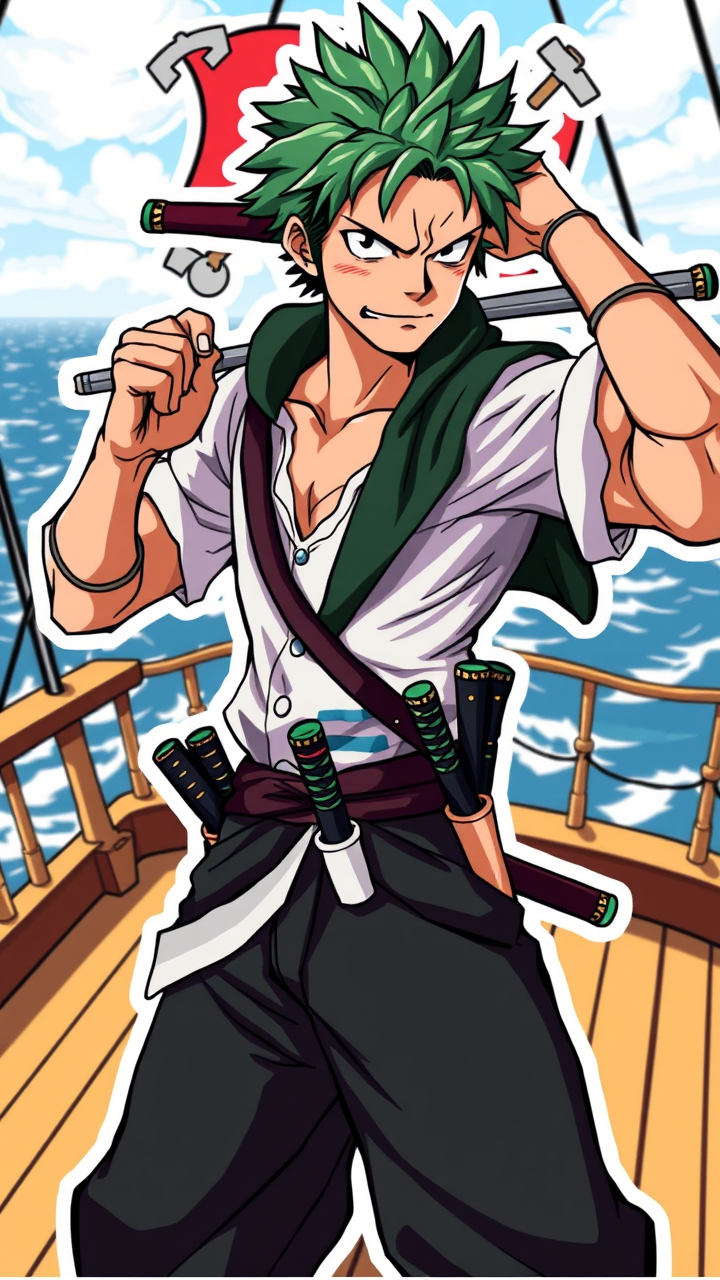
prompt
Create an image of Roronoa Zoro in a vibrant anime sticker style. Capture his key physical features: short, spiky green hair and three distinctive swords sheathed at his waist. He should wear a classic dark green haramaki, a white shirt, and loose black pants, showcasing his muscular build. His expression is fierce and determined, with a slight smirk, reflecting his confident personality. Pose him in a dynamic stance, one hand gripping a sword while the other is raised in a fighting position. The background should be a stylized, colorful depiction of a pirate ship deck with the ocean in the distance, enhancing the adventurous theme. Use bold outlines and bright colors typical of sticker art, incorporating signature elements like his iconic scar over the eye and a subtle hint of the Straw Hat Pirates’ Jolly Roger in the backdrop.
Detailed Analysis of the Flux AI Image Prompt
Analyze the detailed prompt used to generate the image with Flux AI Image Generator.
Explore Flux Prompts for the Flux AI Image Generator
How to generate image by Flux.1 schnell
Follow these four simple steps to create your desired image.
Step 1: Enter Your Text (Feel free to refine your prompt for better results)
Step 2: Choose Image Aspect Ratio
Step 3: Select Your Flux Model:
Step 4: Click the Generate Button and Wait a Few Seconds for Your Image
Related Flux AI tools for prompts about Flux.1 schnell
Discover advanced tools from Flux AI to boost your creative workflow.