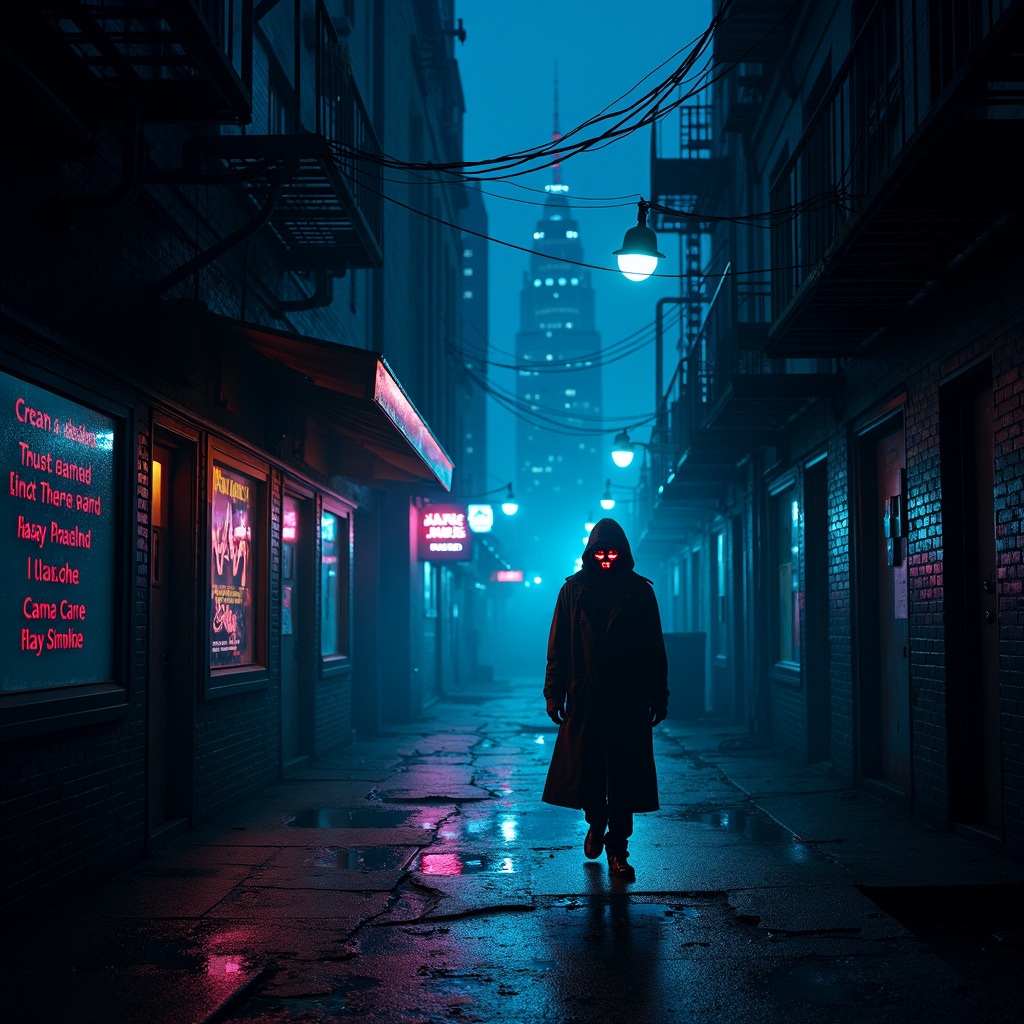
Glitching street lamps reveal hidden surveillance cameras - Flux.1 dev
prompt
A neon-drenched cyberpunk alleyway at night, where flickering street lamps cast erratic, glitching shadows across rain-slicked pavement. The lamps stutter between dim pulses and blinding bursts of electric blue, revealing sleek, hidden surveillance cameras embedded within their frames—tiny red lenses blinking ominously. The air hums with static, and holographic graffiti flickers on crumbling brick walls, their fragmented messages hinting at rebellion. A lone figure in a reflective trench coat strides through the scene, their face obscured by a shifting digital mask, while distant skyscrapers loom like jagged monoliths, their windows glowing with data streams. Puddles reflect the distorted glow of neon signs advertising cryptic corporate logos, and wisps of fog curl around rusted fire escapes. The atmosphere is thick with tension, a blend of technological decay and unseen watchers, where every shadow feels alive with hidden intent.
Detailed Analysis of the Flux AI Image Prompt
Analyze the detailed prompt used to generate the image with Flux AI Image Generator.
Explore Flux Prompts for the Flux AI Image Generator
How to generate image by Flux.1 dev
Follow these four simple steps to create your desired image.
Step 1: Enter Your Text (Feel free to refine your prompt for better results)
Step 2: Choose Image Aspect Ratio
Step 3: Select Your Flux Model:
Step 4: Click the Generate Button and Wait a Few Seconds for Your Image
Related Flux AI tools for prompts about Flux.1 dev
Discover advanced tools from Flux AI to boost your creative workflow.