Nelson Mandela - Flux.1 schnell
prompt
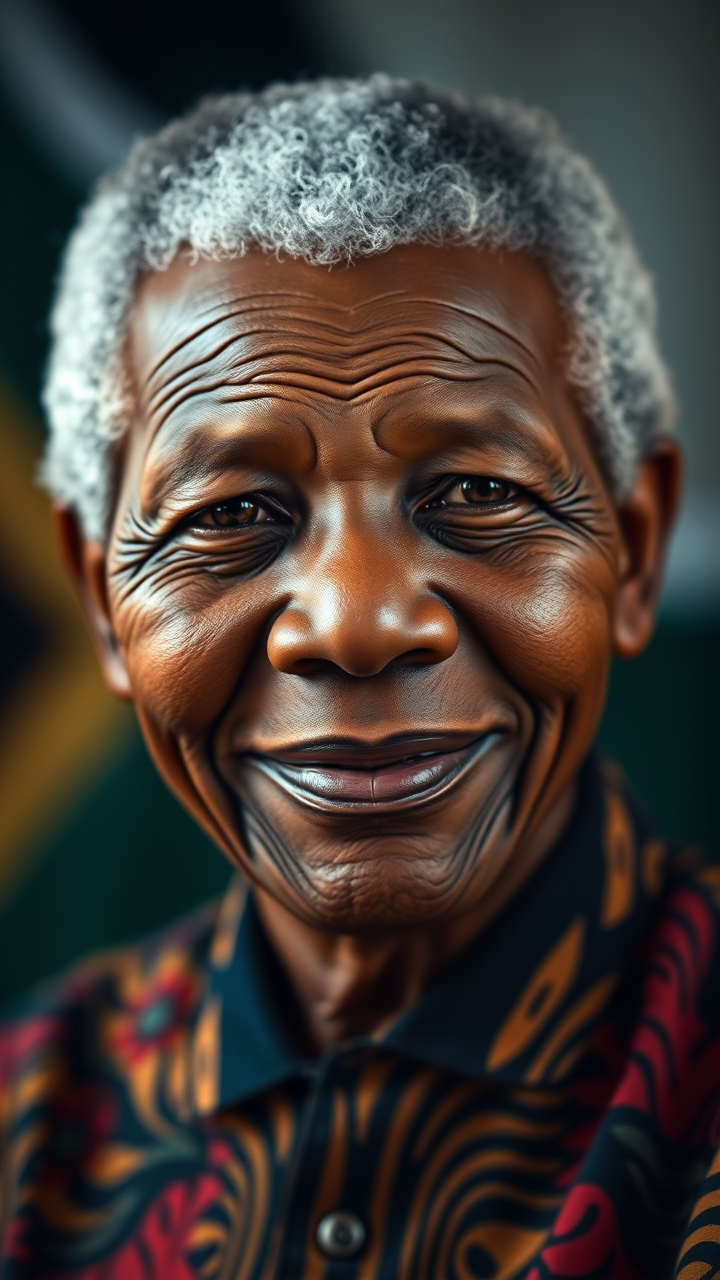
**Prompt:** *"A highly detailed, photorealistic portrait of Nelson Mandela, capturing his wise and dignified presence. Focus on his warm, expressive eyes with deep crow's feet, high cheekbones, and broad, gentle smile. His grayed, close-cropped hair and slightly weathered skin reflect his lifelong resilience. Soft, diffused lighting highlights his face with a golden glow, evoking hope and wisdom. He wears a traditional South African Madiba shirt in vibrant colors, symbolizing his heritage. The background is subtly blurred, with a faint outline of the South African flag. Shot with a 85mm portrait lens, f/1.8 aperture for creamy bokeh, cinematic lighting, ultra-high resolution, 8K detail. The mood is uplifting and inspirational, embodying his legacy of peace and unity."* (Characters: 698)
Detailed Analysis of the Flux AI Image Prompt
Analyze the detailed prompt used to generate the image with Flux AI Image Generator.
Explore Flux Prompts for the Flux AI Image Generator
How to generate image by Flux.1 schnell
Follow these four simple steps to create your desired image.
Step 1: Enter Your Text (Feel free to refine your prompt for better results)
Step 2: Choose Image Aspect Ratio
Step 3: Select Your Flux Model:
Step 4: Click the Generate Button and Wait a Few Seconds for Your Image
Related Flux AI tools for prompts about Flux.1 schnell
Discover advanced tools from Flux AI to boost your creative workflow.