Wild Elegance: Wolf's Embrace - Flux.1 dev
Invite
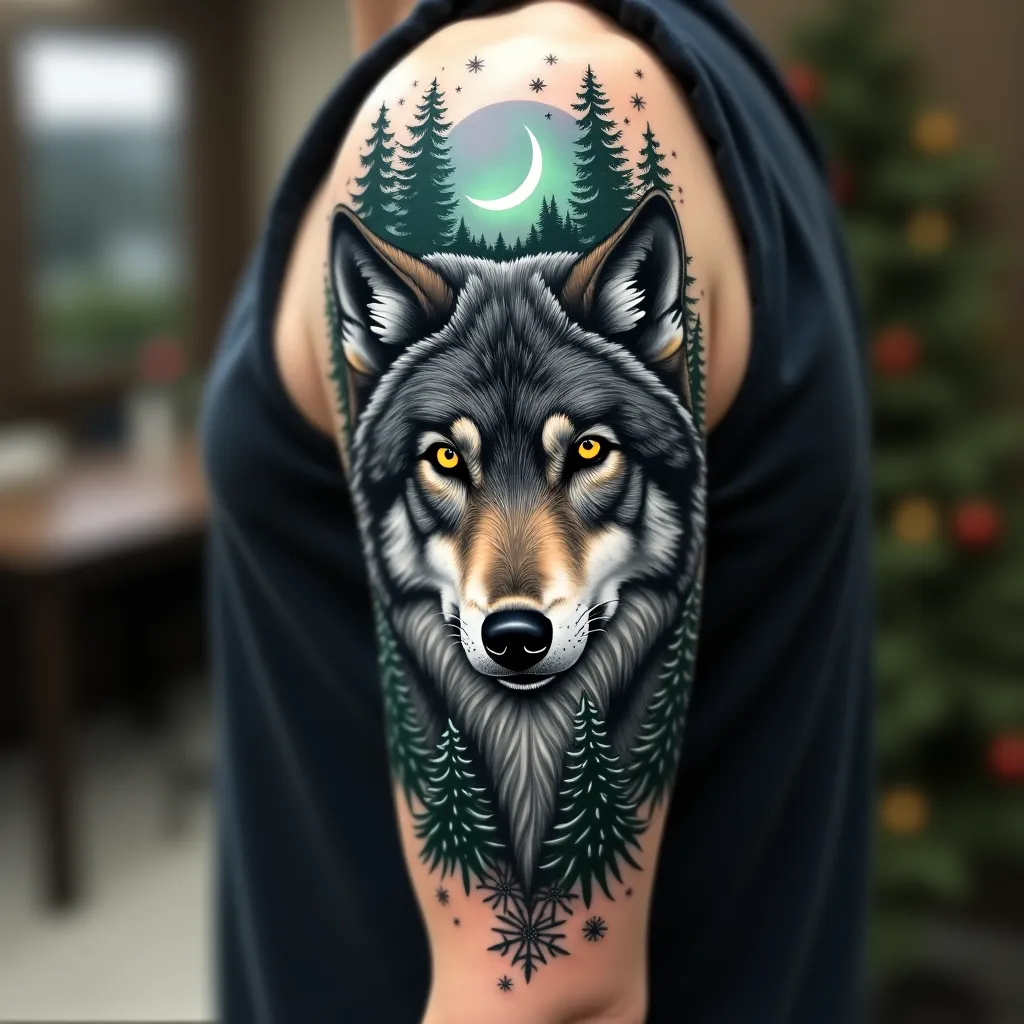
Create a hyper-realistic portrait of a majestic gray wolf on the upper arm, spanning from shoulder to elbow. The wolf's piercing yellow eyes should be the focal point, with intricate details in the fur texture. Integrate forest elements seamlessly: pine branches framing the wolf's face, with a crescent moon peeking through. Add subtle Northern Lights in the background, using muted greens and purples. Incorporate delicate snowflakes scattered throughout, giving a sense of a winter forest. The tattoo should wrap around the arm, with the wolf's face on the outer bicep and the forest scene extending to the inner arm. Use a color palette of cool grays, deep blues, and forest greens, with pops of yellow in the eyes and hints of aurora borealis colors. Emphasize a mix of sharp, precise lines for the wolf's features and softer, more organic shapes for the forest elements. The overall aesthetic should evoke a sense of wild beauty and quiet strength, symbolic of nature's resilience.
Analyse Détaillée du Prompt d'Image Flux IA
Analysez le prompt détaillé utilisé pour générer l'image avec Flux IA Image Generator.
Explorez les invites Flux IA
Comment générer une image par Flux.1 dev
Suivez ces quatre étapes simples pour créer l'image désirée.
Étape 1 : Entrez votre texte (N'hésitez pas à affiner votre prompt pour de meilleurs résultats)
Étape 2 : Choisissez le ratio d'aspect de l'image
Étape 3 : Sélectionnez votre modèle Flux :
Étape 4 : Cliquez sur le bouton Générer et attendez quelques secondes pour votre image
Outils Flux IA liés aux prompts sur Flux.1 dev
Découvrez des outils avancés de Flux IA pour booster votre flux de travail créatif.