Wild Elegance: Wolf's Embrace - Flux.1 dev
prompt
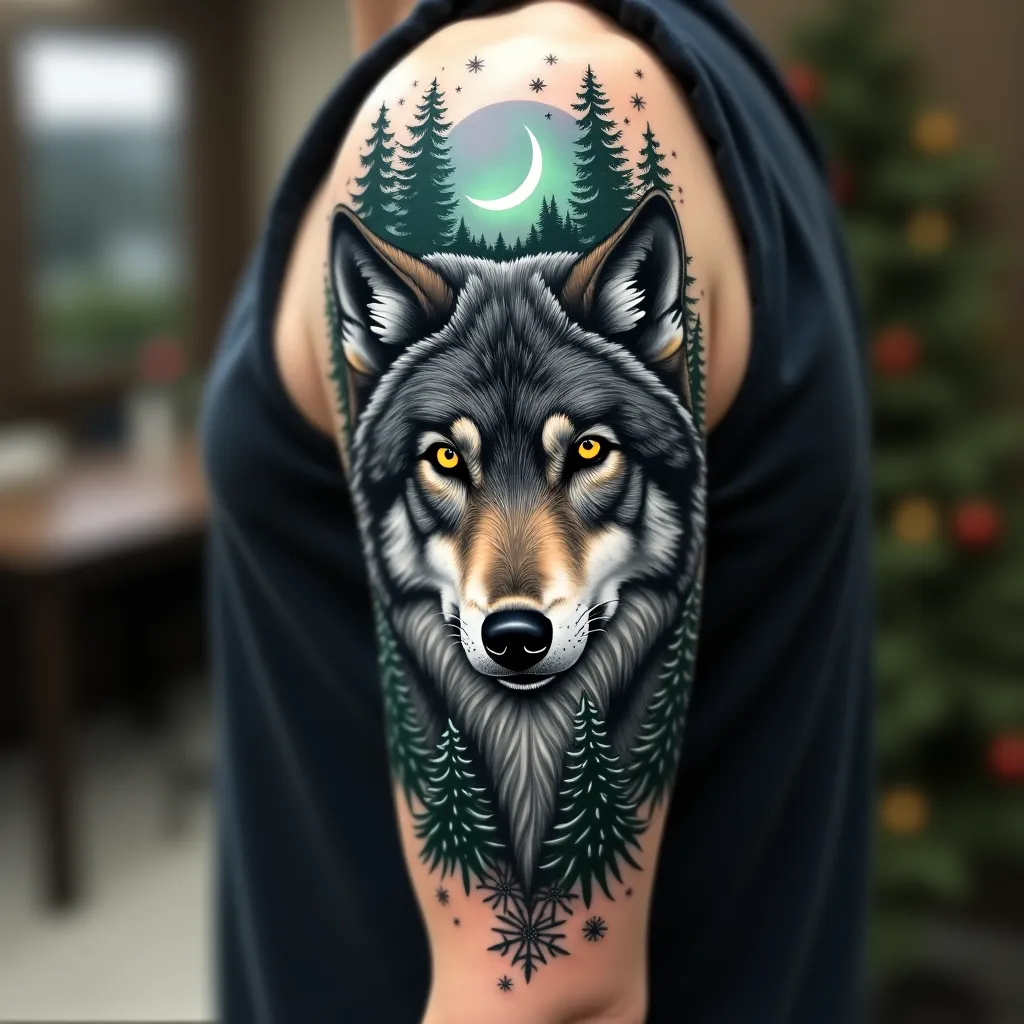
Create a hyper-realistic portrait of a majestic gray wolf on the upper arm, spanning from shoulder to elbow. The wolf's piercing yellow eyes should be the focal point, with intricate details in the fur texture. Integrate forest elements seamlessly: pine branches framing the wolf's face, with a crescent moon peeking through. Add subtle Northern Lights in the background, using muted greens and purples. Incorporate delicate snowflakes scattered throughout, giving a sense of a winter forest. The tattoo should wrap around the arm, with the wolf's face on the outer bicep and the forest scene extending to the inner arm. Use a color palette of cool grays, deep blues, and forest greens, with pops of yellow in the eyes and hints of aurora borealis colors. Emphasize a mix of sharp, precise lines for the wolf's features and softer, more organic shapes for the forest elements. The overall aesthetic should evoke a sense of wild beauty and quiet strength, symbolic of nature's resilience.
Analisi Dettagliata del Prompt Immagine Flux AI
Analizza il prompt dettagliato utilizzato per generare l'immagine con il Generatore Immagini Flux AI.
Esplora i Prompt Flux per il Generatore Immagini Flux AI
Come generare immagini con Flux.1 dev
Segui questi quattro semplici passaggi per creare l'immagine desiderata.
Passaggio 1: Inserisci il Tuo Testo (Sentiti libero di perfezionare il prompt per risultati migliori)
Passaggio 2: Scegli le Proporzioni dell'Immagine
Passaggio 3: Seleziona il Tuo Modello Flux:
Passaggio 4: Clicca il Pulsante Genera e Attendi Alcuni Secondi per la Tua Immagine
Strumenti Flux AI correlati per prompt su Flux.1 dev
Scopri strumenti avanzati di Flux AI per potenziare il tuo flusso di lavoro creativo.