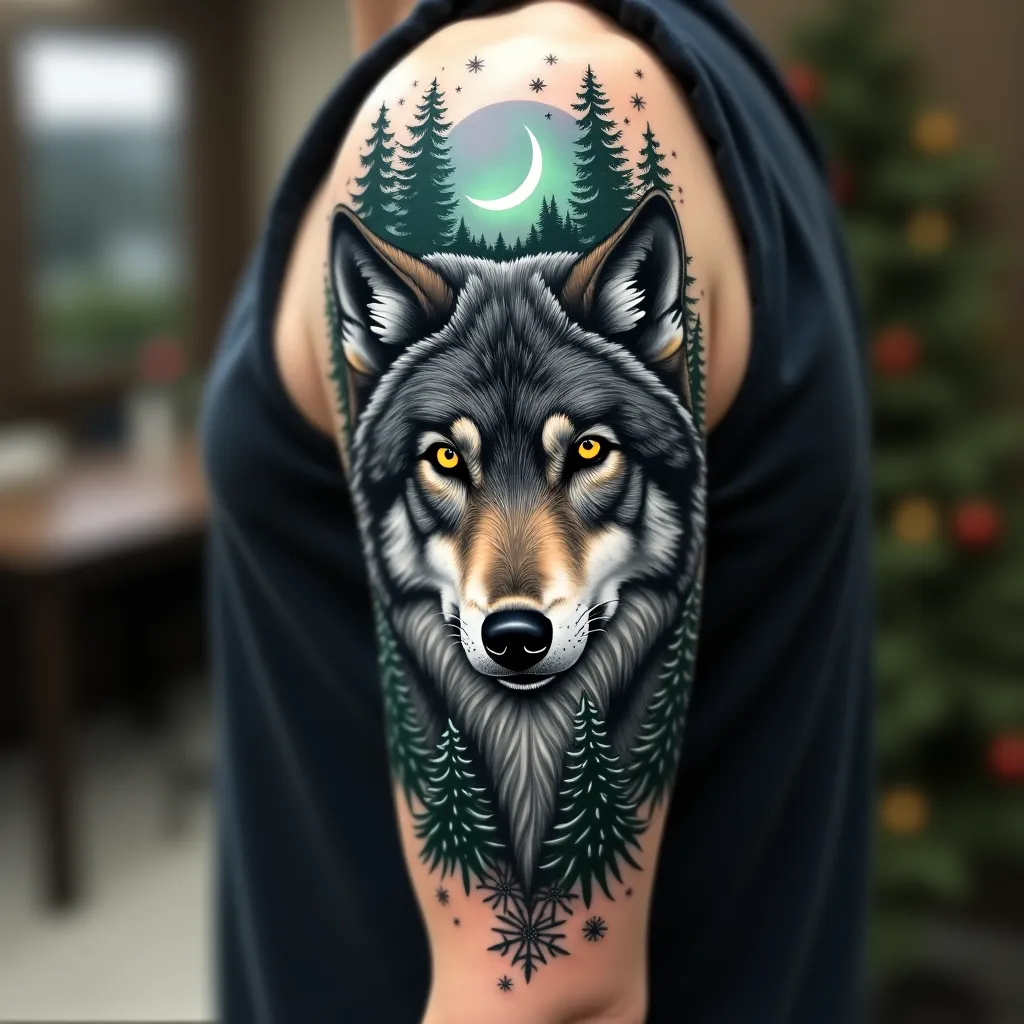
Wild Elegance: Wolf's Embrace - Flux.1 dev
프롬프트
Create a hyper-realistic portrait of a majestic gray wolf on the upper arm, spanning from shoulder to elbow. The wolf's piercing yellow eyes should be the focal point, with intricate details in the fur texture. Integrate forest elements seamlessly: pine branches framing the wolf's face, with a crescent moon peeking through. Add subtle Northern Lights in the background, using muted greens and purples. Incorporate delicate snowflakes scattered throughout, giving a sense of a winter forest. The tattoo should wrap around the arm, with the wolf's face on the outer bicep and the forest scene extending to the inner arm. Use a color palette of cool grays, deep blues, and forest greens, with pops of yellow in the eyes and hints of aurora borealis colors. Emphasize a mix of sharp, precise lines for the wolf's features and softer, more organic shapes for the forest elements. The overall aesthetic should evoke a sense of wild beauty and quiet strength, symbolic of nature's resilience.
Flux AI 이미지 프롬프트에 대한 상세 분석
Flux AI Image Generator를 사용하여 이미지를 생성하는 데 사용된 상세한 프롬프트를 분석합니다.
Flux AI 이미지 생성기 프롬프트 탐색
을 통해 이미지를 생성하는 방법 Flux.1 dev
원하는 이미지를 만들기 위해 다음 네 가지 간단한 단계를 따르세요.
단계 1: 텍스트 입력 (더 나은 결과를 위해 프롬프트를 자유롭게 수정하세요)
단계 2: 이미지 종횡비 선택
단계 3: Flux 모델 선택:
단계 4: 생성 버튼을 클릭하고 몇 초간 기다려 이미지를 받으세요
프롬프트와 관련된 Flux AI 도구 Flux.1 dev
Flux AI의 고급 도구를 발견하여 창의적인 작업 흐름을 향상시키세요.