Wild Elegance: Wolf's Embrace - Flux.1 dev
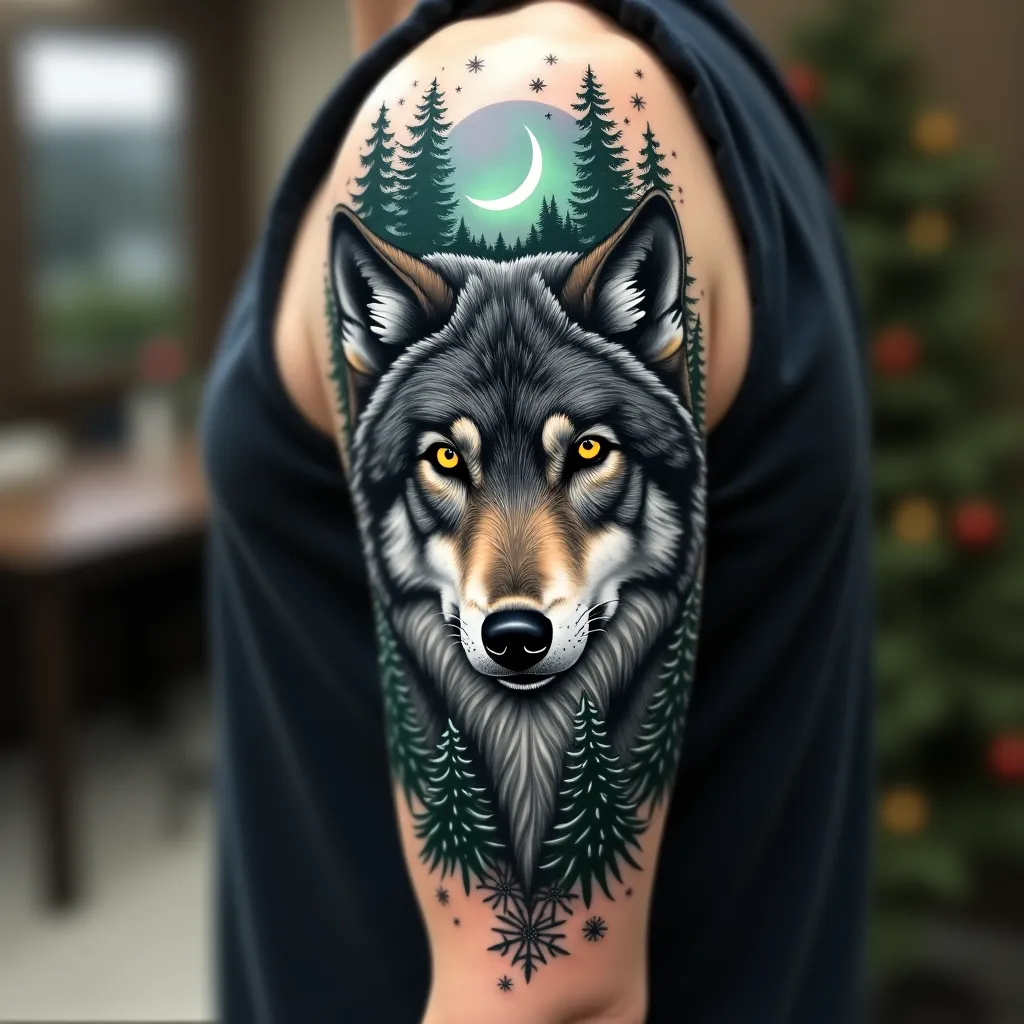
prompt
Create a hyper-realistic portrait of a majestic gray wolf on the upper arm, spanning from shoulder to elbow. The wolf's piercing yellow eyes should be the focal point, with intricate details in the fur texture. Integrate forest elements seamlessly: pine branches framing the wolf's face, with a crescent moon peeking through. Add subtle Northern Lights in the background, using muted greens and purples. Incorporate delicate snowflakes scattered throughout, giving a sense of a winter forest. The tattoo should wrap around the arm, with the wolf's face on the outer bicep and the forest scene extending to the inner arm. Use a color palette of cool grays, deep blues, and forest greens, with pops of yellow in the eyes and hints of aurora borealis colors. Emphasize a mix of sharp, precise lines for the wolf's features and softer, more organic shapes for the forest elements. The overall aesthetic should evoke a sense of wild beauty and quiet strength, symbolic of nature's resilience.
Detailed Analysis of the Flux AI Image Prompt
Analyze the detailed prompt used to generate the image with Flux AI Image Generator.
Explore Flux Prompts for the Flux AI Image Generator
How to generate image by Flux.1 dev
Follow these four simple steps to create your desired image.
Step 1: Enter Your Text (Feel free to refine your prompt for better results)
Step 2: Choose Image Aspect Ratio
Step 3: Select Your Flux Model:
Step 4: Click the Generate Button and Wait a Few Seconds for Your Image
Related Flux AI tools for prompts about Flux.1 dev
Discover advanced tools from Flux AI to boost your creative workflow.